24+ Best Sims 4 Main Menu Overrides for 2025 + How to Install & FAQs
The Sims 4 main menu is the very first thing you see when you launch the game, and for many players, it sets the tone for their entire gaming session. But the default screen can feel cluttered with ads, panels, and repetitive backgrounds. That’s where Sims 4 main menu override mods come in.
These simple yet powerful mods let you customize the startup screen with cleaner layouts, pastel gradients, moody themes, or even fan-inspired designs. Since EA rolled out a refreshed UI in early 2025, creators have been updating and releasing new overrides to keep things looking sleek and functional.
In this post, I’ll highlight the best Sims 4 main menu overrides for 2025. You’ll find a minimalist setup, aesthetic scene, moody backdrops, lo-fi playlist vibes, and more.
You can jump right into the list of top Sims 4 main menu overrides and FAQs using the links provided.
Looking for the perfect CC for your Sims?
Try our Free Sims 4 Mod & CC Finder to discover thousands of mods instantly. Search by category, creator, or style to find exactly what you need!
What Makes a Good Sims 4 Main Menu Override
Before I share the list of main menu overrides for 2025, let’s first discuss what makes a good main menu background.
Not every override is built the same, and with so many options out there, it helps to know what makes one stand out. Here are the main things to consider when picking the best main menu override for your Sims 4 setup in 2025:
- Compatibility with Updates – EA’s patches often change the main menu, which can break older overrides. So, always check that the mod has been updated recently, especially after the January 2025 UI refresh.
- Clutter Control – A good override gives you the option to hide or remove distractions like news panels, promotional ads, or even the Sims family portrait, depending on your preference.
- Visual Quality – High-resolution images, smooth design, and clear fonts can make your main menu feel modern and professional. But be mindful of file sizes, as huge textures may cause lag on lower-end PCs.
- Customization Options – Many of the best overrides offer modular downloads, allowing you to choose between different backgrounds, toggle add-ons, or swap color themes. This flexibility makes them more versatile.
- Aesthetic Appeal – From pastel gradients and cozy themes to moody, cinematic looks, the best overrides align with your personal style. So, choose your preferred aesthetic to make loading into the game more enjoyable.
- Trusted Sources – Since overrides replace core menu files, it’s important to download them from well-known creators or reliable Sims CC websites. This helps ensure your game stays safe and stable.
Luckily for you, I’ve shared trusted main menu overrides from reliable CC creators in the community below.
How to Download and Use Main Menu Overrides
If you’re new to Sims 4 and don’t know how to download and use main menu overrides, follow these steps:
- Download the File – Get the override package from the creator’s site or trusted CC hub. Most files come in .package format.
- Unzip if Needed – Some creators compress their files, so extract the contents with a program like WinRAR or 7-Zip.
- Move to Mods Folder – Choose one of the overrides from the zip folder and place the .package file into your Mods folder.
- Check for Conflicts – You can only use one main menu override at a time. Having more than one will cause them to conflict.
- Update When Needed – Overrides can break with new Sims 4 patches. Always download the latest version from the creator when your game updates.
With that done, your Sims 4 will launch with a completely fresh look the next time you start the game.
Top Sims 4 Main Menu Overrides of 2025
With so many creators updating their work after the January 2025 refresh, these are the top Sims 4 main overrides for 2025.
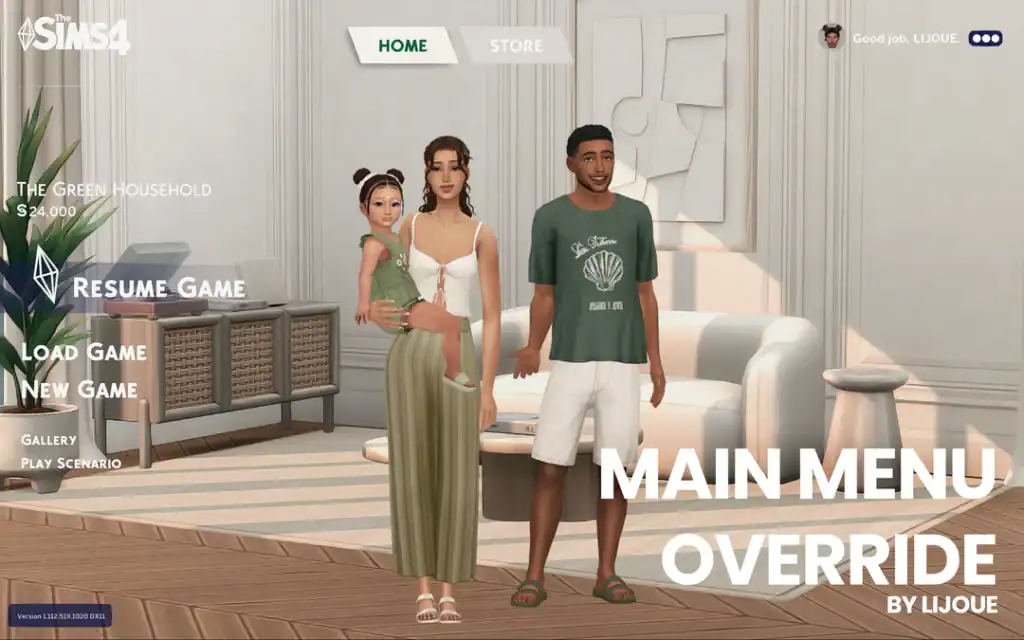
Lijoue’s Main Menu Override
Download: Lijoue’s Main Menu Override
This override is a favorite in 2025 thanks to its clean design and modular setup. You can choose between multiple background images, a neutral colour theme for text, or even strip things back with a minimal look.
Lijoue also includes options to hide the Sims family image, make the household image larger, remove the news panel, or adjust icons for a distraction-free menu. Since this main menu override is updated regularly, it stays fully compatible with the latest patches.
Just choose one of the main menu backgrounds from the zip file and place it in your mods folder for use.
Aesthetic Main Menu Overrides
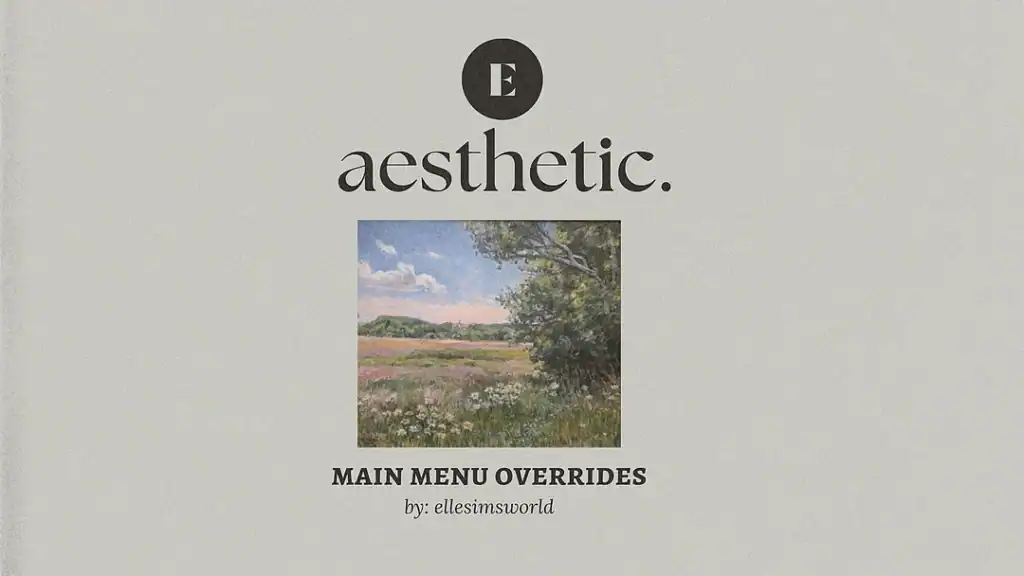
Download: Aesthetic Main Menu Overrides
If you like themed visuals, ellesimsworld offers several packs to transform the main menu into a stylish backdrop. The backgrounds are more moody and nature-inspired, which makes them perfect for seasonal gameplay like fall and autumn.
There’s Studio Ghibli-inspired art and moody cinematic shots, with each pack setting a different atmosphere the moment you launch the game. While this override was first created in 2024, it’s regularly updated to match the latest 2025 Sims 4 patches.
Pastel Gradient Backgrounds
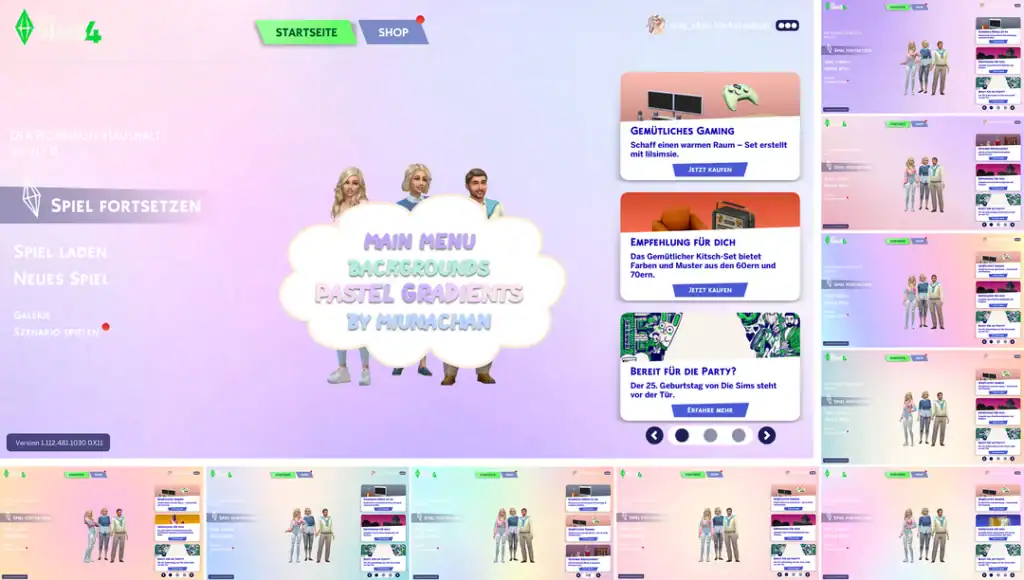
Download: Pastel Gradient Backgrounds
For a softer aesthetic, MiunaChan’s pastel gradients are the perfect choice. The clean color fades look sleek without overwhelming the screen. If you want something simple yet visually refreshing, download these pastel main menu backgrounds.
All you have to do is join MiunaChan’s Patreon as a free member, and you’ll be able to access the overrides. MiunaChan also has plenty more cute and charming Sims 4 main menu overrides you can download for free. Their aesthetic leans more toward Kawaii and Hello Kitty, so if that’s your vibe, be sure to scroll through their page.
SimMattically’s Refreshed Main Menu 2.0
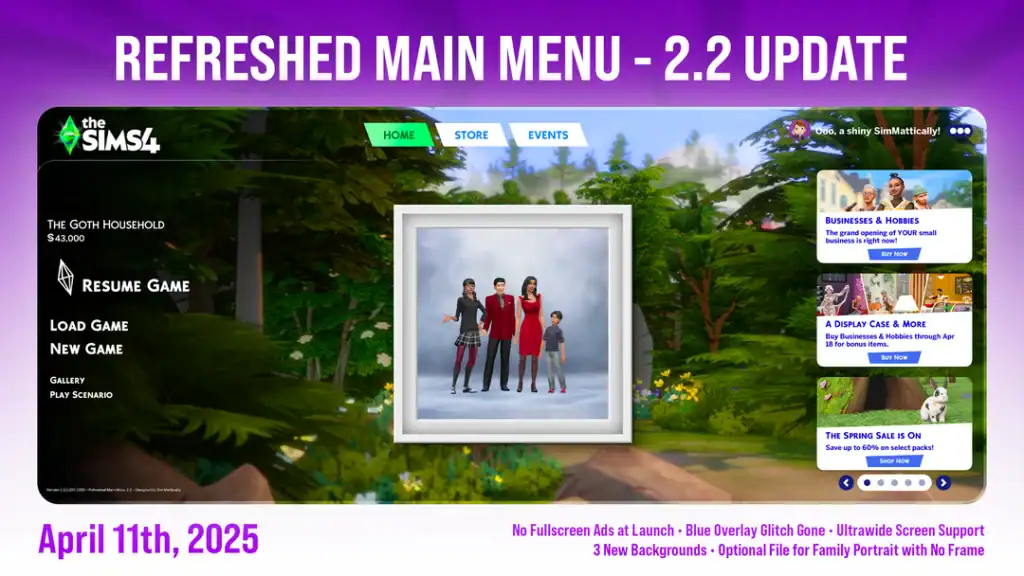
Download: Refreshed Main Menu 2.0
SimMattically’s main menu override mod is by far one of the most practical and functional Sims 4 main menu overrides on this list. It comes with many features, including the ability to pick from a variety of background images and toggle features like the alerts panel or household preview.
You can also show or hide news in real time, scroll through different backgrounds, and show or hide the sim household image. The mod gives you more control over what your menu shows, while keeping the overall design polished and sleek. And, it’s updated regularly, which ensures compatibility.
Random Collection
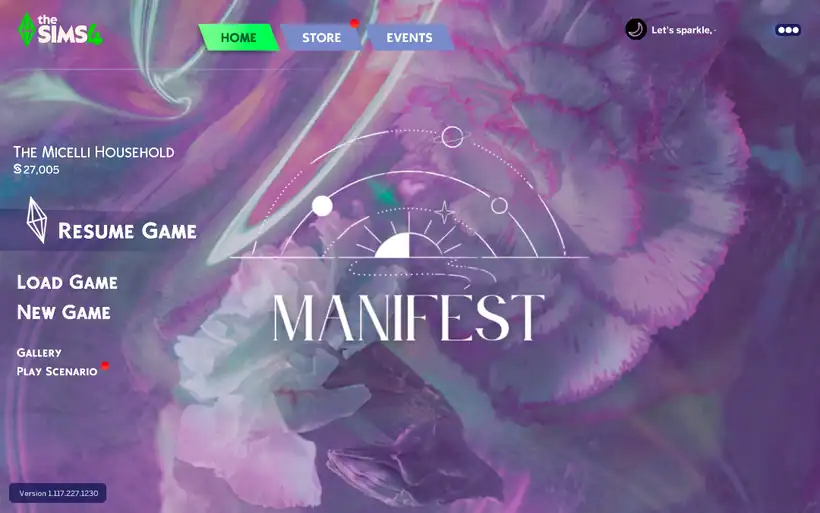
Created by meg, the Random Collection is a Sims 4 main menu override pack with random backgrounds for your base game. Some of the overrides are astrology-inspired, while others are clean and clutter-free.
This pack is a must-have as it gives you plenty of options to choose from to suit your aesthetic. Remember, you can only choose one of the backdrops to add to your mods folder. Click the link attached to see some of the backgrounds in the pack.
Big Mama Latto Override

As a massive fan of Latto, I had to add this Sims 4 main menu override to my mods folder. It basically embodies everything about the artist, from the leopard print background to the “BIG MOMA” text display.
If you want your override to reflect your personality, get this one. Be sure to join the creator’s Patreon as a free member to access the downloads.
Sims 4 Main Menu Inspired by The Sims 2
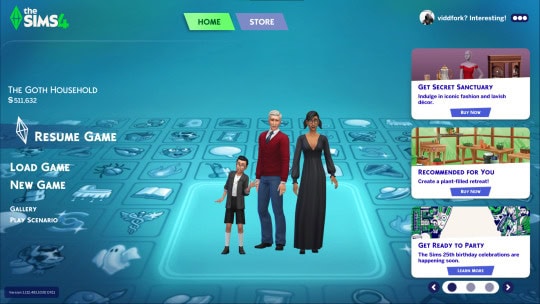
Bring a nostalgic feel to your gameplay with this Sims 2 Inspired Main Menu Override. The override recreates the look and feel of The Sims 2 main menu for The Sims 4. It features the classic blue background and icon grid design. This gives longtime fans a familiar sense of comfort every time they launch the game.
The background makes your game feel retro, and it’s fully compatible with 2025 updates.
Seasonscape
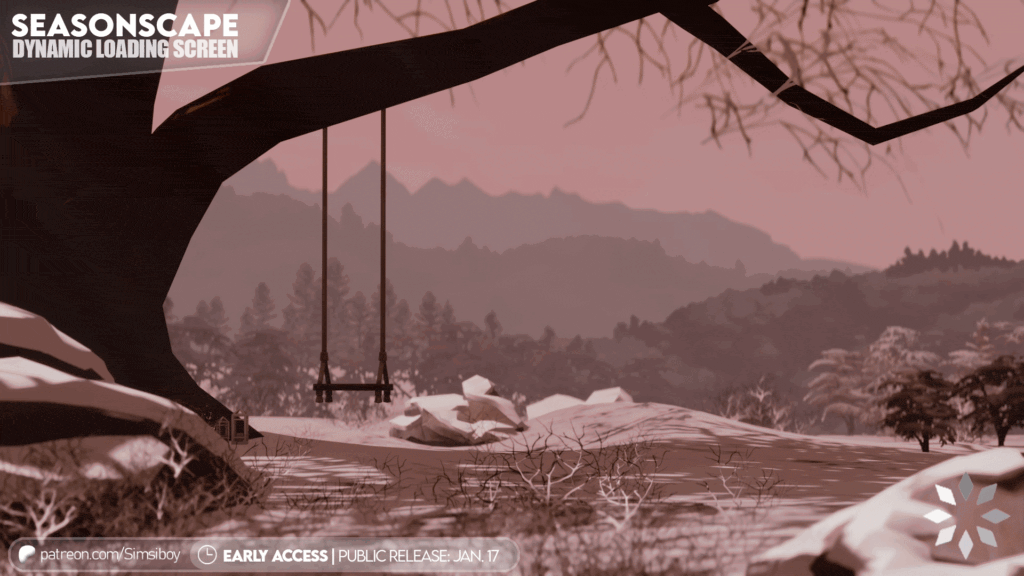
Seasonscape is a dynamic Sims 4 loading screen that changes in real time depending on the time and season. For example, if you load the game during the day, the override automatically adjusts to daytime. But if you launch at night, you get a nighttime backdrop complete with the moon and darkness.
The same case also applies to seasons like fall, winter, and summer. I love using this Sims 4 main menu override to add a realistic feel to my gameplay. For more loading screens, explore our roundup of Custom Sims 4 Loading Screens.
San Myshuno: Days & Nights
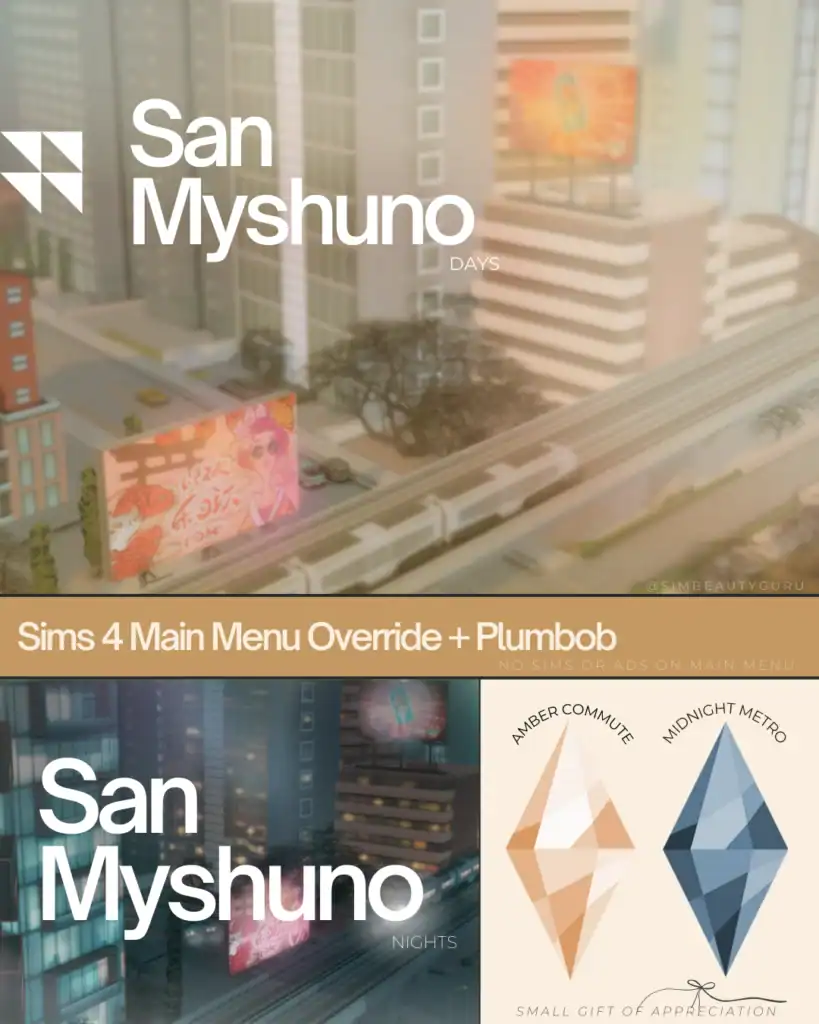
San Myshuno is one of my favorite Sims 4 worlds. The city lights, high-rise apartments, and urban atmosphere make an excellent setup for everyday gameplay. And now, you get overrides that go with the city-living theme.
There are a few options to choose from, including a day backdrop, a night backdrop, and a luxe sun-kissed overide, among others. All the overrides have been refreshed to match the base game update. I highly recommend getting these backdrops if you enjoy city living.
Cosy Main Menu Override
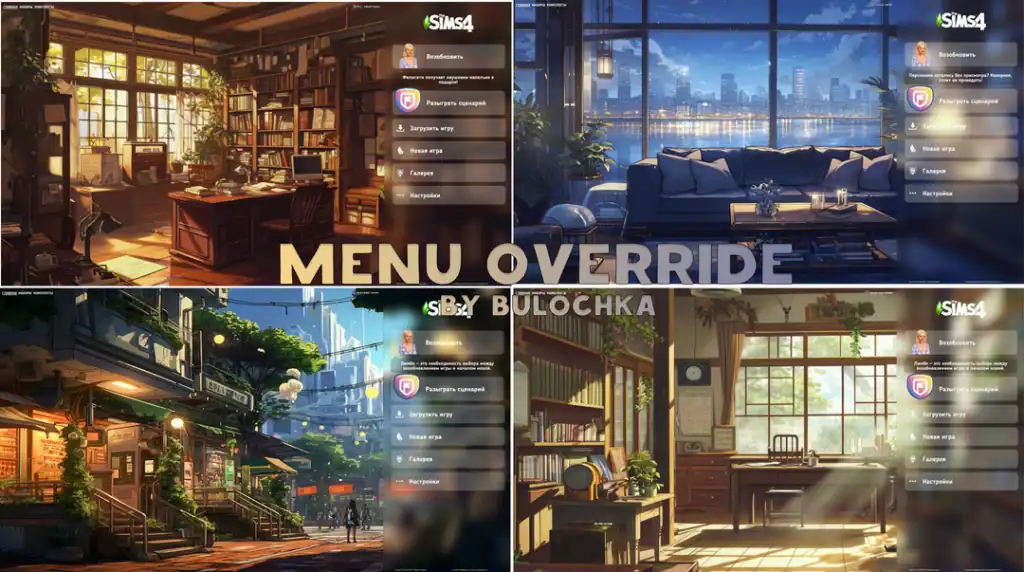
For those who love lo-fi-type vibes, this Cosy Main Menu Override is a must-have for 2025. It features cozy backgrounds inspired by the calm vibes of lo-fi playlists. Think glowing lights, pastel gradients, or illustrated bedroom and study scenes with plants and books scattered around.
The soft, muted colors, warm lighting, and a comforting atmosphere make your main menu feel inviting and stress-free.
Mystical Main Menu Replacements
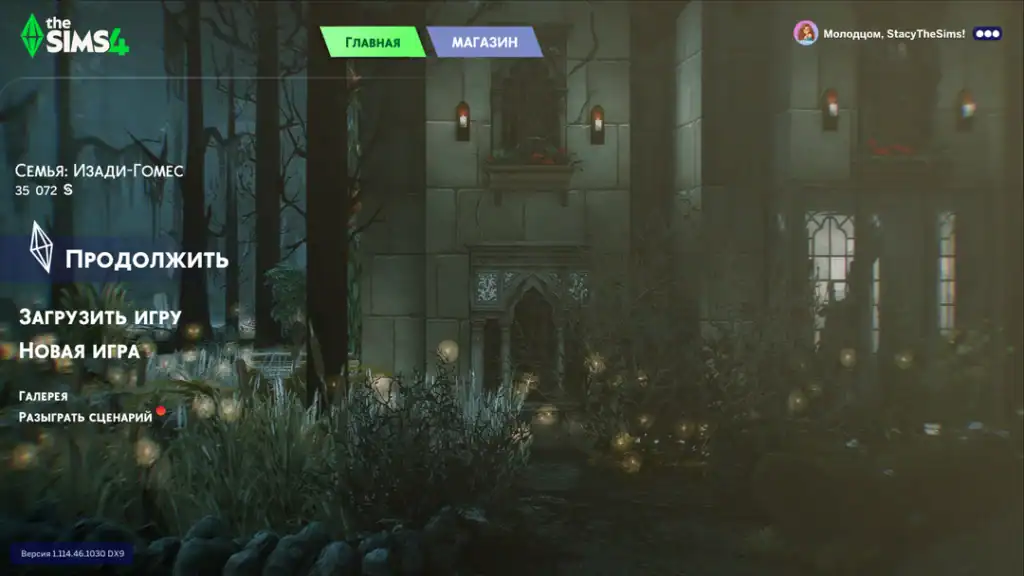
Perfect for dark, atmospheric gameplay, the Mystical Main Menu Replacements are a moody, enchanted backdrop. They feature shadowy castle walls and glowing lanterns set in a foggy forest backdrop.
With Halloween fast approaching, this is the ideal Sims 4 main menu override to add a spooky feel to your game. Pair this with a goth or punk Sim and you have a complete dark setup for your next gameplay. You can find custom punk clothing for your Sim in our roundup of Sims 4 Punk CC Finds.
Soft Girl Era Pack

The Soft Girl Era Pack, created by Simmerxo, is an all-in-one set with everything you need to transform your entire Sims 4 UI completely. This includes a main menu override, a custom loading screen, plumbob, an introduction screen, and the TS4 logo.
With all these options, you can customize your interface to create a highly personalized experience tailored to your gaming needs. Choose one file from each category and move the five packages to your mods folder. Be sure to subscribe to the creator’s Patreon as a free member to access the downloads.
Opal Main Menu Screens
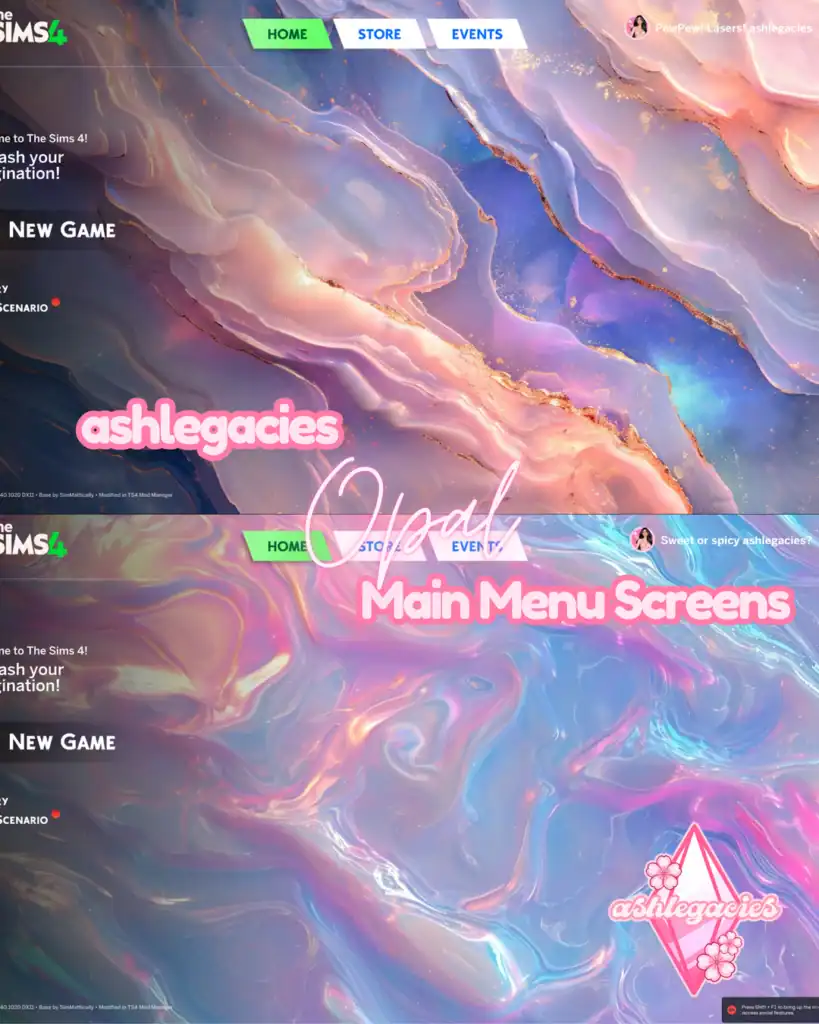
If you love pastel gradients and soft, dreamy vibes, this override is a must-have. The opal-inspired textures bring a marble-like shimmer in hues of pink, lavender, and blue, making your startup screen feel both elegant and calming.
I love using this override for aesthetic purposes. It makes Sims 4 feel like a hazy dream with beautiful colors. I highly recommend checking out our list of Sims 4 Aesthetic Mods, which pair perfectly with this Sims 4 main menu override.
Pink Main Menu Overrides
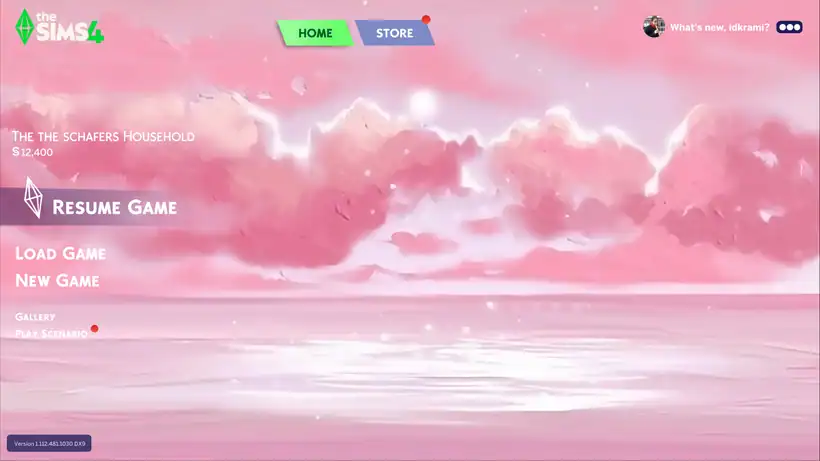
Pink lovers, this one’s for you. It’s a range of pink main menu overrides in pastel watercolor-inspired swatches. Some of the backgrounds have cute clouds and bows, while others are just plain and simple.
The soft pink tones create a calm and cozy vibe, perfect for light, minimal, and aesthetic gameplay. Sometimes less is more, and if you prefer a clean design without extra clutter, get this. For more pink-related custom content, explore our collection of the best Sims 4 Pink CC.
European Pink Town Aesthetic
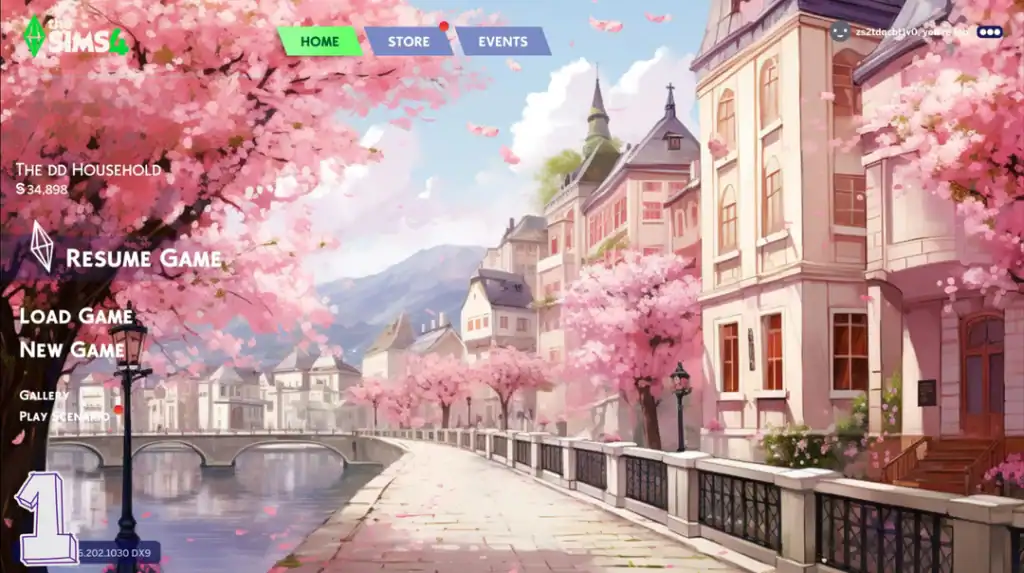
The European Pink Town Aesthetic is another great addition to your Sims 4 main menu overrides for 2025 list. The override captures the charm of a European canal town/street in full cherry blossom season.
The pastel buildings, cobblestone streets, and pink petals drifting through the air create a dreamy, romantic atmosphere every time you start the game. My favorite feature in this backdrop is the pink cherry blossoms. They’re quite picturesque!
Black Heart Main Menu Override
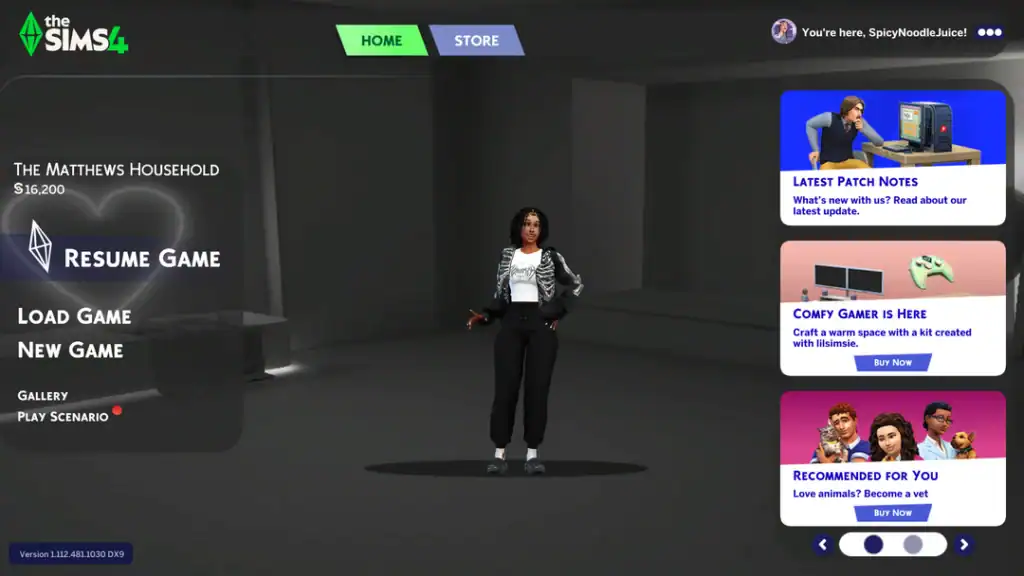
This override by Mizz Mik3y is simple and dark. It’s basically a photo of a black photoroom with a heart neon light.
San Myshuno Main Menu Override
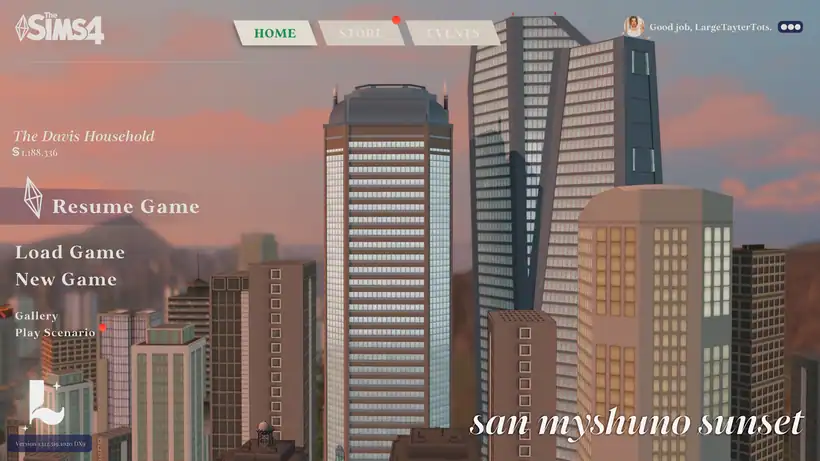
Bring the city life straight to your Sims 4 startup screen with this San Myshuno-inspired override pack. It features multiple backgrounds divided into two categories:
- Apartment living: This is a backdrop of a high-rise apartment with modern furniture and interior detailing.
- City skyline views: This features a bustling skyline, high-rise apartment buildings, and the urban atmosphere of the city.
You can use this override to reflect the energy of city living. LargeTayterTots keeps the design fully updated, making the pack fully compatible with 2025 patches.
Sanrio Main Menu Background
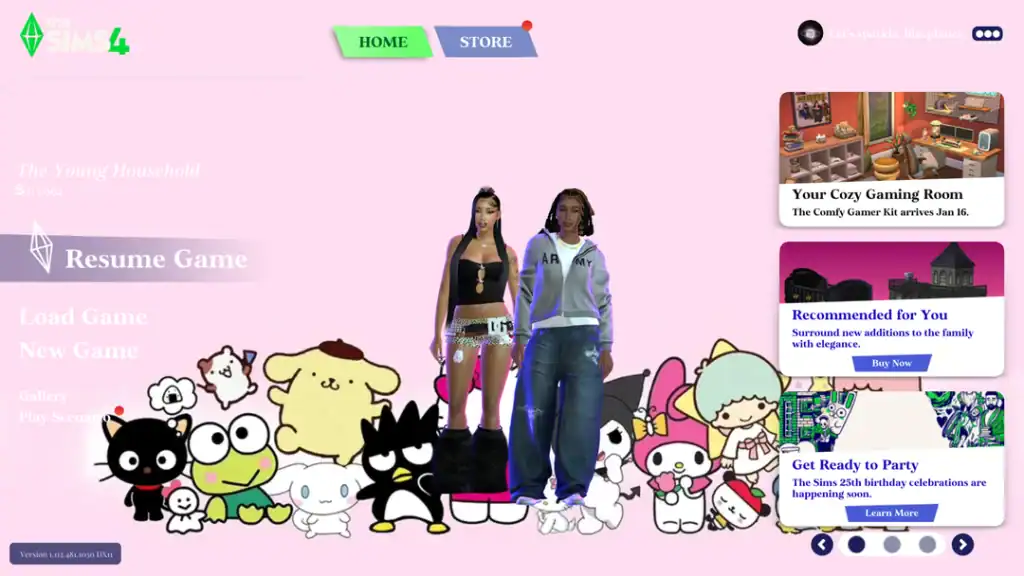
Another clean and simple Sims 4 main menu override to add to your mods folder is this Sanrio Main Menu Background. It features various Sanrio characters and transforms your UI interface into a cute and charming scene. The override conflicts with other override mods, so be sure to only add one to your mods folder.
Magic Rune Main Menu Screens
For players who are into mystical and dark fantasy, grab these Magic Rune Main Menu Screens. Designed by ashlegacies, the overrides turn your Sims 4 startup screen into a fantasy dreamscape with glowing lights and crystals. There are also giant enchanted mushrooms, sparkling runes, and vibrant cave lighting.
This backdrop is perfect for occult gameplay, spellcasters, or those who want their menu to feel magical and otherworldly.
Cozy Menu Override
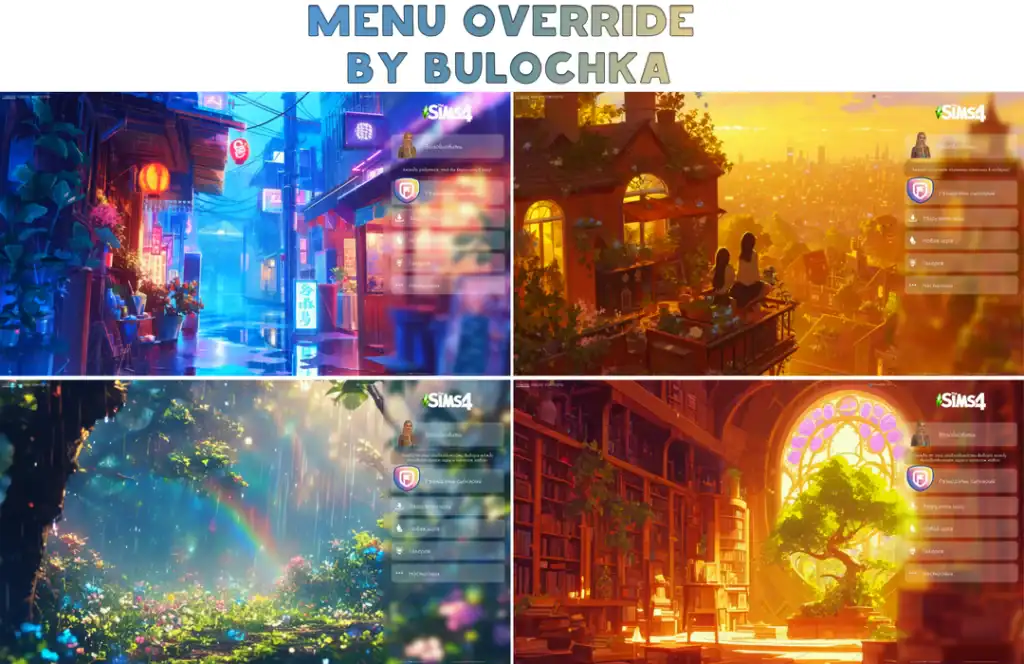
I’m obsessed with lo-fi playlists, and this Cozy Menu override pack perfectly captures that lo-fi vibe in my game. The pack has four screens, each designed with a different mood and aesthetic.
My favorite is the second override, which looks so stunning in-game. The golden sunset light, the two Sims sitting on a balcony, and the soft city skyline in the distance make it feel calm and inviting. I highly recommend getting these backgrounds for slice-of-life gameplay.
Velvet Menu

Want to switch your menu override with just color? Get The Velvet Menu Override. These colors are the moment, and they transform your interface into your favorite colored backdrop. You can choose from six different colors, including buttercream, blue, mint, golden, and more.
The swatches are more pastel as opposed to vibrant, making your Sim 4 feel warm and inviting. Before adding any of the backgrounds to your game, be sure to have the SimMattically Refreshed Main Menu3 Base installed first. This is required for these overrides to work.
Beige Backgrounds

Beige, coffee lovers, this one’s for you. These are beige colored main menu overrides in four versions. Some of them feature a silky beige background, while others have a stone beige-colored screen. Choose one that suits your personal taste and add it to your mods folder.
If you want these backdrops to look exactly like they’re pictured above, use g-shade presets. We have a list of the best Sims 4 GShade Presets to choose from.
Bright Maxis Match Menu Screens
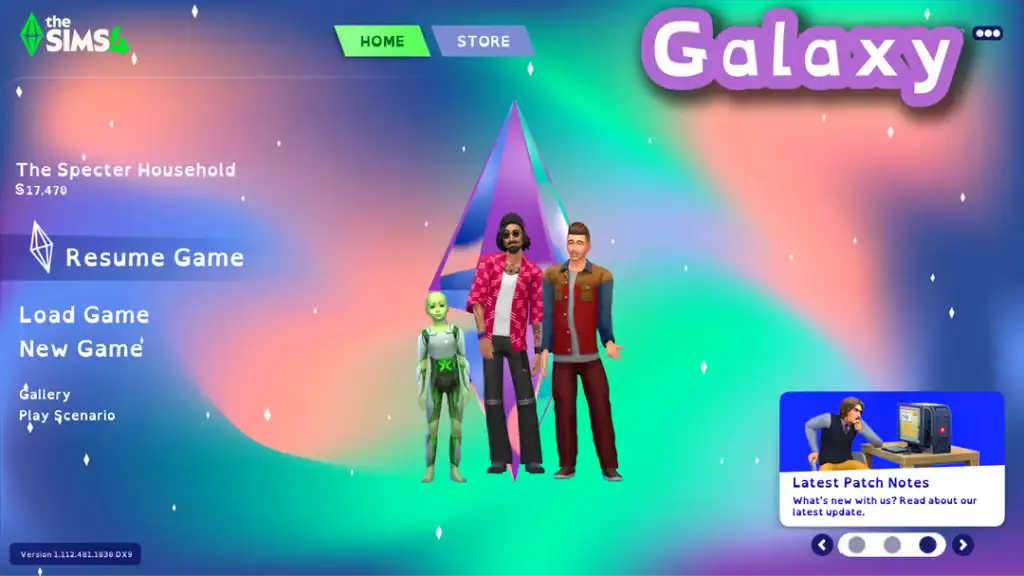
If you want to maintain EA’s aesthetic but still get something more stylish, download these screens by Waffle’s Mix-Ins. They’re maxis match overrides designed in bright colors. The pack contains three items: a galaxy main menu override, a logo splash screen as the main menu, and a create-a-sim menu.
Frequently Asked Questions About Sims 4 Main Menu Overrides
Can I use more than one main menu override at the same time?
No. The Sims 4 can only load one main menu override at a time. If you install multiple, they’ll conflict and cause errors. Always keep just one in your Mods folder.
Do main menu overrides affect gameplay?
Not at all. These mods are purely cosmetic. They only change the appearance of the startup screen. Your saves, mods, and gameplay remain unaffected.
Are the main menu overrides safe to use?
Yes, as long as you download from trusted creators and Sims CC websites. Stick to known modders and avoid random file-sharing links.
Do overrides need to be updated after patches?
Yes. Whenever EA changes the UI, older overrides can break. Always check for updated versions from the creator after a game update.
Will using a main menu override slow down my game?
Most won’t. However, if the background image is very high-resolution, it could slightly increase loading times on lower-end PCs. Choose lightweight versions to keep performance smooth.
Conclusion
Main menu overrides are one of the simplest yet most effective ways to refresh your Sims 4. You can switch between a clean minimalist look, a mystical fantasy backdrop, or a pastel aesthetic scene. With such a wide range of overrides from creators, there’s an option to match every style in 2025.
These mods don’t change gameplay, but they set the mood every time you launch the game. And that can make a big difference.
If you’re ready to customize your Sims 4 even more, check out my other guides on Must-Have Sims 4 Fall Loading Screen CC, Sims 4 CAS Mirror Background, and Sims 4 CAS Background CC for even more ways to personalize your game.
Happy Simming! 🌟