14+ Best Sims 4 Christmas CAS Backgrounds for Festive Gameplay
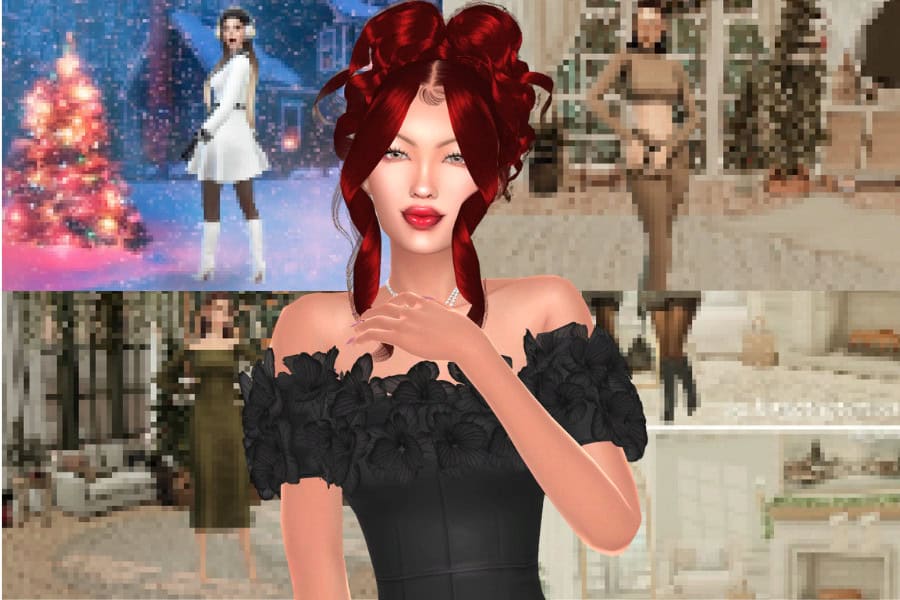
It’s finally time to get festive, and the best way to bring the holiday atmosphere into your game is through Sims 4 Christmas CAS backgrounds. These backgrounds replace the default blue screen with festive interiors, snowy outdoor views, and warm seasonal décor, giving your Sims a more immersive setting while you create or edit them.
Below, I’ve compiled a list of the best Christmas-themed backdrops to fit any holiday style. Browse through the list and add your favorite background to your mods folder.
DISCLAIMER
Remember, you can only use one CAS background at a time in The Sims 4. Make sure to remove any previously installed CAS background files before adding a new one, as multiple backgrounds will conflict and prevent the mod from loading correctly.
Looking for the perfect CC for your Sims?
Try our Free Sims 4 Mod & CC Finder to discover thousands of mods instantly. Search by category, creator, or style to find exactly what you need!
How to Download and Install Sims 4 CAS Backgrounds
If you’re new to using backgrounds in the Sims 4, here’s a quick guide on how to install them in your game.
1. Download the CAS background file
Most creators provide a .package file, either directly or inside a zipped folder. Download it from the creator’s website, Patreon, Tumblr, or TSR page.
2. Unzip the file if necessary
If the download comes as a .zip or .rar file, extract it using any file extractor. You should end up with a single .package file.
3. Move the file into your Mods folder
Place the .package file here:
Documents > Electronic Arts > The Sims 4 > Mods
You can keep it in a subfolder, but avoid placing it too deep in multiple nested folders.
4. Enable Mods and CC in your game settings
Go to Game Options > Other and make sure both options below are turned on:
- Enable Custom Content and Mods
- Script Mods Allowed
Restart the game after enabling these settings.
5. Remove any other CAS background files
The Sims 4 can only load one CAS background at a time. Having multiple installed will cause conflicts or prevent the background from appearing.
6. Restart your game
Close and reopen The Sims 4 to load the new background. Your CAS screen should now show the festive or themed backdrop you installed.
If the background doesn’t appear, double-check that no older CAS background files remain in your Mods folder and that CC is enabled in your settings.
Best Sims 4 Christmas CAS Backgrounds for 2025
Merry Christmas CAS Background
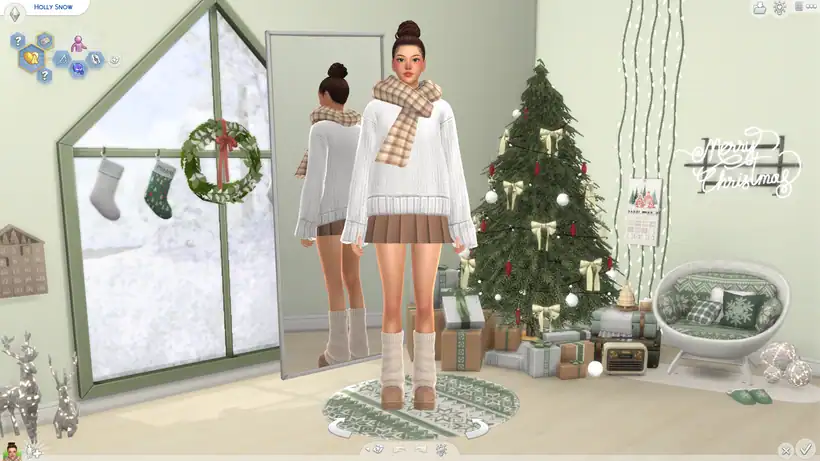
If you’re looking for a festive CAS setup, get this Merry Christmas background. It’s a cozy, decorated living room scene with soft winter lighting. It comes in two versions:
- One with a classic green Christmas tree
- And another featuring a green-white variation.
Both designs include a snowy window with stockings, a wreath, wrapped gifts, fairy lights, and a cushioned seat with matching seasonal pillows.
I love how each version keeps the space bright and neutral, so your Sims outfits stand out. Add this backdrop to your festive gameplay to keep your Sim’s in the holiday spirit.
Christmas CAS Background
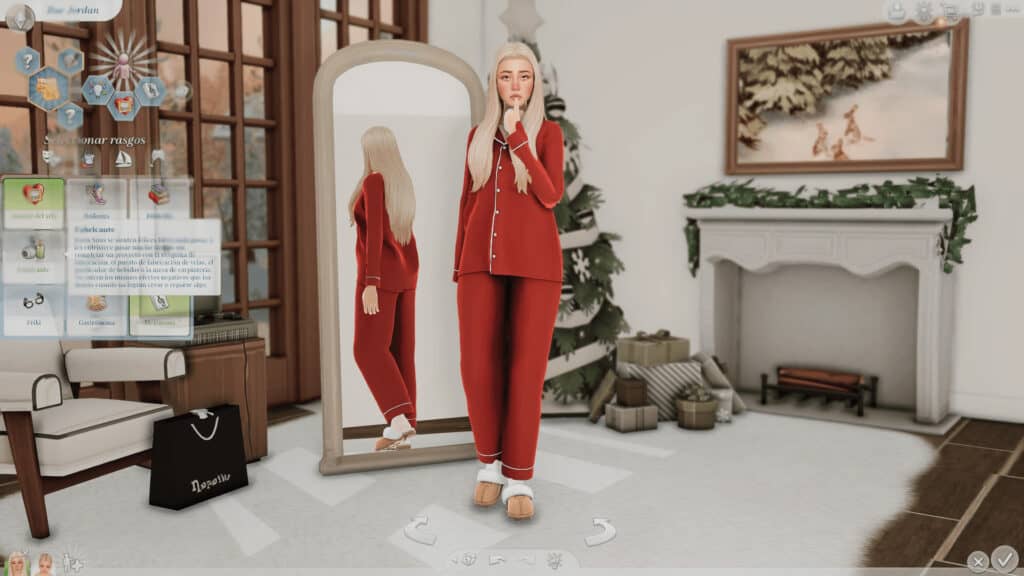
The Christmas CAS Background is a creative, calm, festive backdrop that works well for both screenshots and everyday CAS use. The design leans on neutral tones, pairing soft beiges, muted greens, and minimal Christmas decor.
This background is ideal for Simmers who prefer a minimal Christmas aesthetic rather than a heavily themed setup. Click on the link attached for more information on this background.
Iced Latte CAS Background
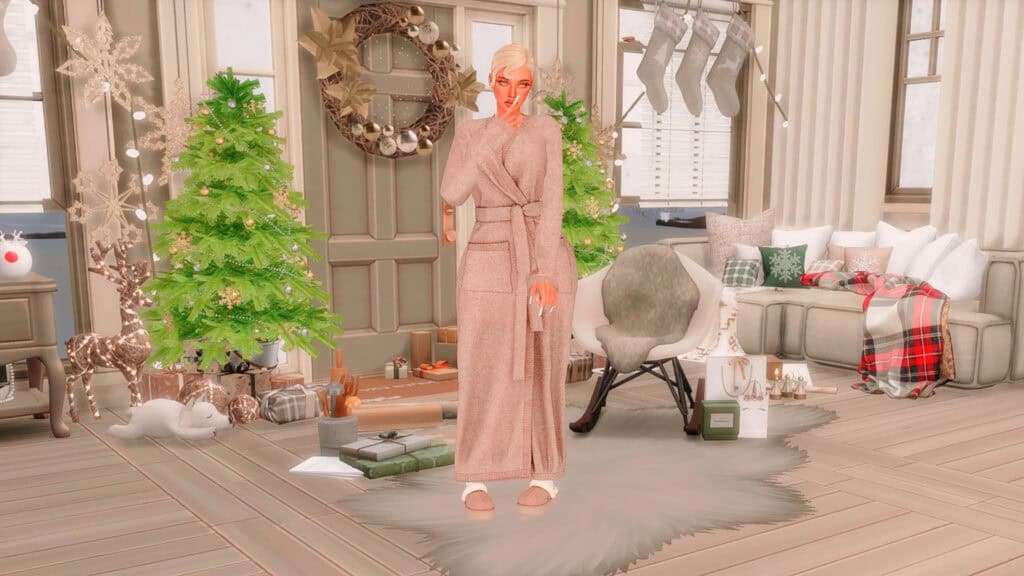
For those who want a neutral-themed Christmas backdrop, this Iced Latte version is a great choice. It’s designed with soft beige tones, transforming your CAS into a calm holiday living room filled with subtle festive details.
The space features a pair of lightly decorated Christmas trees, warm string lights, a wreath-framed door, and a collection of wrapped gifts arranged across the floor. Stockings hang along the window, while the seating area uses layered pillows, a neutral sofa, and a plaid throw to create a warm, lived-in look.
I’d use this background as ideal for winter CAS screenshots and seasonal styling.
Winter CAS Background
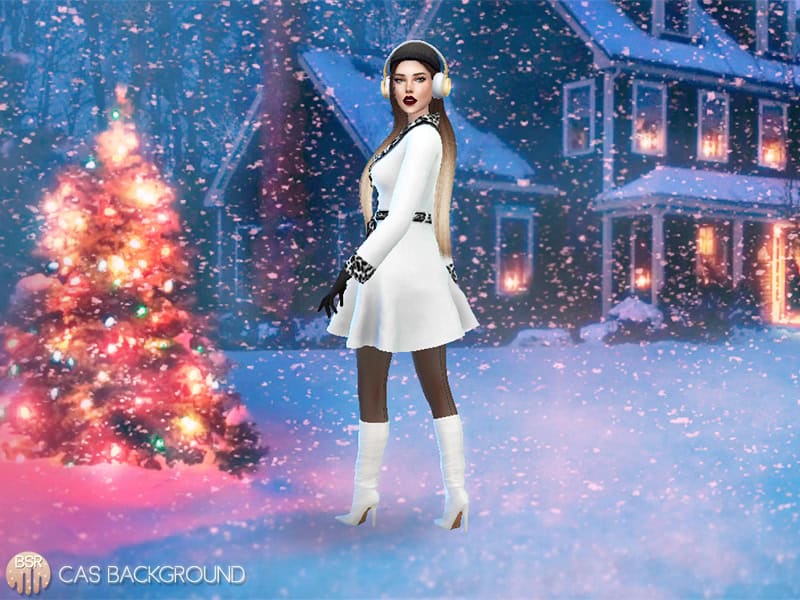
If you want a bright winter scene with a crisp, snowy atmosphere, get this Sims 4 Christmas CAS background. It sets your Sim against a festive outdoor setting with soft blue tones and glowing holiday lights.
There’s a decorated Christmas tree, falling snow, and a warmly lit house in the distance, creating a cinematic look for winter fashion and seasonal storytelling. The maxis match backdrop is one of the few outdoor scenes for your festive gameplay.
Winter Wonderland CAS Background
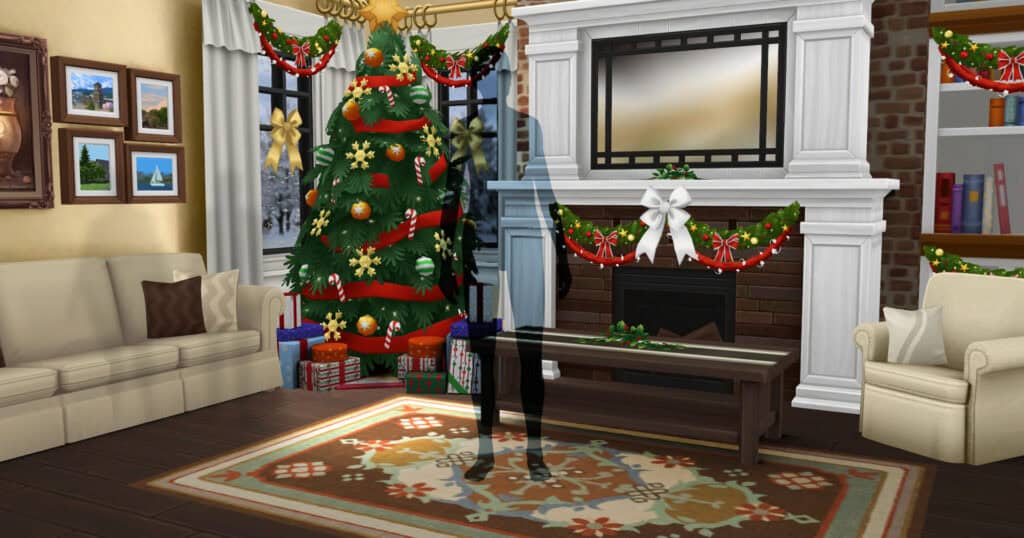
This Sims 4 Christmas CAS background is designed as a classic family-room scene, complete with a bright Christmas tree, garlands, and a warm fireplace. The setup uses a traditional layout, giving your Sims a lively seasonal home ready for winter celebrations.
The room is detailed but still bright enough for themed screenshots.
RELATED POST: 65+ Best Sims 4 Winter Clothes CC for a Cozy and Stylish Winter Wardrobe
Christmas Morning CAS Background
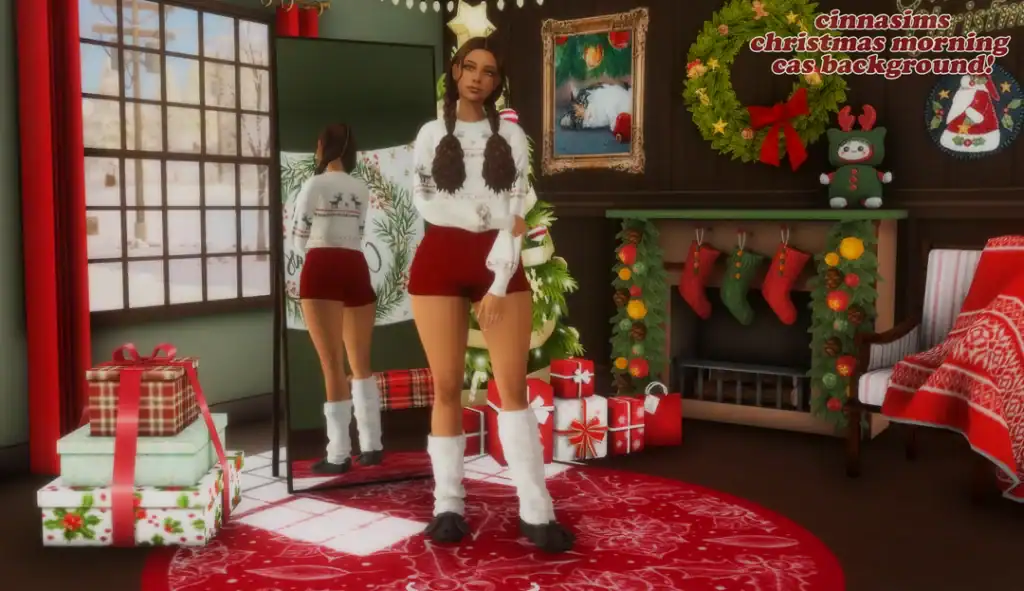
The Christmas Morning CAS Background is a bright, playful holiday setup designed to capture the feeling of a festive morning. This background turns CAS into a colorful room filled with gifts, stockings, and warm red accents. The space includes a decorated fireplace, a window that shows snow and trees outside, and a detailed layout inspired by another creator’s CAS Room.
This Sims 4 Christmas CAS background set also comes with a tall mirror that reflects your Sim’s backside for a stylish screenshot.
Note that this Sims 4 Christmas CAS background set is a recolor of Little Dica’s Old School CAS room. As with all CAS backgrounds, it functions as a full replacement, so only one should be installed at a time.
Xmas White CAS Background
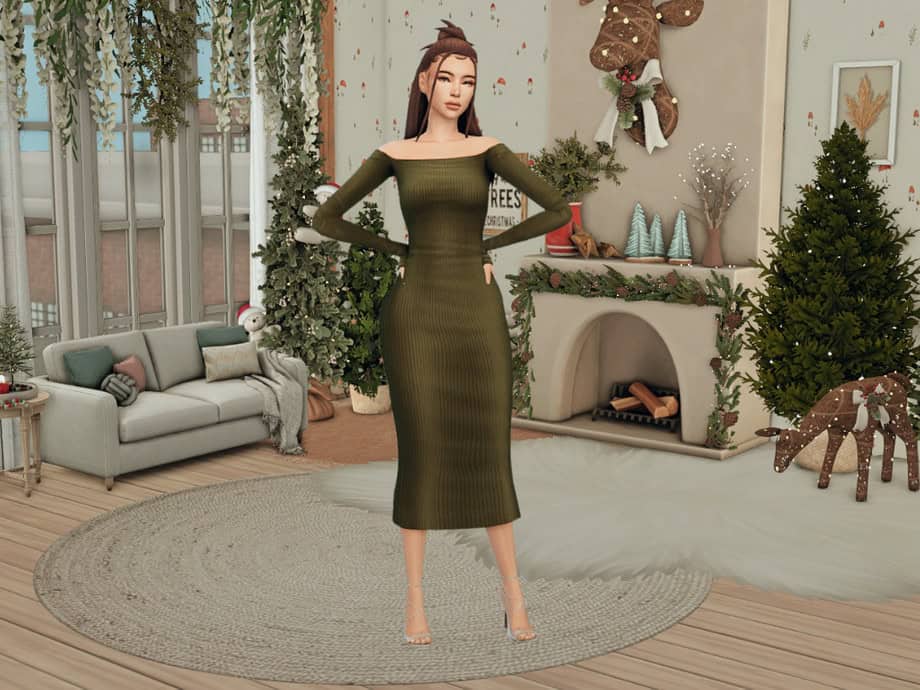
The Xmas White CAS Background is a calm holiday room decorated with light greenery, warm beige textures, and subtle Christmas accents. The layout has a few seasonal touches like wreaths, garlands, and a softly lit fireplace. This creates a relaxed space that works well with most CAS outfits.
This Sims 4 Christmas CAS background is maxis match, and it only comes in one swatch.
Bright And Merry CAS Room
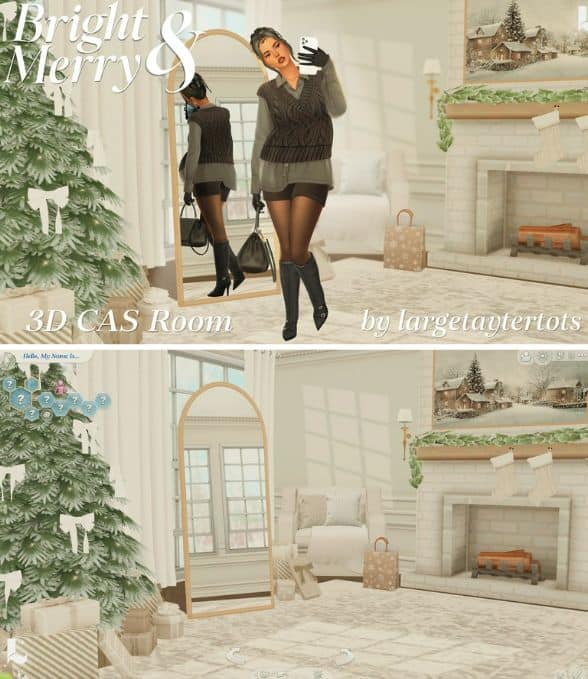
Soft winter light fills this CAS room, creating a bright holiday interior with gentle neutrals and subtle festive details. The space includes a decorated Christmas tree, a white brick fireplace, cozy seating, and a winter landscape painting that adds a touch of style to your Sim’s screenshots.
The layout is clean and modern, making it ideal for creators who prefer a lighter, more airy holiday aesthetic in CAS.
RELATED POST: 37+ Festive Sims 4 Christmas Tree CC Finds to Brighten Your Winter Holiday!
Cozy Christmas CAS Backgrounds
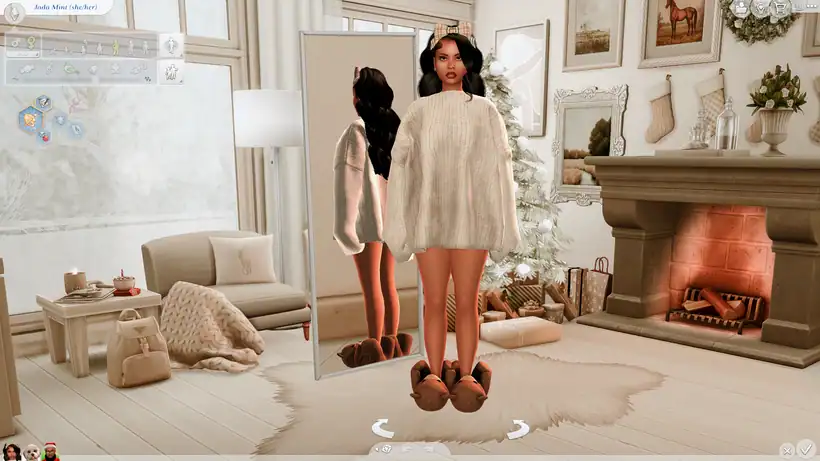
The Cozy Christmas CAS Backgrounds pack is an extensive collection of festive-themed backdrops for your holiday gameplay. You’ll find three different room layouts, each available in both afternoon and night lighting, so you can match your CAS ambience to the mood you prefer. Each version offers its own blend of seasonal décor, from glowing fireplaces and framed winter art to plush seating and subtle Christmas greenery.
The rooms are detailed but thoughtfully arranged, making them ideal for lookbooks, winter outfits, and storytelling screenshots. I’ve used some of the backdrops in my gameplay, and they translate beautifully.
Christmas CAS Room
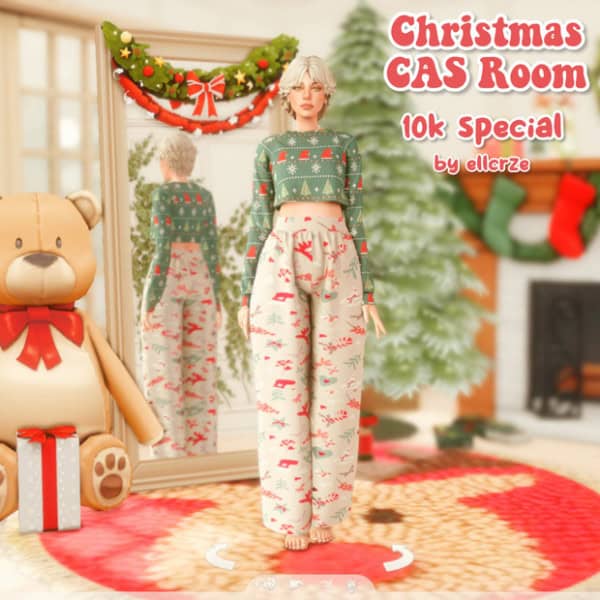
The Christmas CAS Room is a bright backdrop built around classic Christmas colors and holiday décor. The design includes a fully decorated tree, wrapped gifts, a large plush bear, and a garland-accented window.
Due to the warm lighting and soft texture, you get a cozy backdrop ideal for festive outfits, pajamas, or seasonal storytelling. Click on the link attached for more information on this Sims 4 Christmas CAS background set.
Xmas Green CAS Background
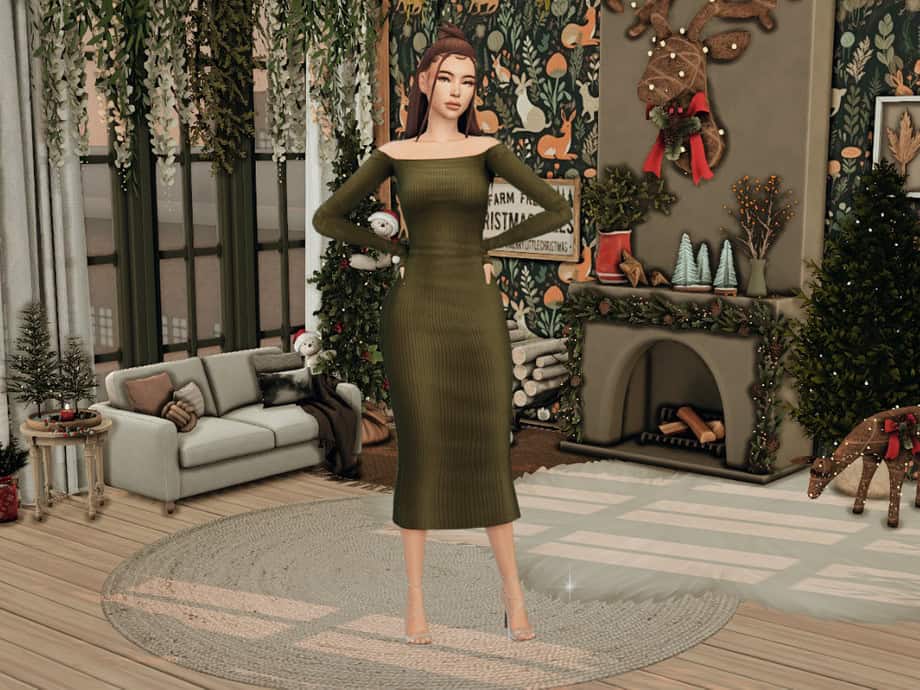
If you’re looking for a holiday backdrop with deeper tones and a more rustic feel, check out this green-themed CAS room. The space includes a decorated fireplace, greenery accents, soft seating, and subtle holiday elements that create a cozy but stylish atmosphere. I love how the darker palette adds contrast, helping your Sim stand out even with busy seasonal details in the background.
I recommend this set to Simmers who prefer the darker Sims 4 Christmas CAS backgrounds.
Xmas Glam CAS Background
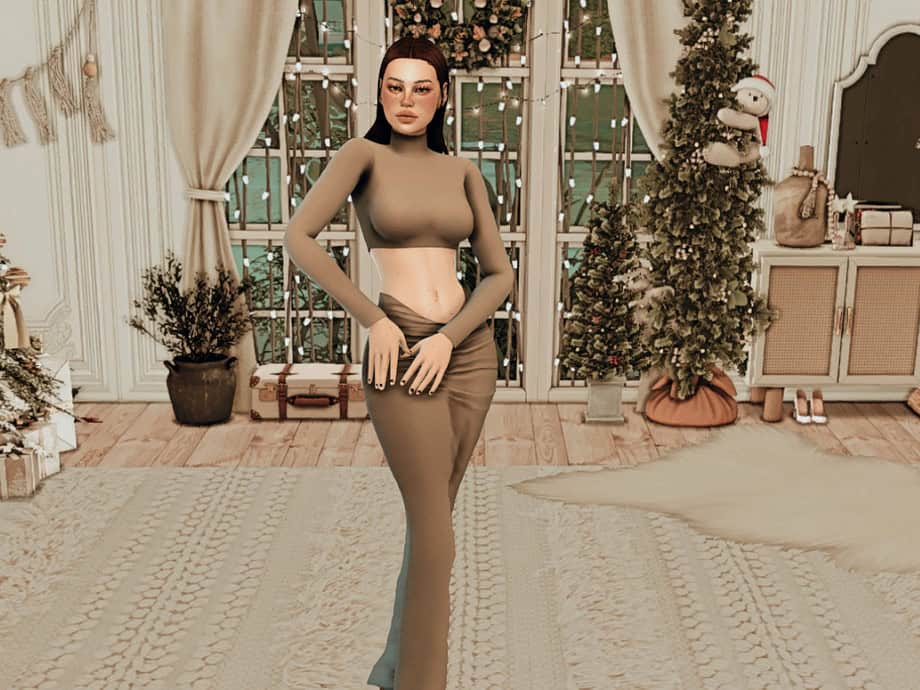
If you want a more polished, elegant holiday setup in CAS, this glam-themed background is the perfect choice. The room features sheer curtains, a decorated tree, delicate garlands, and neatly arranged gifts, giving the space a luxurious but cozy feel.
This background fully replaces the default CAS screen and should be used on its own to avoid conflicts. Place the package file in your Mods folder and restart your game to load a bright, stylish interior designed for holiday outfits.
CAS Background Christmas Room
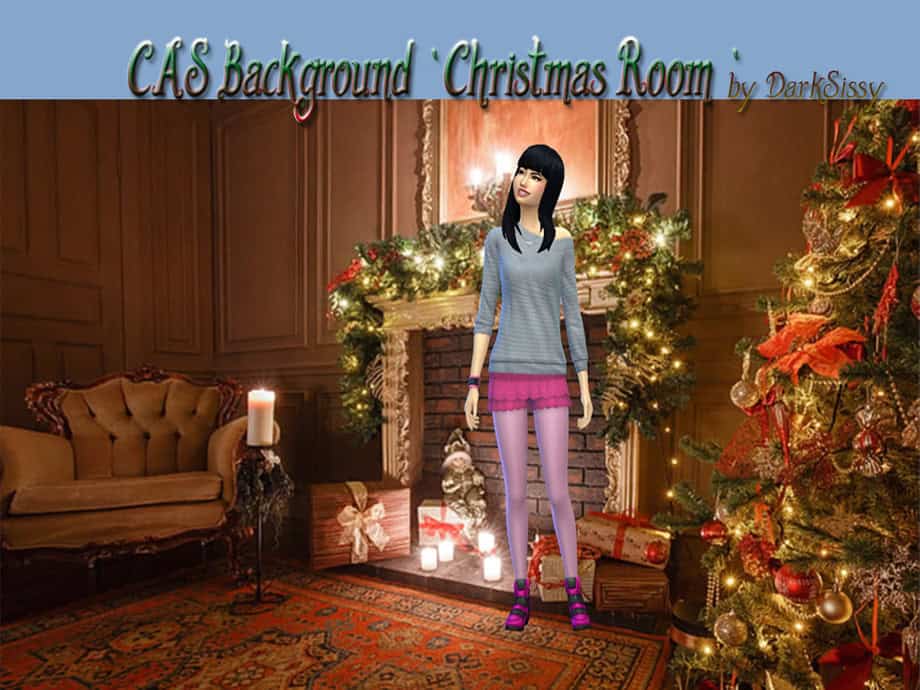
Last on the list is the Christmas Room background, a richly decorated holiday interior built with classic seasonal décor. The room features dark wood walls, a glowing fireplace, warm candlelight, and a fully trimmed Christmas tree, creating a cozy old-fashioned atmosphere.
The patterned rug and vintage furniture add depth, giving your Sim a warm, storybook-style setting.
FAQs – Sims 4 Christmas CAS Backgrounds
1. What is a CAS background in The Sims 4?
A CAS background replaces the default blue Create-A-Sim screen with a custom image or 3D room, giving you a themed backdrop while creating or editing Sims.
2. Do Christmas CAS backgrounds affect gameplay?
No. CAS backgrounds are visual replacements only. They don’t change gameplay, performance, or in-game features.
3. Can I use more than one CAS background at a time?
No. The Sims 4 can only load one CAS background at a time. Always remove previous CAS background files before adding a new one.
4. Where do I install a CAS background?
Place the package file in your Mods folder:
Documents > Electronic Arts > The Sims 4 > Mods
Then restart the game.
5. Are Christmas CAS backgrounds base-game compatible?
Yes. CAS background replacements work with the base game and don’t require expansion packs.
6. Do I need to enable anything in settings for CAS backgrounds to work?
Yes. Make sure Custom Content and Mods are enabled in your Game Options and restart the game after enabling them.
7. Why is my CAS background not showing up?
Most often, another CAS background is still installed. Remove all older CAS background files, clear cache, and restart the game.
8. Are Christmas CAS backgrounds considered high-poly?
Most are low-impact images or simple 3D rooms, so they rarely affect performance. Creators sometimes list polycounts for 3D versions, but standard replacements are lightweight.
9. Can I switch backgrounds often without issues?
Yes. You can swap backgrounds anytime by replacing the file in your Mods folder. Just avoid keeping multiple CAS background mods installed simultaneously.
10. Do Christmas CAS backgrounds work with CAS lighting mods?
Yes. Backgrounds and lighting mods are compatible. Many players use lighting presets to enhance the warmth or contrast of festive CAS setups.
Conclusion
That’s it from us Simmers. I hope these Christmas CAS backgrounds transform your CAS into a festive scene. I’ve tried including everything, from bright snowy scenes and cozy living rooms to rustic winter cabins and soft neutral interiors.
With the right backdrop, even a quick outfit change can feel festive. Explore the options, pick the style that fits your holiday gameplay, and enjoy creating Sims in a setting that feels warm, calm, and ready for the season.
Stay tuned for more posts this holiday season!