Sims 4 Friendship Cheats (2025 Guide)

Making friends in The Sims 4 is one of the most rewarding parts of gameplay, but let’s be honest, building relationships through endless chats can get repetitive. If you’d rather skip the grind, Sims 4 friendship cheats are the perfect shortcut. With just a few commands, you can instantly make best friends, repair a broken bond, or even create enemies for more dramatic storylines.
The game comes with built-in cheat codes that let you take full control of the relationship bar. You can max it out in green or drag it down into the red for spicy gameplay.
In this guide, we’ll walk through every Sims 4 friendship cheat, how to use them, plus tips to avoid common mistakes.
If you’re looking for more cheats, don’t miss our other guides: Sims 4 Build Cheats, Sims 4 Degree Cheats, and Sims 4 Relationship Cheats.
Looking for the perfect CC for your Sims?
Try our Free Sims 4 Mod & CC Finder to discover thousands of mods instantly. Search by category, creator, or style to find exactly what you need!
How to Enable Cheats in The Sims 4

Before you can use any Sims 4 friendship cheats, you’ll need to activate the cheat console. This step is required for all cheats in the game. Here’s how to do it depending on your platform:
- Open the cheat console:
- PC: Press Ctrl + Shift + C
- Mac: Press Command + Shift + C
- Console: Hold all four triggers (L1 + L2 + R1 + R2 on PlayStation, LB + LT + RB + RT on Xbox)
- PC: Press Ctrl + Shift + C
- Mac: Press Command + Shift + C
- Console: Hold all four triggers (L1 + L2 + R1 + R2 on PlayStation, LB + LT + RB + RT on Xbox)
- Type in: testingcheats true
- Then press Enter.
- You’ll see a confirmation message that cheats are enabled.
Once cheats are on, you can start using friendship cheat commands. I also have a separate guide on How to Enable Cheats in Sims 4, which goes deeper into the process if you want more details.
Main Sims 4 Friendship Cheats
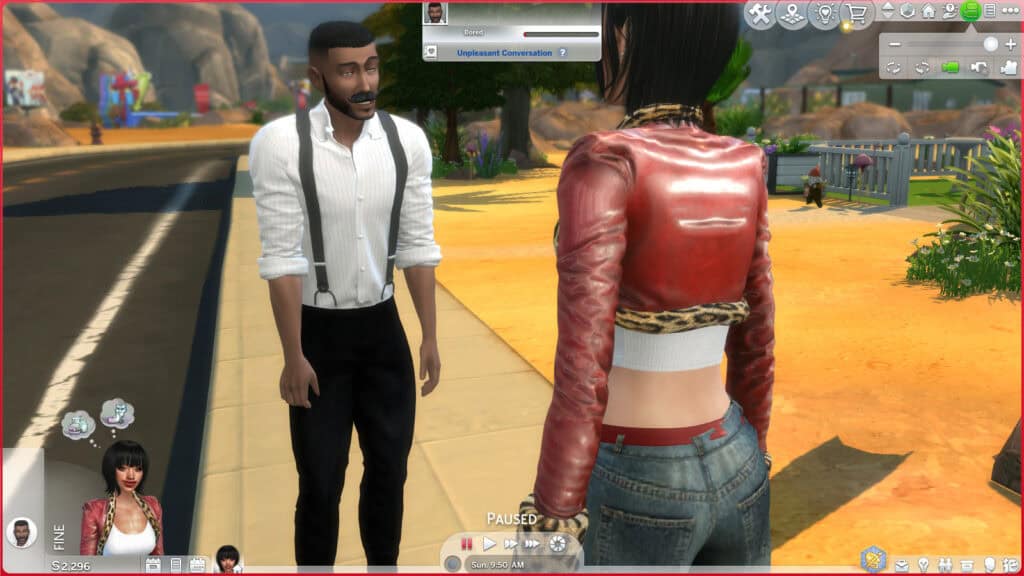
Once you’ve enabled cheats, you can start controlling your Sims relationships directly. There are multiple main Sims 4 friendship cheats. These cheats work for household Sims, NPCs, and even pets (with a slight variation).
Increase Friendship

Instead of spending hours grinding through conversations, you can simply max out the green bar with one quick command.
It’s handy when you want to reap the benefits of strong friendships, like unlocking social interactions, completing aspirations, or building romance without all the small talk. I often use this cheat to boost my Sims’ romantic relationships with NPCs, since it saves time and avoids endless awkward chats.
Here’s the cheat for increasing the friendship level between two Sims:
modifyrelationship [yoursimFirstName] [yoursimLastName] [TargetSimFirstName] [TargetSimLastName] [Amount] LTR_Friendship_Main
- Replace the names with the Sims you want to affect.
- Replace Amount with a number between -100 and 100. Positive numbers increase the friendship bar while negative numbers decrease it.
Example:
modifyrelationship Star Queen Mortimer Goth 100 LTR_Friendship_Main
This cheat code instantly maxes out the friendship bar between Star and Mortimer.
Decrease Friendship
Want to stir up some drama in your Sims’ lives? The decrease friendship cheat lets you drop the green bar into the red, giving your Sim and the target Sim a sour reputation. With just one command, you can turn besties into bitter rivals, or even create full-blown enemies.
This cheat is perfect if you want more realism in your storytelling. It adds chaos to the neighborhood, sparks fights, and can even break up households if used on couples. Instead of waiting for arguments to naturally unfold, you can trigger conflict whenever you like.
To use it, simply type the same friendship cheat as before, but with a negative number to lower the relationship score:
modifyrelationship Star Queen Mortimer Goth -50 LTR_Friendship_Main
Star and Mortimor’s relationship will drop by 50 points, which can quickly turn friends into enemies. For more dramatic storytelling, please explore our roundup of Sims 4 Drama Mods to spice up your gameplay.
Romance Relationship Cheat

Friendship cheats in The Sims 4 don’t just boost platonic bonds. You can also use them to edit relationships between two Sims. With a quick command, you can make two Sims fall in love instantly, opening the door for them to date, get married, start a family, or move in together.
These Sims 4 relationship cheats are perfect if you want to skip the awkward “get to know you” phase and jump straight into a love story. Whether you’re building a fairytale romance or a messy love triangle, cheats give you total control.
I also have a separate Sims 4 Relationship Cheats guide that covers every romance cheat in detail for all the Sims in your world.
Here’s the command for your Sim’s romance relationship cheat:
modifyrelationship [YourSimFirstName] [YourSimLastName] [TargetSimFirstName] [TargetSimLastName] [Amount] LTR_Romance_Main
Example:
modifyrelationship Star Queen Mortimer Goth 100 LTR_Romance_Main
This cheat command maxes out their romance bar, making them perfect lovebirds.
Pets Friendship Cheat
Sims 4 friendship cheats aren’t limited only to humans. You can also use them to strengthen (or weaken) the bond between Sims and their pets. For example, you can make your Sim and their dog/cat instant best friends, or create a distant relationship for more challenging gameplay.
This cheat is especially helpful if you don’t want to spend days building rapport through endless petting, treats, and walks. It’s also great for storytelling, so your Sim can have a loyal furry companion or a rebellious pet that ignores commands.
Here’s the command for adjusting pet friendships:
modifyrelationship [YourSimFirstName] [YourSimLastName] [PetName] [PetLastName] [Amount] LTR_SimtoPet_Friendship_Main
Example:
modifyrelationship Star Queen Whiskers Cat 100 LTR_SimtoPet_Friendship_Main
This cheat makes Star and her cat, Whiskers, instant best friends. If you want to make their relationship distant and withdrawn, simply add a negative number to the amount. This will make their relationship strained.
We have an entire compilation of the best Sims 4 Pet CC and Mods to enhance your furry friend’s experience. Please check it out!
Create Random Friends for Your Sim
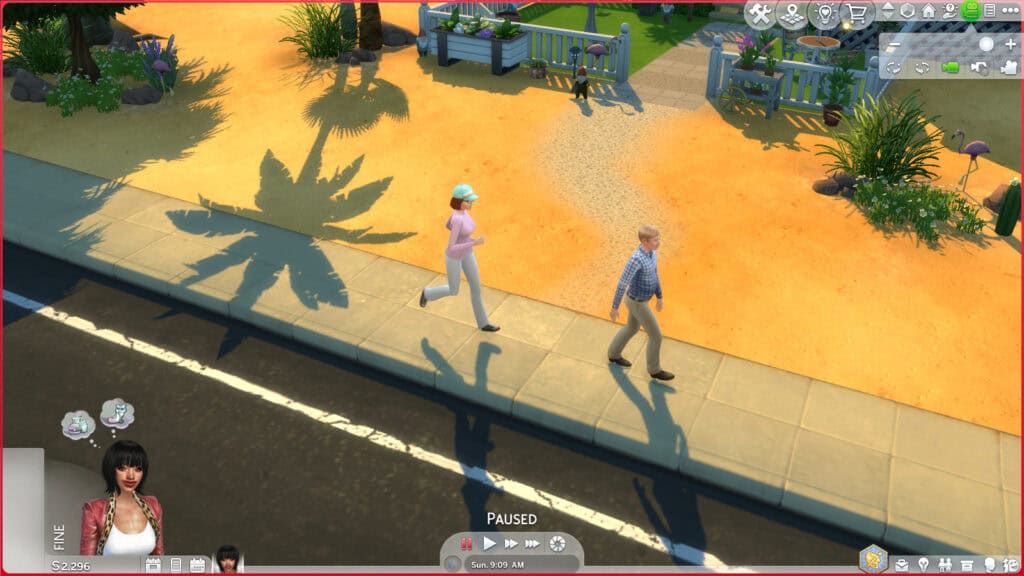
If you don’t want to manually type in names, there’s a quick cheat that creates friends for your Sim instantly. By using this command, the game will automatically generate a handful of friendships with other Sims in the world at a 50% friendship level. No introductions required.
I often use this Sims 4 friendship cheat when I’m starting out with a new Sim and want them to instantly have a social circle. It saves me the hassle of typing endless names into the cheat console and makes the game feel more natural.
Here’s the cheat:
relationships.create_friends_for_sim
- Simply open the cheat console, type this command, and hit Enter.
- The game will randomly assign new friendships to the currently selected Sim at 50%.
- Friendships usually start at the acquaintance or mid-level range, so you may still want to raise or lower the relationship later with other cheats.
You can use this cheat multiple times to expand your Sim’s friend group quickly. It’s a great way to give your new household some instant connections without grinding through endless social interactions.
Create Random Enemies for Your Sim
If you want to add instant drama to your game, use this cheat. It automatically generates enemies for your Sim. So, instead of manually lowering relationships, the game assigns a few Sims as rivals right away to give your storylines more chaos, arguments, and fights.
I like using this cheat when I want to stir things up in the neighborhood without spending time micromanaging conversations. It’s a quick way to create tension and make gameplay feel more unpredictable.
Here’s the cheat:
relationships.create_enemies_for_sim
- Open the cheat console, type in this command, and press Enter.
- The game will randomly assign several enemies to the currently selected Sim.
- These relationships usually start at a low level (around the red zone), so you can either let things escalate naturally or use other cheats to push them further into full-on rivalries.
Use this cheat multiple times if you want your Sim to have a long list of enemies. It’s a great way to set up rival households, chaotic neighborhoods, or even an enemy-filled legacy challenge.
Introduce Your Sim to Everyone
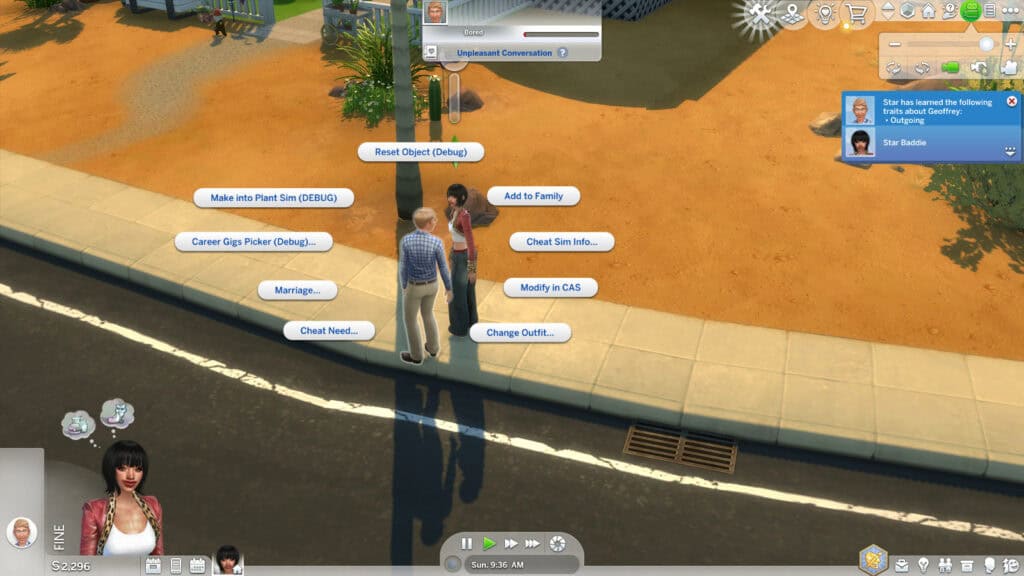
Tired of having to track down every Sim in the neighborhood just to say hello? With this cheat, you can instantly introduce your Sim to all other Sims in the world and form a connection. It doesn’t automatically make them friends, but it does unlock introductions, so you don’t have to hunt down townies one by one.
I usually use this cheat when I create a new household and want my Sims to already “know” everyone around them. It’s a huge time-saver for legacy gameplay, social butterflies, or anyone who wants to speed up gameplay.
Here’s the cheat:
relationship.introduce_sim_to_all_others
- Open the cheat console, type this command, and press Enter.
- The currently selected Sim will be introduced to every Sim in the save.
- They’ll start as acquaintances, and you can then use other friendship cheats to raise or lower the relationships however you like.
I’d pair this with relationships.create_friends_for_sim or relationships.create_enemies_for_sim to instantly build a wide social circle filled with friends, rivals, or both.
Useful Tips for Sims 4 Friendship Cheats

Before you start using these friendship cheats, here are a few tips to make the most out of them:
- One cheat works both ways: When you raise or lower friendship between two Sims, it affects both of them. There’s no need to run the command twice.
- Townies included: You can use friendship cheats on NPCs, not just your active household. This is great for building quick connections with neighbors or background Sims. Don’t forget to check out my guide on How to Edit Townies in Sims 4 to switch up their boring looks.
- Control the amount: Use small increments like 20 or 30 if you want a natural friendship build-up, rather than instantly maxing to 100. But there’s nothing wrong with inputting the max level of friendship.
- Mix cheats for storytelling: Combine friendship, romance, and enemy cheats to create rich storylines, like dramatic rivalries and whirlwind romances.
- Use mods for convenience: Cheats are great, but mods like UI Cheats Extension let you drag and drop relationship bars, while MC Command Center lets you batch-edit multiple Sims at once.
- Re-check names: Double-check spelling (especially for Sims with two-word names like Summer Holiday) to avoid error messages.
Using Mods for Sims 4 Friendship Cheats
While Sims 4 friendship cheats are handy, typing them into the console every time can get repetitive and annoying. That’s where mods come in.
There are two mods you can use to edit relationships in the base game. These are UI Cheats Extension and MC Command Center (MCCC). Both give you more control and make managing relationships much easier.
UI Cheats Extension
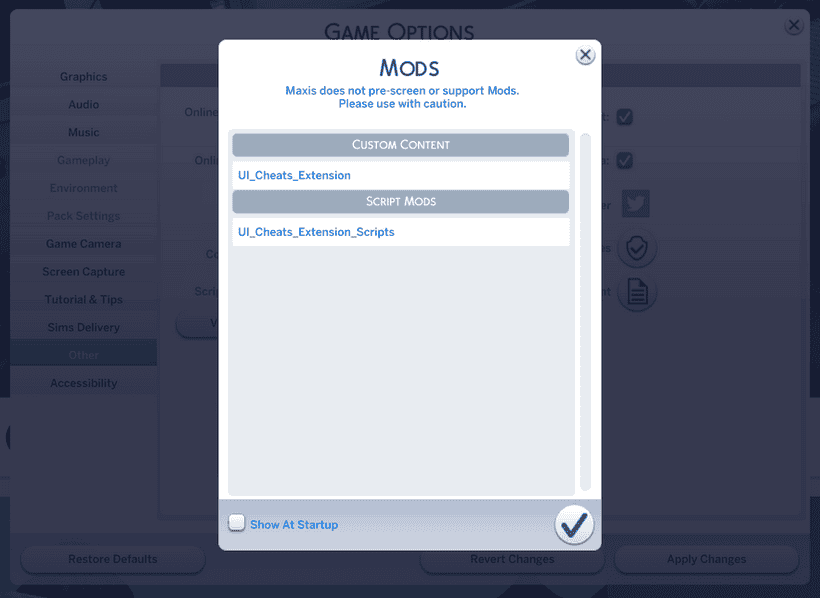
For players who use relationship cheats often, the UI Cheats Extension is a must-have. Instead of typing commands, this mod lets you manipulate the friendship and romance bars directly in the game interface.
- To adjust a relationship, simply open the Sim’s relationship panel and click and drag the green (friendship) or pink (romance) bar to the level you want.
- For instance, if you want to make instant best friends, drag the bar all the way to the top.
- Alternatively, if you want to make enemies, pull it straight down into the red.
This mod is incredibly intuitive and saves a ton of time if you’re constantly editing relationships for storytelling or gameplay balance. It’s one of the Top 20+ Best Sims 4 Mods to download in 2025.
MC Command Center (MCCC)
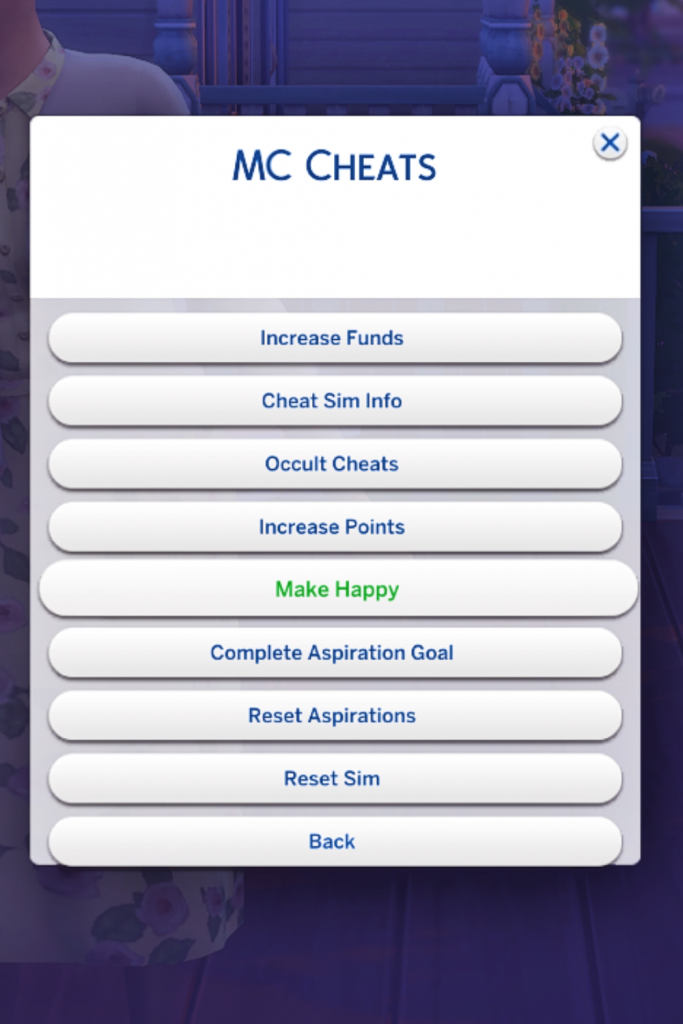
MC Command Center is a more advanced tool that goes beyond quick adjustments. With MCCC, you can set exact relationship values, edit multiple Sims at once, and even apply changes across entire households.
- You can select a Sim, open the MCCC menu, and directly set friendship or romance points without guessing values.
- The beauty of MCCC is that you can bulk edit relationships. For example, you can give your new Sim instant acquaintances with an entire neighborhood.
- Beyond relationships, MCCC also offers powerful controls over pregnancies, careers, aging, and story progression. This makes it a go-to mod for players who want maximum control.
Important Notes About Mods
- Enable Script Mods: Both UI Cheats and MCCC are considered script mods. To use them, you’ll need to go into Game Options > Other and tick “Enable Custom Content and Mods” and “Script Mods Allowed”. Then restart your game for the changes to take effect.
- Risks of Using Mods: Mods are third-party content, so EA doesn’t officially support them. While widely trusted mods like UI Cheats and MCCC are generally safe, there’s always a risk of conflicts after updates. Mods can sometimes cause bugs, crashes, or save corruption if not updated regularly.
- Stay Updated: After each Sims 4 patch, check the creator’s page to download the latest version of the mod. Outdated mods are the number one cause of in-game issues.
- Backup Your Saves: Always back up your saves before installing or updating mods. This way, you don’t risk losing your progress if something goes wrong.
Which Mod Should You Use?
- If you just want quick, visual control over friendship bars, the UI Cheats Extension is lightweight and easy.
- If you want deep customization and batch editing, MCCC is the better choice.
Many players use both mods together. UI Cheats for quick adjustments, and MCCC for more advanced story or neighborhood management.
Sims 4 Friendship Cheats Recap
Here’s a quick table of all the friendship-related cheats we’ve covered in this guide and what each one does:
Sims 4 Friendship Cheats Recap
Here’s a quick table of all the friendship-related cheats we’ve covered in this guide and what each one does:
Cheat Code | Effect |
|---|---|
modifyrelationship [Sim1FirstName] [Sim1LastName] [Sim2FirstName] [Sim2LastName] [Amount] LTR_Friendship_Main | Increase or decrease friendship between two Sims (use positive or negative numbers). |
modifyrelationship [Sim1FirstName] [Sim1LastName] [Sim2FirstName] [Sim2LastName] [Amount] LTR_Romance_Main | Increase or decrease romance between two Sims. |
modifyrelationship [SimFirstName] [SimLastName] [PetName] [PetLastName] [Amount] LTR_SimtoPet_Friendship_Main | Adjust the friendship between a Sim and their pet. |
relationships.create_friends_for_sim | Creates random friends for the selected Sim at ~50% relationship. |
relationships.create_enemies_for_sim | Creates random enemies for the selected Sim. |
relationship.introduce_sim_to_all_others | Instantly introduces your Sim to every other Sim in the world. |
FAQ: Sims 4 Friendship Cheats
Q: Can I max all friendships at once?
Not with a single built-in cheat. You’ll need to repeat the modifyrelationship command for each Sim. If you want to speed this up, mods like MC Command Center or UI Cheats Extension let you manage multiple relationships more efficiently.
Q: Do Sims 4 friendship cheats work on NPCs?
Yes! You can use these cheats on any Sim in your world, not just household members. This makes it easy to build friendships (or rivalries) with townies.
Q: Can I cheat friendships with pets?
Absolutely. Use the pet-specific version of the command with LTR_SimtoPet_Friendship_Main to boost or lower a Sim’s bond with their dog or cat.
Q: Do cheats disable achievements?
Yes. If you’re playing with achievements enabled on PC or Mac, turning on cheats will disable them for that save. On console, cheats also limit access to trophies.
Q: Is there a cheat to introduce my Sim to everyone?
Yes! Use relationship.introduce_sim_to_all_others to instantly make your Sim acquaintances with every Sim in the world.
Q: Are mods like UI Cheats and MCCC safe to use?
Yes, as long as you download them from trusted sources and keep them updated after each patch. Mods can sometimes conflict with updates, so always back up your saves before installing or updating.
Conclusion
With Sims 4 friendship cheats, you can take control of your Sim’s social life. Whether you want to instantly max out friendships, create bitter enemies, or give your new Sim a ready-made circle of friends, these commands save you hours of grinding. They’re also perfect for storytellers who want to jump straight into drama, romance, or legacy gameplay without waiting for relationships to develop naturally.
If you use cheats often, consider pairing them with mods like UI Cheats Extension or MC Command Center for even more flexibility and convenience. Just remember to keep your mods updated and back up your saves regularly.
Looking for more cheats? Check out my other guides:
With these tools, you’ll have everything you need to shape your Sim’s stories exactly the way you imagine them.
Happy Simming!