

21+ Best Sims 4 GShade Presets for Gorgeous Graphics (2025 Update)
Updated by Felister Moraa: Give your game a whole new vibe in 2025 with this list of FREE sims 4 gshade presets. These are a total must-have for taking screenshots!
This post may contain affiliate links, which means I’ll receive a commission if you purchase through my link, at no extra cost to you. Please read full disclosure here.
Want to save this list? Click here to pin it!
Most of you are probably already familiar with ReShade: the program that allows you to change the look of your game using presets, much like using a preset to edit your photo for Instagram.
I’ve actually written an entire list of the Best ReShade Presets for Sims 4 that you might’ve come across.
But lately, GShade has been taking over the gaming world and nearly replacing ReShade!
You might be asking why, though? Aren’t they the same thing? Because that was my initial thought too.
However, the difference between GShade and ReShade is playability. GShade runs MUCH better with The Sims 4 making it way more gameplay friendly.
It’s basically an updated version of ReShade, and it’s still totally FREE.
I still recommend having a pretty decent computer or laptop to run everything at once, especially if you have mods, cc, and multiple expansions.
(You can see all of my sims 4 laptop picks here or buy the laptop I use here!)💻
But the computer you currently play on should work just fine!
Now, here’s a quick FAQ about using GShade with Sims 4, but if you already know what you’re doing…
Click Here to Jump to The List of Best Sims 4 GShade Presets
FAQs
What is GShade in The Sims 4?
GShade is a visual enhancement tool that applies real-time filters and post-processing effects to your game. It works similarly to ReShade but offers an easier setup, better color grading options, and built-in compatibility for most presets.
Is GShade better than ReShade for Sims 4?
GShade and ReShade share the same base, but GShade comes preloaded with curated shaders, making it easier to install and more beginner-friendly.
However, ReShade may offer more customization for advanced users who prefer manual tuning.
Where Can I Download GShade for Sims 4?
You can find the latest version of GShade on the website linked. You’ll find downloads for Windows, Linux, and Mac; however, I’ve only ever tested it for Windows.
That being said, please use caution if you are a Mac user. I wouldn’t want you to accidentally mess up your game.🙈
How do I Install GShade for Sims 4? How do I install GShade Presets for Sims 4?
Step 1: Download GShade
- Visit the official GShade website and download the latest version of the installer.
- Once downloaded, locate the GShade_Setup.exe file in your Downloads folder.
- Right-click and select Run as Administrator to start the installation process.
Tip: Make sure The Sims 4 is closed before installing.
Step 2: Choose The Sims 4 Directory
- When prompted, select The Sims 4 as your target game.
- The installer will automatically detect your game’s .exe file, but if not, browse to your game directory:
- For Origin or EA App users:
C:\Program Files\EA Games\The Sims 4\Game\Bin - For Steam users:
C:\Program Files (x86)\Steam\steamapps\common\The Sims 4\Game\Bin
- For Origin or EA App users:
- Select TS4_x64.exe and click Next.
Step 3: Choose Your Preset Folder
- The installer will ask where to place your presets (your .ini files).
- Keep the default folder unless you want to organize them in your Documents for easier access.
- Once done, GShade will finish copying all required shaders and configuration files.
Step 4: Launch The Sims 4
- Open The Sims 4 as usual.
- Once in-game, press Shift + F2 (or Home, depending on your setup) to open the GShade overlay.
- If it’s your first time, complete the quick tutorial.
- You’ll see a dropdown menu where you can select or load a preset.
Step 5: Add Your Custom Presets
- Download your favorite GShade presets (from creators like Kindlespice, SimCubeez, or XUrbanSimsX).
- Move the preset .ini file into the following folder:
C:\Program Files\GShade\Presets (or whichever path you chose). - Return to your game and open the GShade overlay again.
- Click the Refresh icon beside the preset dropdown to make your new preset appear.
- Select it to change your visuals.
Step 6: Adjust Settings (Optional)
- To reduce lag, disable MXAO, Depth of Field, or Ambient Light when you’re not taking screenshots.
- You can toggle effects on/off using the checkboxes next to each shader.
- For consistent results, try adjusting exposure or LUT intensity to match your lighting mods (like TwinkleTwitch’s Sunblind or Luumia’s NoBlu).
Step 7: Taking Screenshots
Use Print Screen or GShade’s inbuilt screenshot key (default: F12).
Your screenshots will save to your GShade/Screenshots folder in high quality without UI elements if you toggle them off first.
🎥 Watch this Setup Video
Even if I kind of know what I’m doing, I always watch a tutorial when I download one of these graphics programs. They can be confusing!
Here’s an AMAZING step-by-step tutorial on how to install GShade for Sims 4 and GShade presets in 2025:

Do ReShade presets work for GShade?
Yes and no. Some ReShade presets will easily convert over to GShade with no problems, while others won’t work at all.
You will have to test each one out or read the creator’s description. Sometimes they will let you know if it works for both programs.
If you want to use your ReShade presets on GShade, the video above is also a great reference for learning how to do that.
Will GShade slow down my game?
Slightly, especially if you use heavy depth-of-field or ambient occlusion effects. You can reduce the impact by turning off high-load effects like MXAO, RTGI, or bloom when not taking screenshots.
Helpful Tip: Only use Gshade on a powerful PC to avoid crashes and long loading times.
How do I uninstall GShade from Sims 4?
Open the GShade installer again and select “Uninstall.” This will safely remove all related files from your Sims 4 directory without affecting your saved presets or screenshots.
Best Sims 4 GShade Presets for 2025
Before adding these Sims 4 gshade presets to your game, carefully read the creator’s installation notes. Some of them require additional support from mods to function correctly.
Nekoswirl Gshade Preset
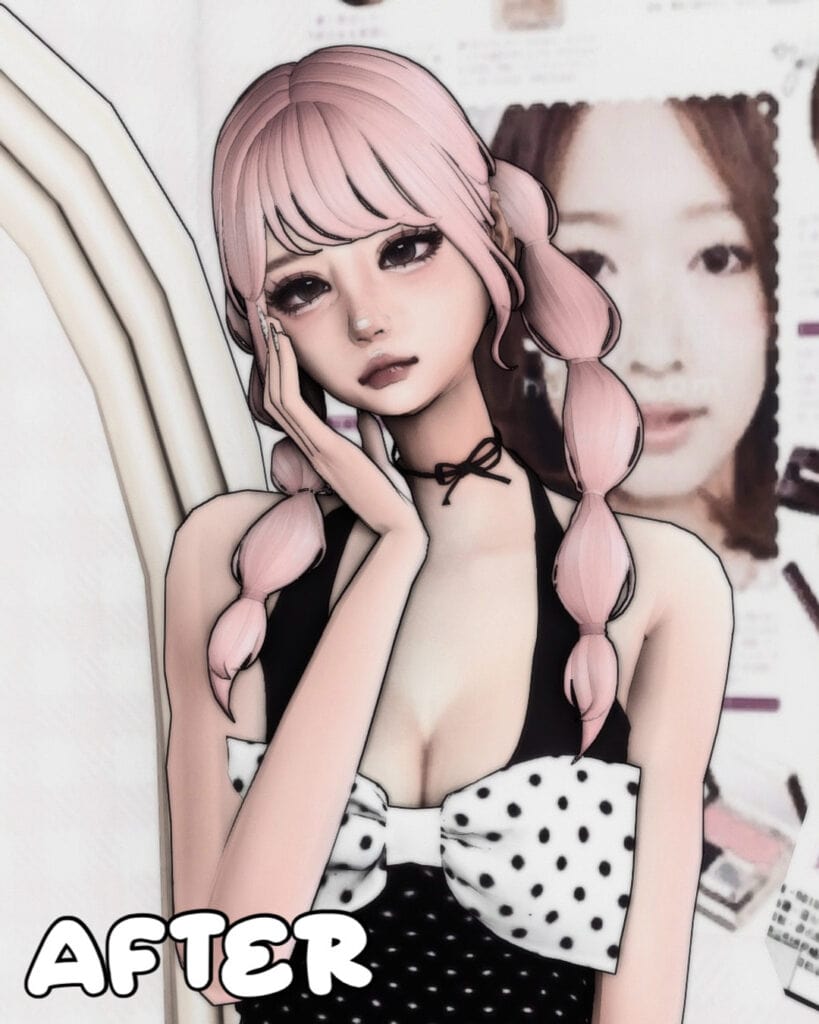
NekoSwirl GShade Preset instantly caught my attention for its comic, anime-inspired aesthetic. It adds a caricature feel to your Sim characters and gives them a smooth, doll-like finish without looking overly airbrushed.
You can use this for anime storytelling or kawaii-style storytelling. For the gshade to work, be sure to turn off edge smoothing in settings.
Shinobi Bloom
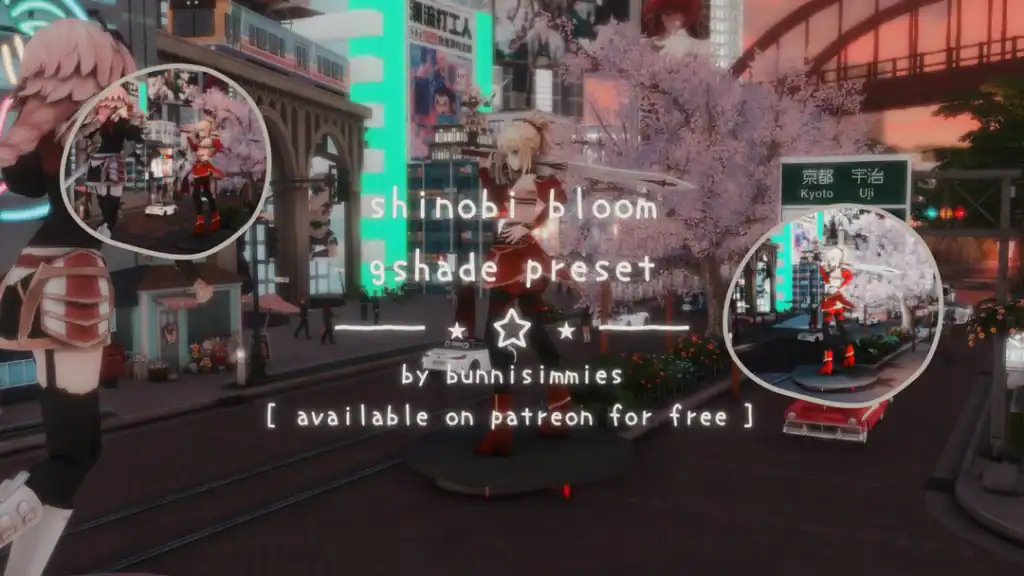
The Shinobi Bloom GShade preset is a dreamy, cinematic GShade inspired by anime-style visuals. Designed by bunnisimmies, this preset enhances bloom and depth effects by softening shadows.
You’ll especially notice the difference in night city scenes, CAS portraits, and close-up shots, where the lighting balance creates a beautiful contrast between warmth and saturation. Despite its aesthetic complexity, it performs smoothly without major FPS drops, making it great for gameplay screenshots and in-game filming.
Cinnamon Dusk
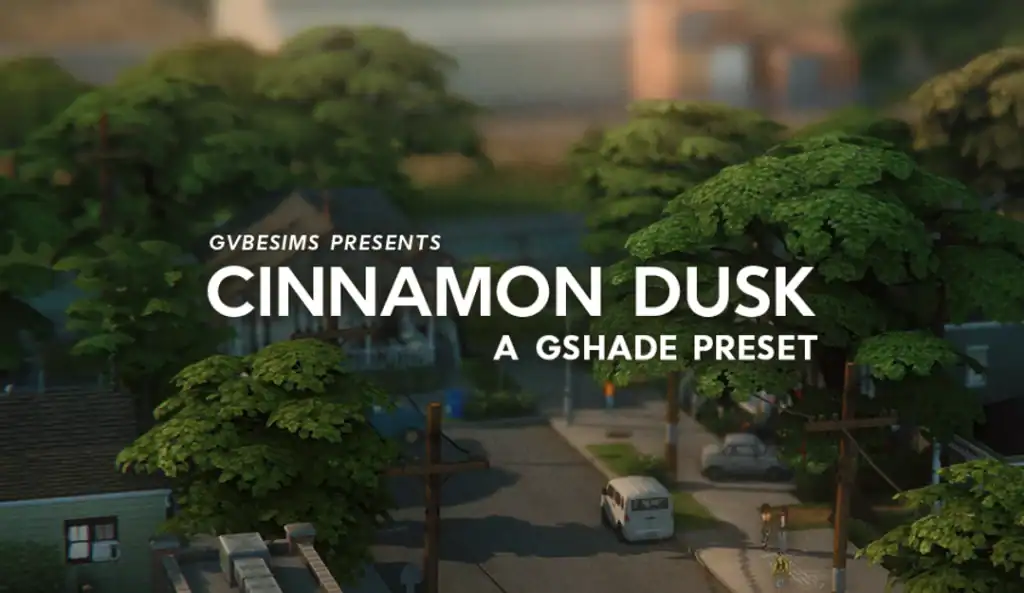
For those who want a moody and atmospheric backdrop for their seasonal gameplay, you need this gshade preset. It adds a warm, nostalgic touch to your Sims 4 visuals, which makes everyday scenes feel cinematic and cozy.
I’d use this for slice-of-life storytelling, evening builds, or relaxed outdoor moments. Make sure to read the installation details in the creator’s post to ensure everything runs smoothly once you load it in-game.
Peaceful GShade Preset
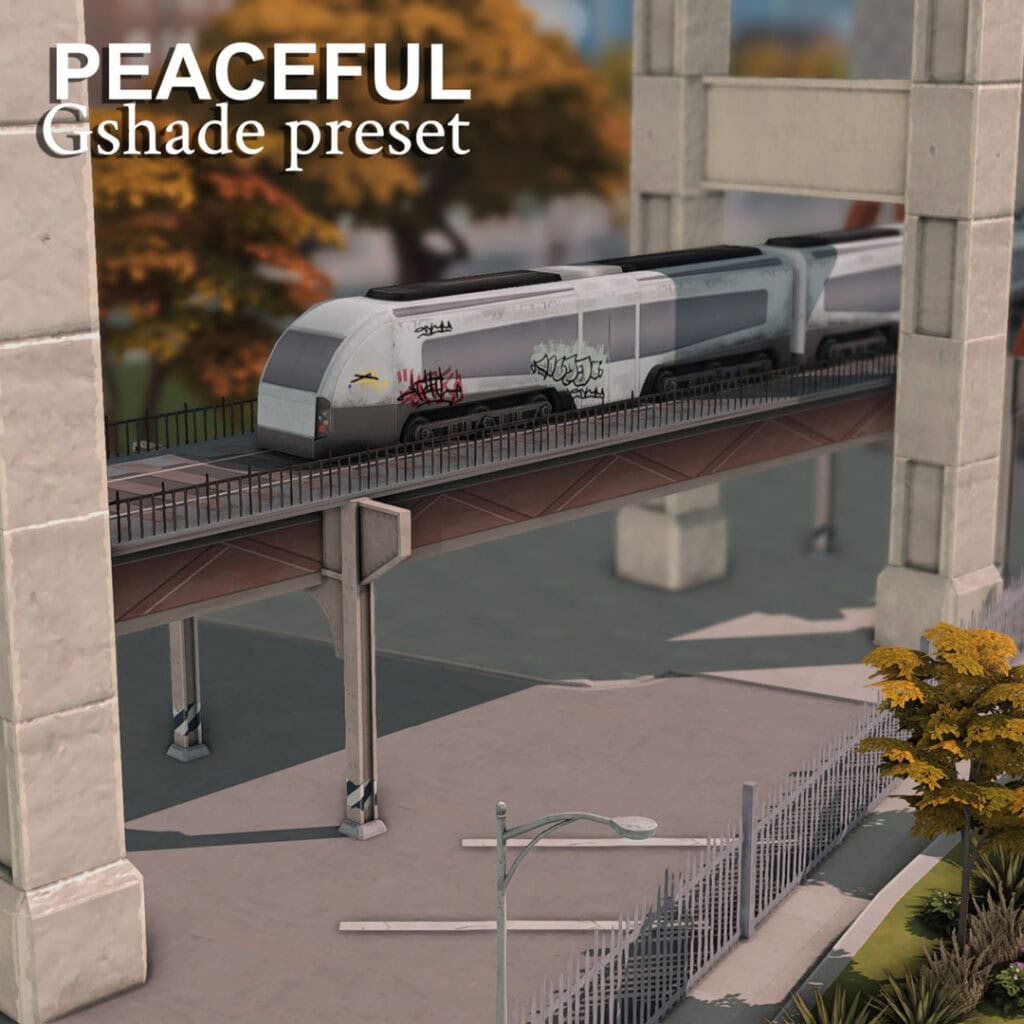
This preset is quite peaceful and calming. It has a cozy, eye-pleasing atmosphere that’s perfect for slice-of-life gameplay. The preset was created using GShade version 5.1.1.
Carefully read the creator’s instruction notes before adding this to your mods folder.
Preset Gshade Rich Base 2.0
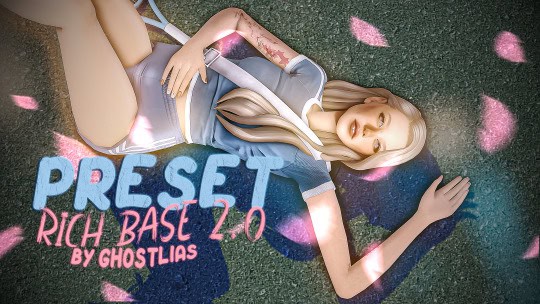
This GShade is so BEAUTIFUL! It’s the one I use to take screenshots in CAS, but it also works great for in-game shots. The polished, high-contrast visuals, balanced saturation, warm shadows, and crisp highlights make for drop-dead gorgeous pictures.
Unfortunately, this preset can be quite heavy, so avoid using it on a low-performance PC.
Deyset A GShade Preset
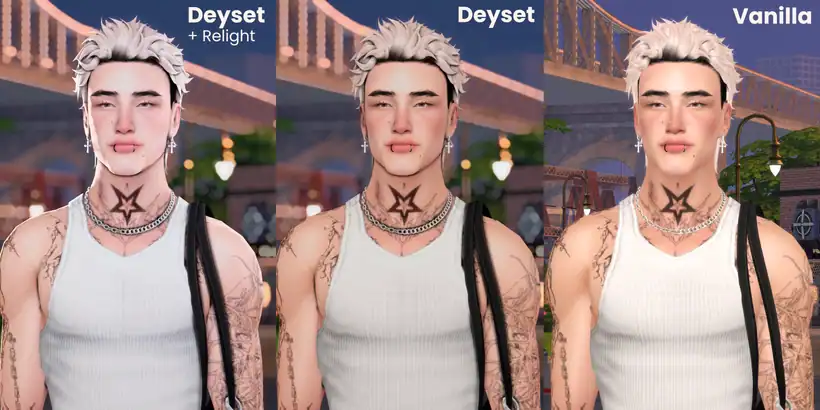
If you’re after bold graphics and visuals, I’d use this Deyset GShade preset. Compared to the vanilla game lighting, this preset adds more contrast, refined highlights, and a bright glow to your Sim’s features.
If you pair it with Relight, it becomes even more striking, creating a crisp, photo-ready finish ideal for CAS showcases or portraits. The creator recommends turning MXAOFFXIV off for gameplay.
Favorites GShade Preset
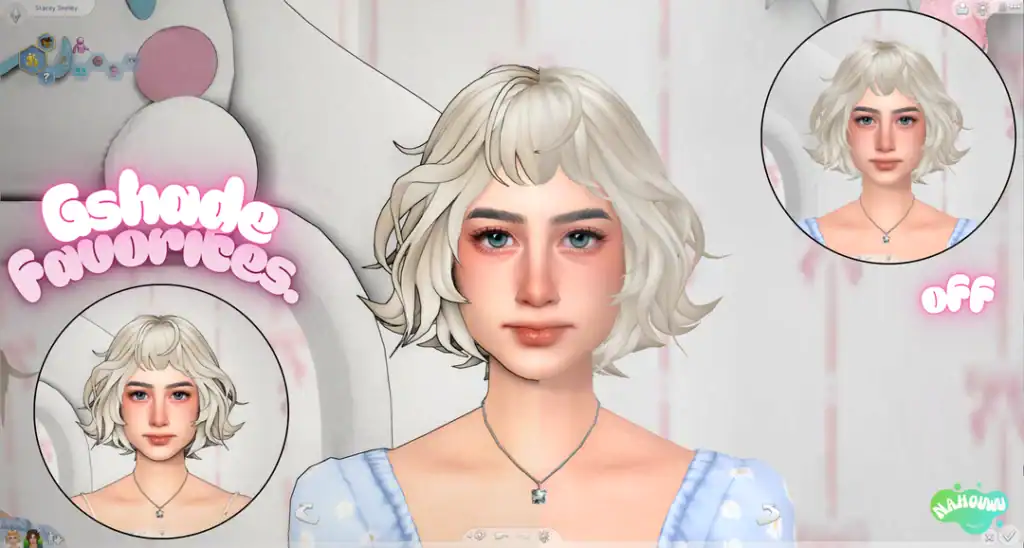
For those who want anime-style visuals, get this Favorites preset. It’s a soft and bright preset designed to make CAS portraits look crisp, clean, and full of life.
Instead of flat, smooth surfaces and blurred visuals, you get clear, sharp lines, contour, and contrast. Use this to make your Sims 4 characters appear more realistic and lifelike.
Magnolia 1.0
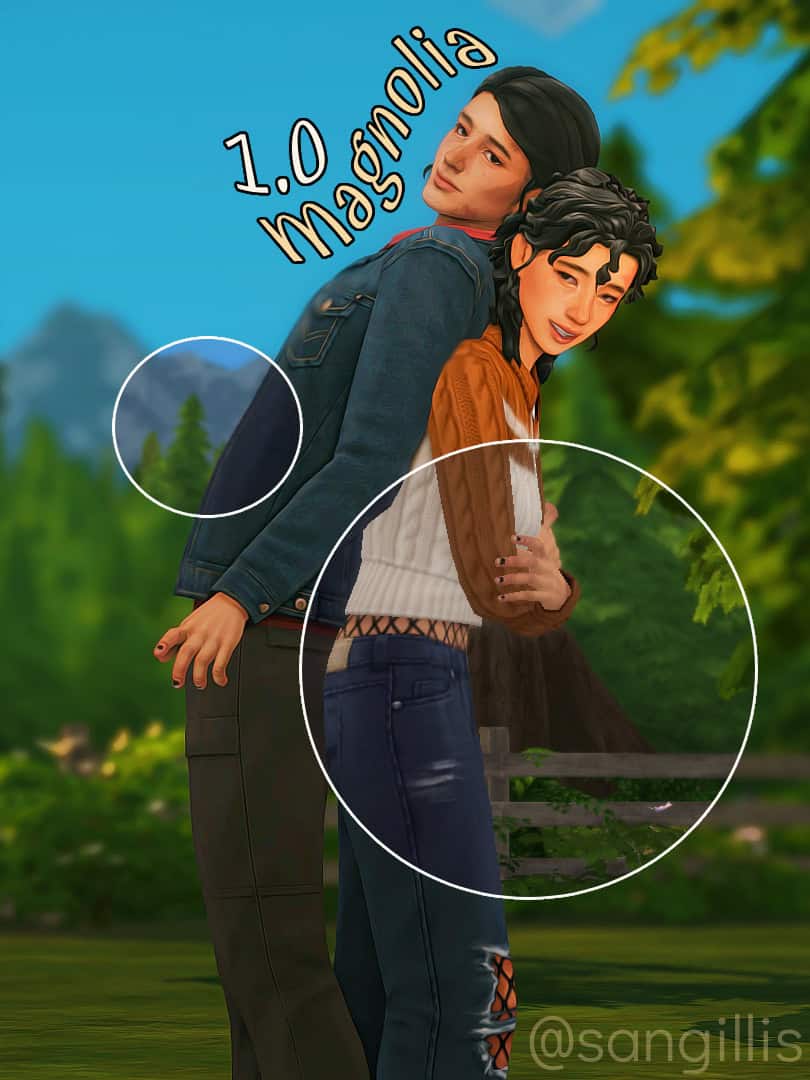
Add a warm, natural glow to your Sims 4 world with the Magnolia 1.0 GShade preset. This cc enhances colors with gentle vibrancy, creating realistic skin tones and balanced outdoor lighting.
It’s great for romantic storytelling and gives you a maxis-match friendly glow. This is one of my favorite Sims 4 gshade presets on this list, and I highly recommend using it in your 2025 gameplay.
BTS Goodies
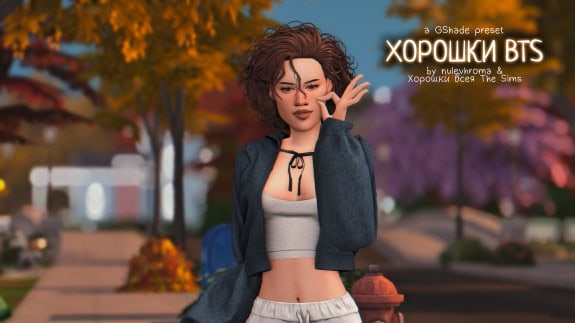
For fall or autumn gameplay, you need the BTS Goodies preset. It’s a soft, warm, ambient preset with balanced lighting and gentle contrast. Since the preset has anti-aliasing, be sure to turn off the in-game anti-aliasing.
Pair this Sims 4 GShade preset with Sims 4 Fall Outdoor CC to create stunning outdoor scenes in your base game.
Vivian Gshade Preset
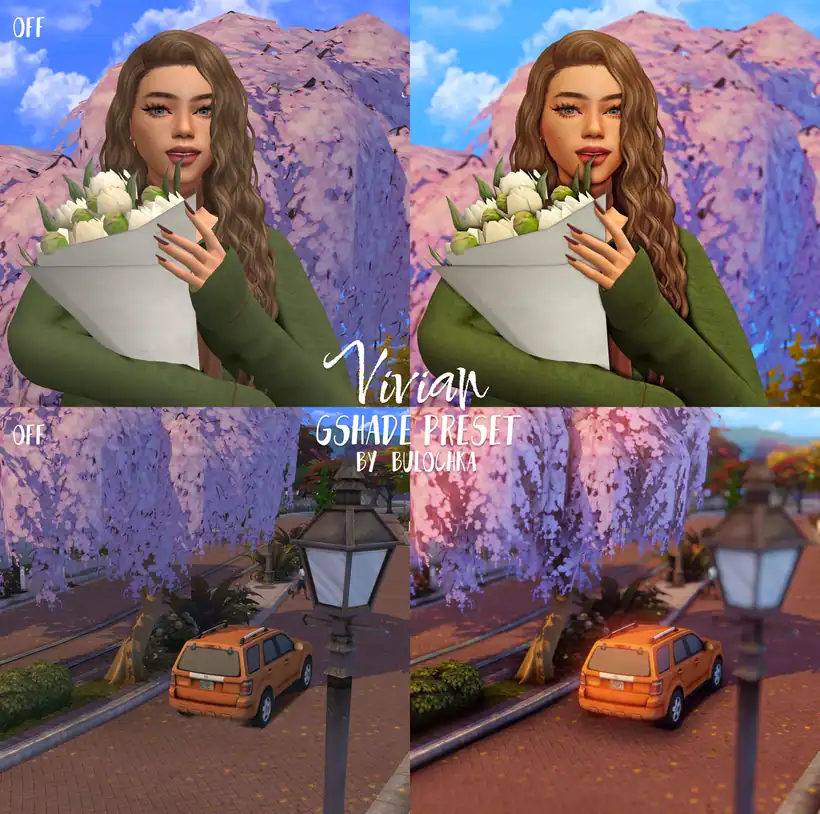
Vivian by Bulochka is a bright and refreshing GShade preset that makes every Sims 4 scene look crisp and colorful. It enhances lighting and color contrast beautifully. It adds clarity to skies, soft glow to skin tones, and a natural vibrancy to your Sim world.
This preset is perfect for spring or summer gameplay, especially if you love outdoor shots or floral builds. It balances warmth and saturation just right, giving you that polished, picture-perfect look.
Easy on the Eyes GShade Preset
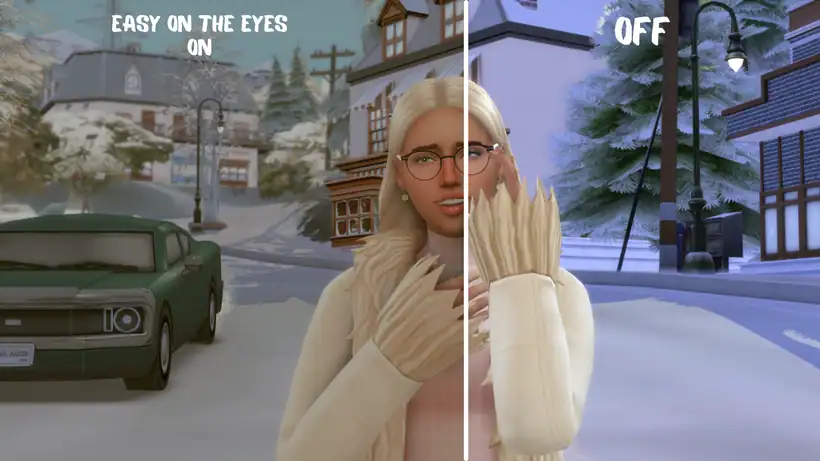
Isn’t this DREAMY? It has a cozy, cinematic feel, ideal for winter or cozy gameplay. The preset adds a smooth background blur and slightly warm tones, giving your Sims a natural, relaxed look.
I’ve also used it in CAS to take moody screenshots, and they turned out perfectly. I know this preset isn’t for everyone, but if you’re looking for a toned-down or muted preset, this is an excellent choice.
Soft Vintage GShade Preset
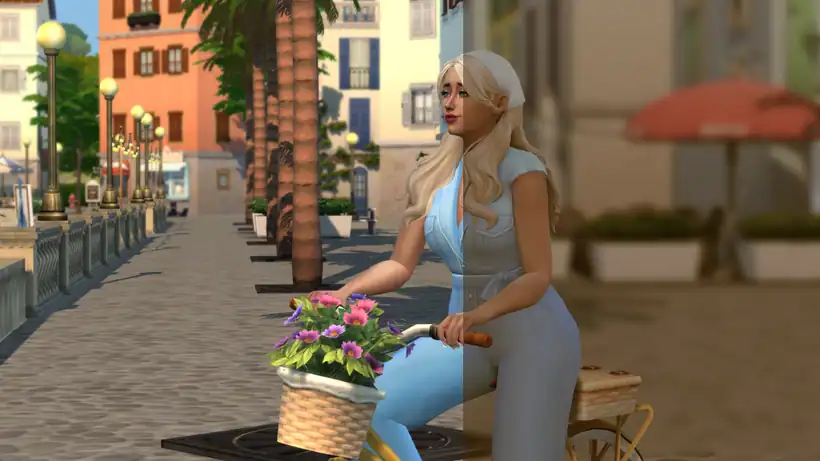
Another Sims 4 Gshade preset that mutes and blurs lightning in the base game is Soft Vintage. This is the most muted and darkest preset I’ve come across. It makes everything appear dull and flat on purpose.
This preset is best suited for scenes that require dim lighting, such as a haunted Halloween neighborhood. Please note the creator uses lightning mods, which override the base game lighting. If you don’t download these, the preset may look different in your game.
Mango Heights GShade Preset
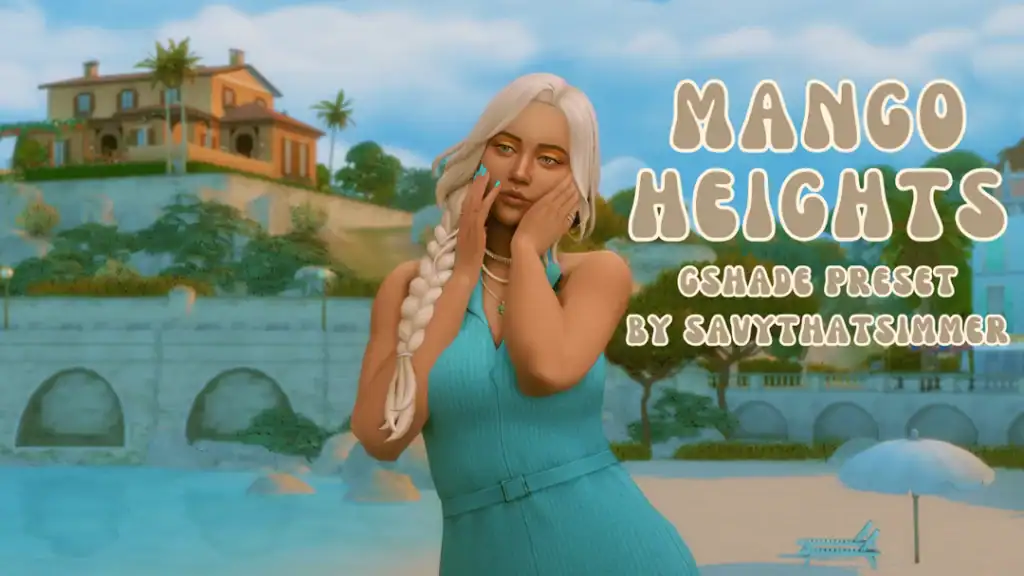
Mango Heights by Savythatsimmer brings a warm, tropical tone and a sunlit glow to your game. The preset enhances golden hues, softens shadows, and adds gentle contrast, making the scenery look bright, smooth, and cinematic.
It’s ideal for Sulani builds, vacation storytelling, or outdoor screenshots that need that soft golden-hour aesthetic. Pair it with Sims 4 Beach Houses to create a stunning summer save file.
Cozy Days GShade Preset

If you want a calm and moody preset for your summer gameplay, get the Cozy Days Gshade Preset. It gives your screenshots a gentle haze with a dreamy, muted glow.
This preset shines in outdoor shots, romantic storytelling, or casual gameplay that needs warmth and tranquility. I love using this particular gshade preset because it doesn’t hurt my eyes. It’s quite muted but still warm and soft.
The beauty of this preset is that it runs smoothly on low-end PCs, so I highly recommend adding it to your 2025 gameplay.
Florentine GShade Preset
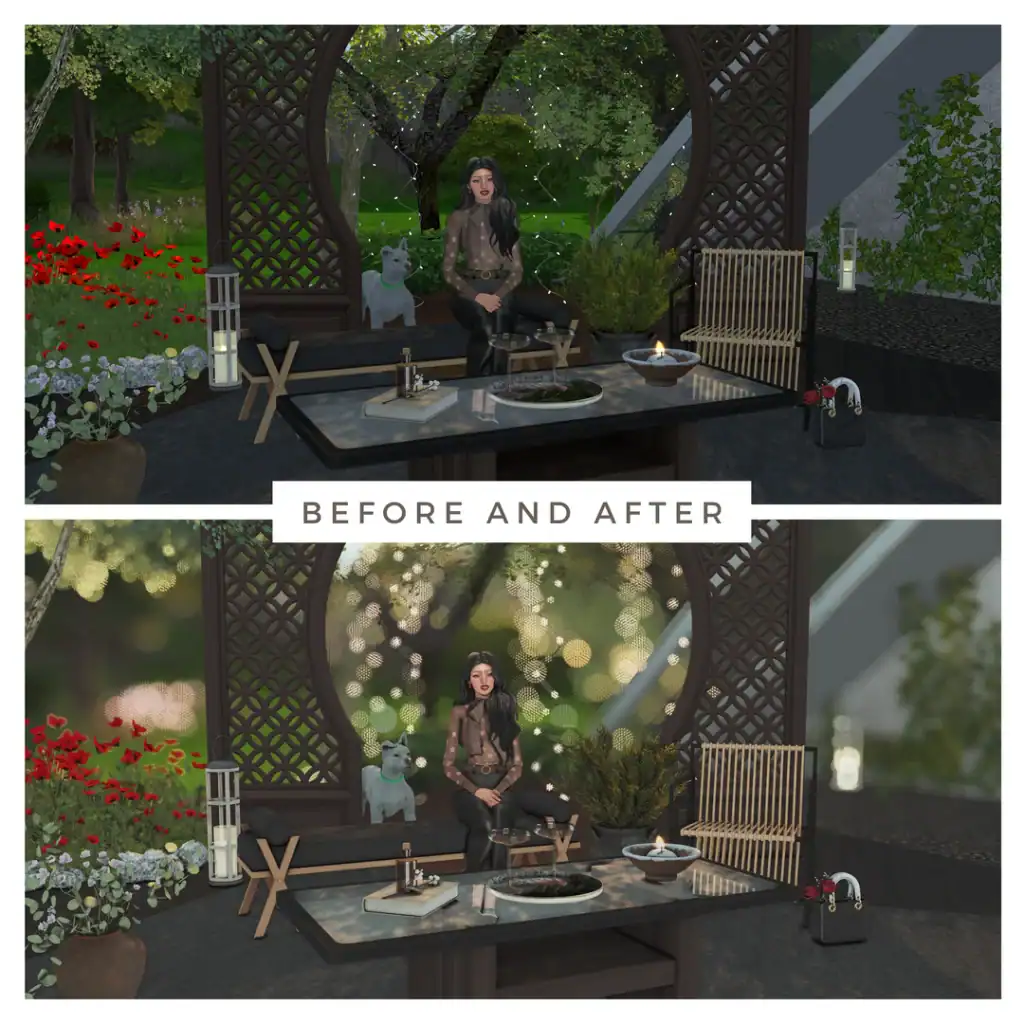
The Florentine preset completely transforms your Sims 4 visuals with a soft, cinematic glow and enhanced depth of field. In the before image, the lighting appears flat and straightforward, while the after image showcases the preset’s true magic: a warm bokeh effect, refined shadows, and beautifully balanced contrast.
This preset is ideal for outdoor builds, garden scenes, or romantic storytelling, where light and atmosphere are key. The blurred background adds a dreamy aesthetic while keeping your Sim in sharp focus.
Calm Gshade Preset
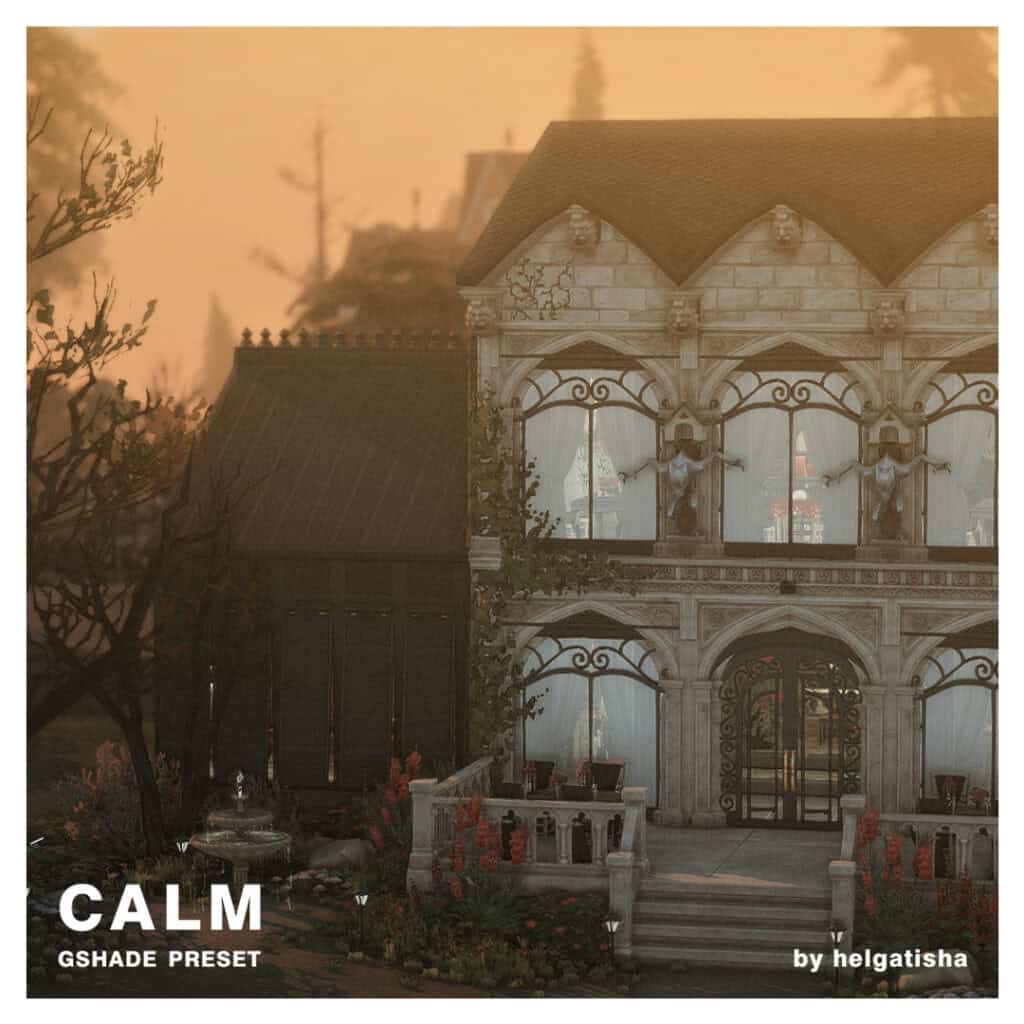
Bring a soft, muted atmosphere to your Sims builds with the Calm preset by Helgatisha. This preset creates a tranquil and cinematic mood with golden-hour tones and a delicate haze.
The lighting is beautifully diffused, with just the right amount of depth and contrast to highlight architectural details and textures. I recommend using this preset for storytelling, interior showcases, or autumn-inspired builds.
Mochaccino GShade Preset
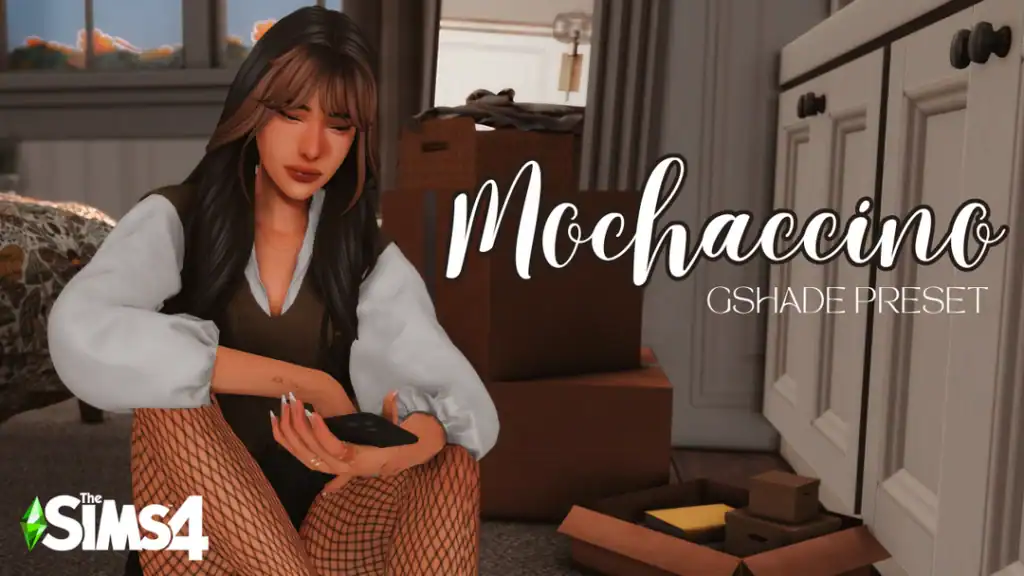
Download: Mochaccino GShade Preset
Designed by TiniSims, the Mochaccino preset gives your Sims 4 visuals a rich, cozy warmth inspired by soft browns and golden undertones. It brings out warmth in wood tones, skin shades, and neutral palettes while keeping everything natural and inviting.
If you want to capture a realistic and comforting lighting, use this preset. It softens shadows without losing contrast, making your scenes look balanced, cinematic, and effortlessly homey.
Sweet Candy GShade Preset
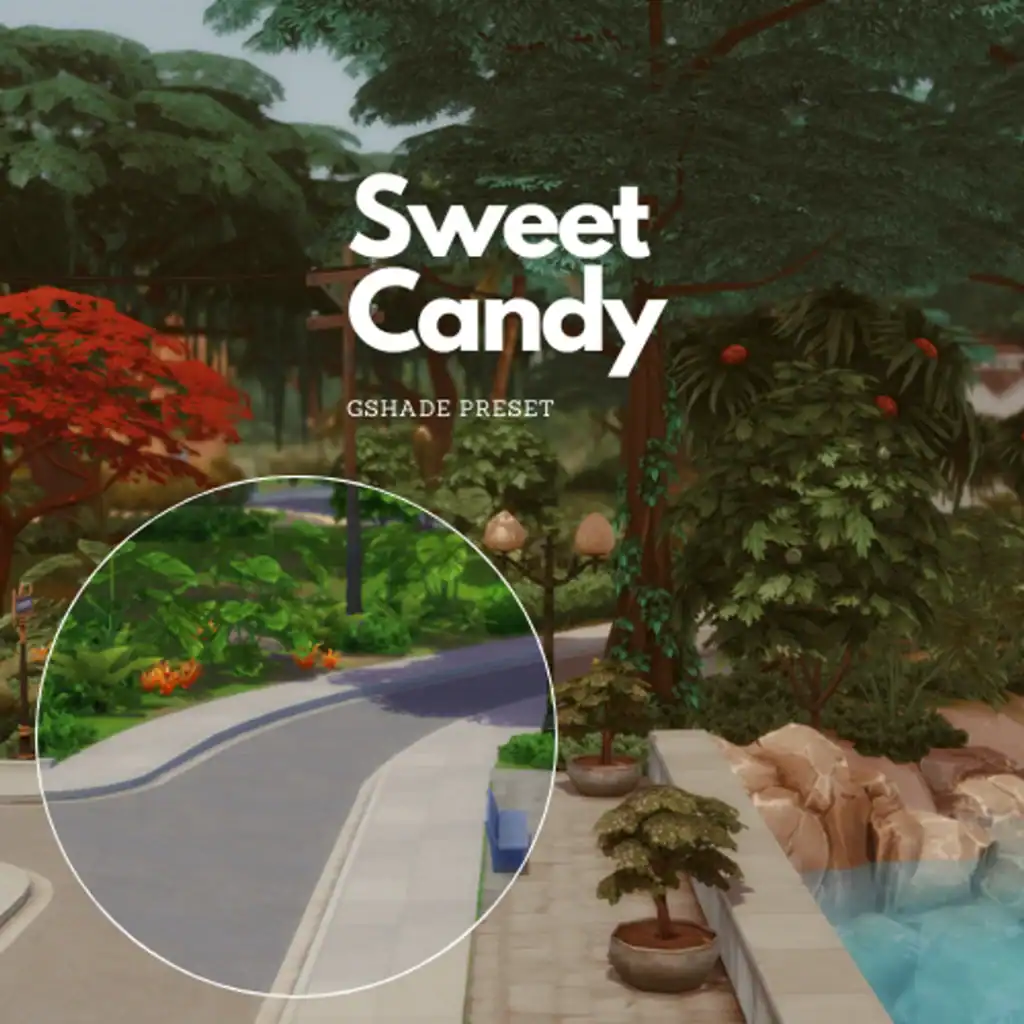
Sweet Candy brings out the lush, colorful side of The Sims 4 with vibrant tones and crisp lighting. This preset enhances greens, deepens shadows, and adds a touch of contrast to create a candy-like brightness.
If you want a clean, polished look with soft highlights and playful color depth, get this preset. It uses G-Shade version 4.2.2, but I am not sure if it works with ReShade as well.
To get the same result in the picture above, download the following:
- Lumnia NoBlu V2 by luumia
- Lumnia NoGlo V2.1 by luumia
- Turn off Edge Smoothing In Game Settings!
Hallow Glow GShade Preset by Cemeteryrat
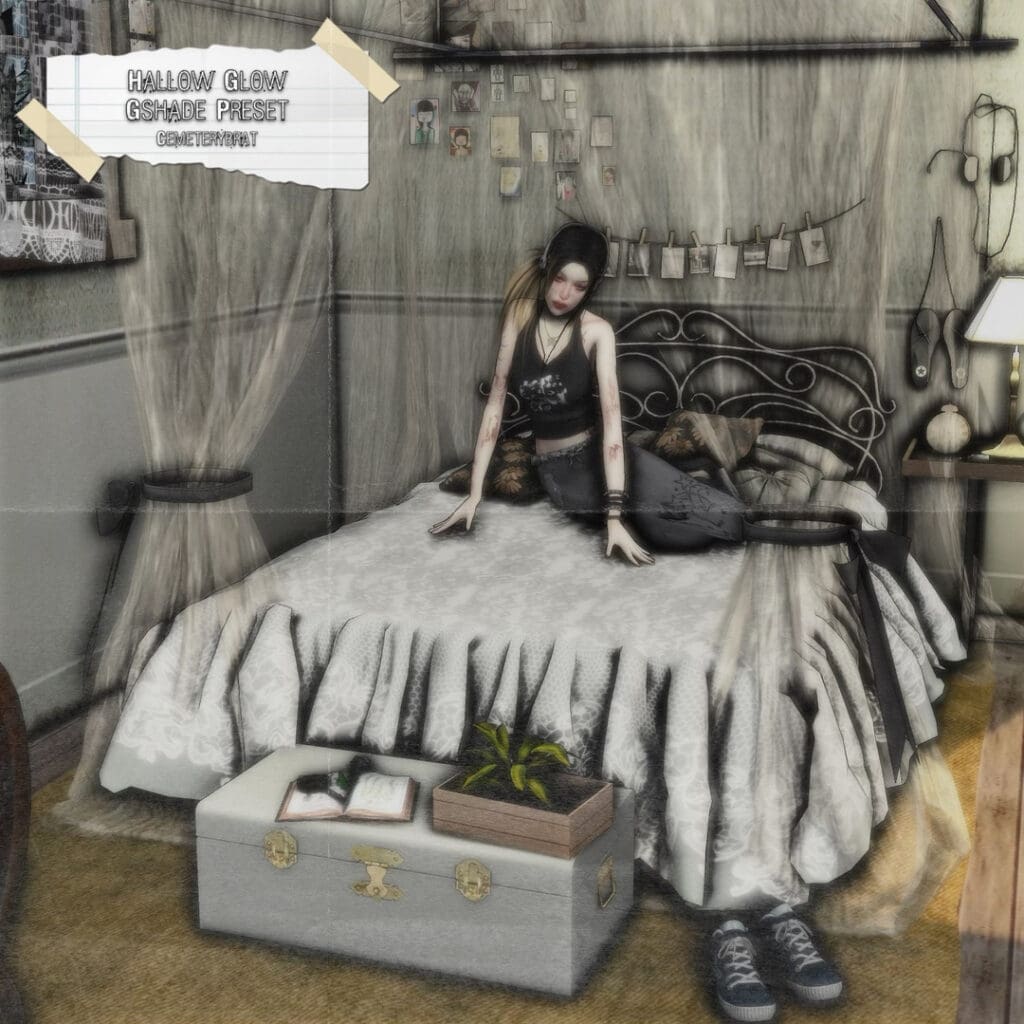
Download: Hallow Glow GShade Preset
Dark, gothic lovers, this one’s for you! The Hallow Glow by Cemeteryrat brings a hauntingly beautiful touch to your Sims 4 visuals. This preset softens shadows, mutes saturation, and adds a pale, eerie glow to your screenshots. The result is a moody, cinematic effect with a grainy, paper-textured finish reminiscent of vintage horror films.
I’d use this for Halloween gameplay, dark storytelling, or vampire and occult builds that thrive on atmosphere. It’s spooky but aesthetic. Pair this preset with other haunting Sims 4 cc, including Sims 4 Haunted House and Sims 4 Halloween Decor.
Milk Chocolate GShade Preset by Bria
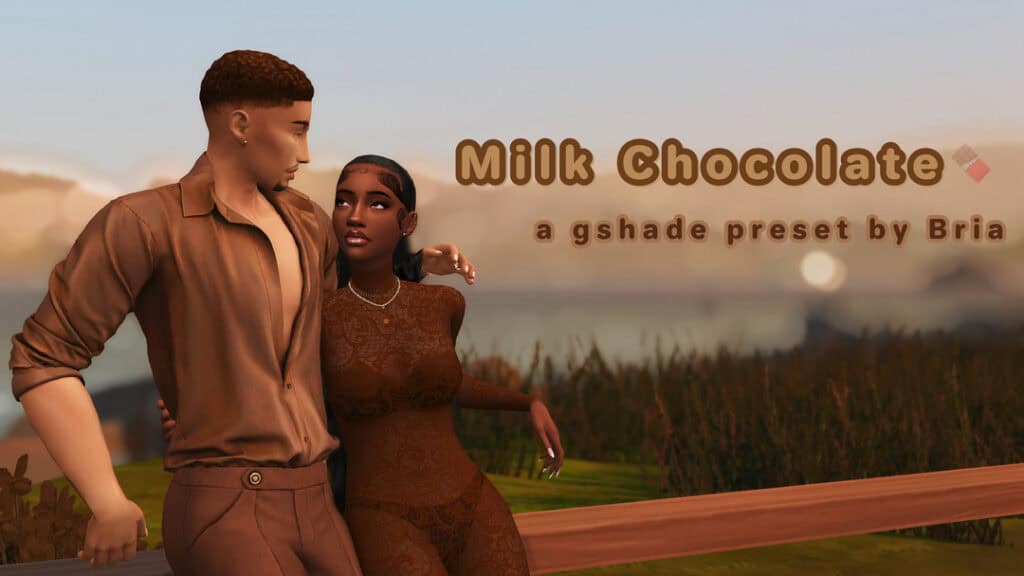
Download: Milk Chocolate GShade Preset
After months of searching for a truly melanin-friendly GShade preset, I finally found the Milk Chocolate preset by Bria. It delivers smooth, golden-brown tones that beautifully enhance melanin-rich complexions and warm lighting.
This preset is perfect for portrait shots, couple photography, or storytelling gameplay where you want natural contrast and warmth. It strikes a flawless balance between realistic lighting and aesthetic softness, making every scene feel intimate and visually balanced.
Sims 4 GShade Presets
When you’re downloading these gshades, always read everything on the download page. Some of them require extra mods to make them look exactly like the preview picture!
1. ellcrze Sims 4 GShade Preset by ellcrze
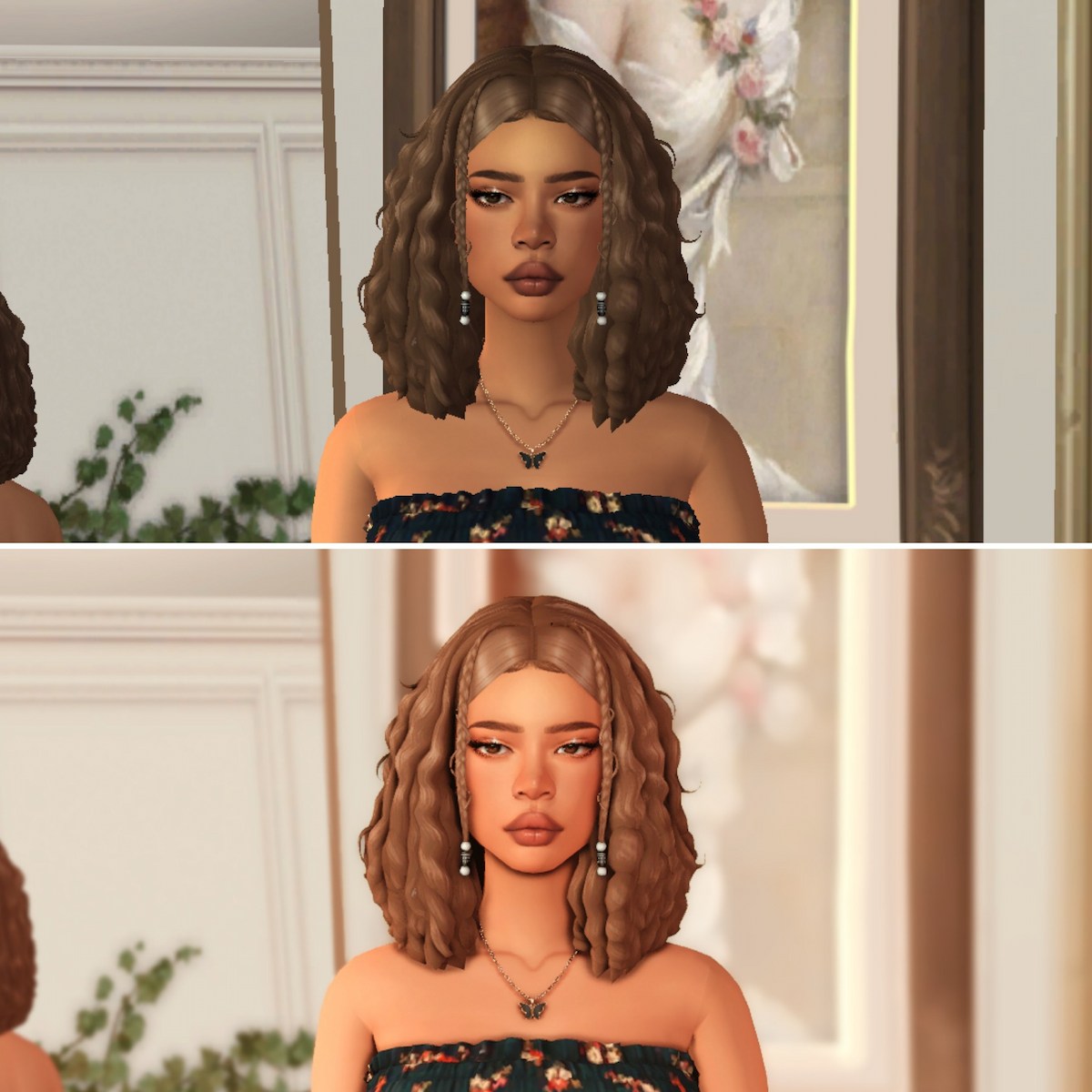
If you’re looking for a gshade preset that’s great for both gameplay and screenshots, then you need to try this one out!
It adds the perfect amount of saturation and brightness to the sims without being too much.
You will need some additional lighting mods, so make sure you grab those off of the download page.
2. Marigold Sims 4 GShade Preset by midsummermoon20
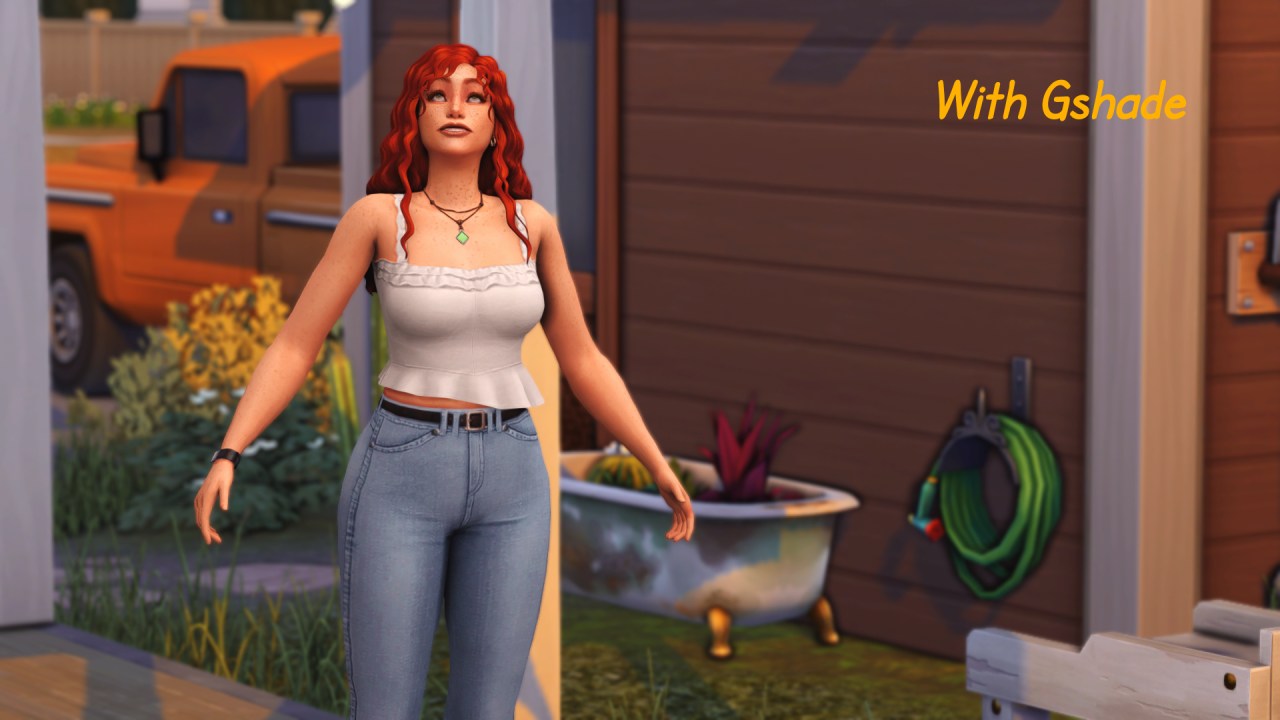
Marigold is an incredible lightweight preset that brightens the game without oversaturating it and blowing out the UI.
It’s perfect if you don’t have a high-end PC to play the sims, but you still want to give your game an entirely new look!
3. Storyteller Sims 4 GShade Preset by ComfyBlob
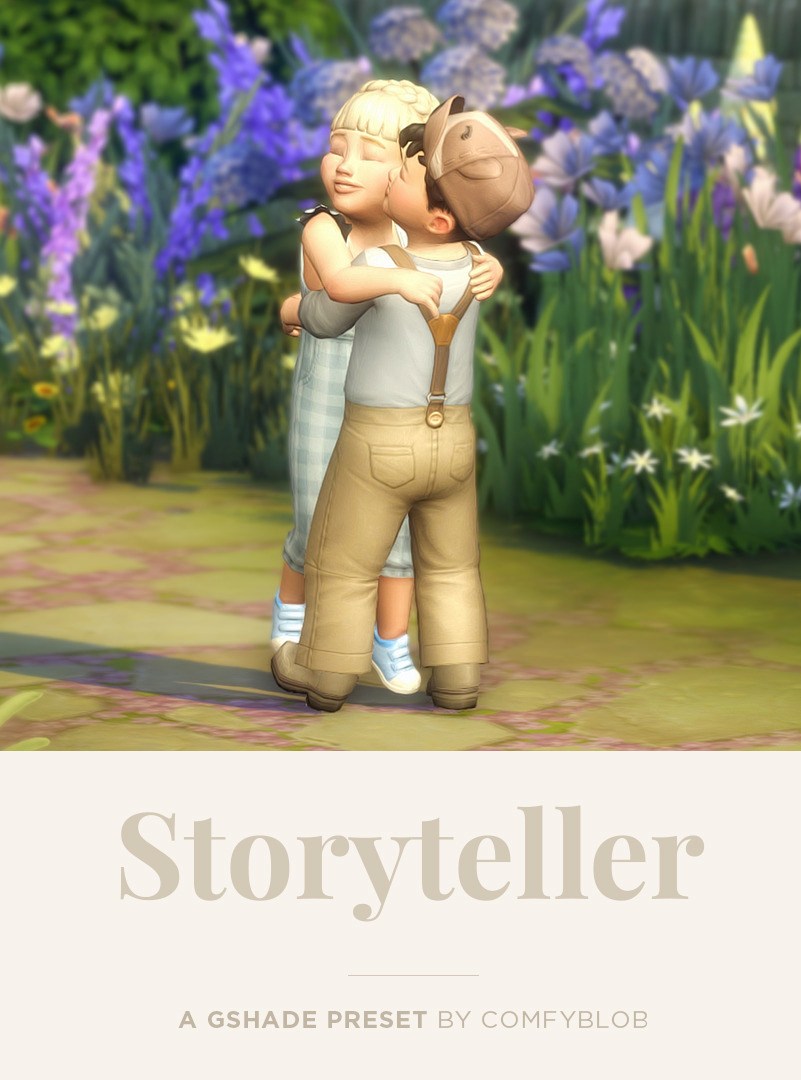
This preset was converted from ReShade to Gshade and now runs SUPER smooth.
It’s ideal for adding that extra level of vibrance that looks amazing in screenshots.
(Have you noticed how dark the game looks once you turn off your ReShade/Gshade!?😲)
It does use a few lighting mods, so grab the links for those off of the main download page.
4. Bloom Sims 4 GShade Preset by ellcrze
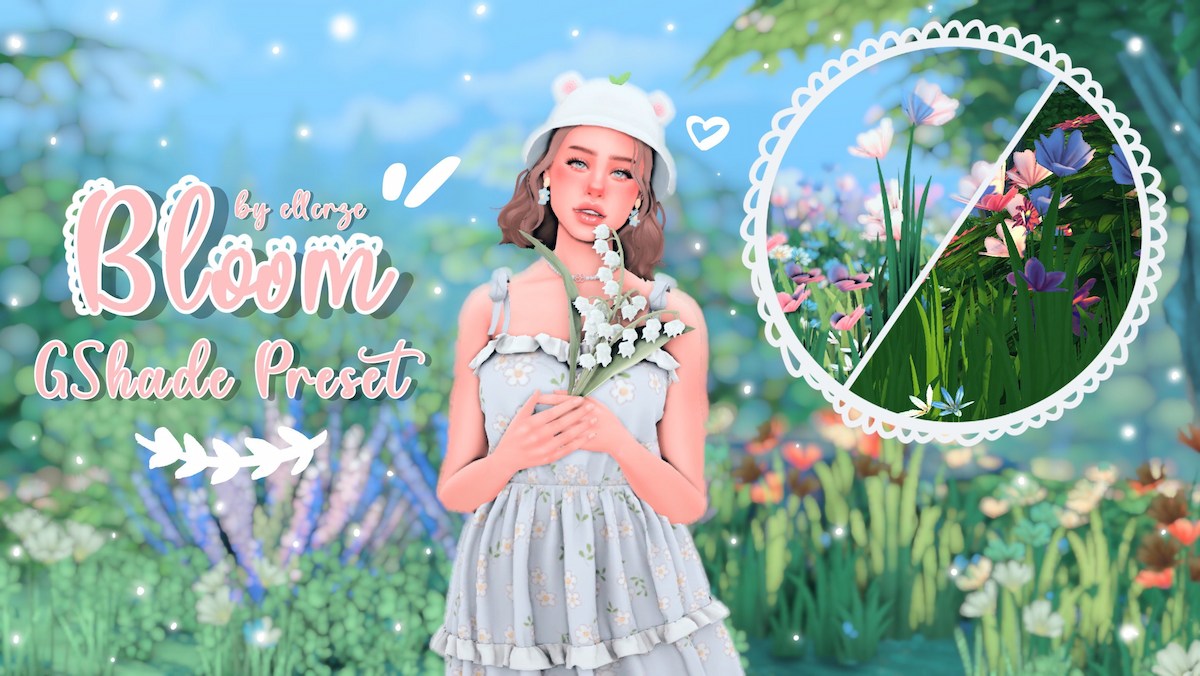
My first thought when I saw this preset was: bubblegum!
It has a very colorful vibe with blues and pinks that really pop.
Use this preset if you want to give your game a feminine aesthetic!
5. Coco Dreams Sims 4 GShade Preset by simbeautyguru

This gshade preset is focused on showing off the “richness of skin tones with melanin.”
It has a dreamy feel that I really love. There are two versions: one for everyday use and one for CAS.
The CAS preset version will give you more shadows so you’ll be able to take jaw-dropping screenshots of your darker-skinned sims!
{RELATED POST: 25+ Best Sims 4 Skin Overlay Mods (Sims 4 CC Skin)}
6. Ophelia Sims 4 GShade Preset by talentedtrait
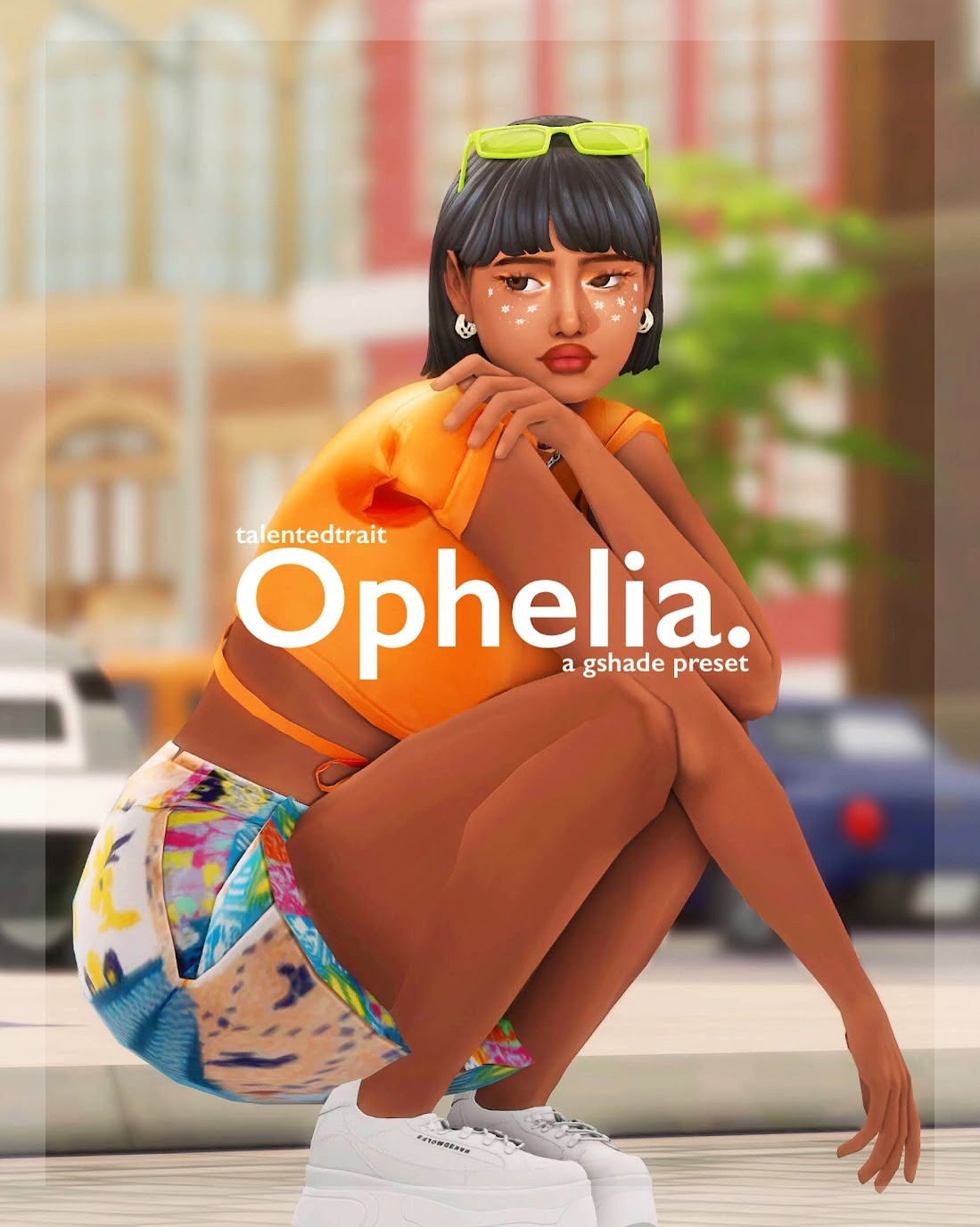
How absolutely STUNNING is this preset cover photo? It seriously catches my eye every time I see it.
If you want your screenshots to stand out like this, then this is the preset you need!!
7. thunderstorm Sims 4 GShade Preset by mushroomwhims
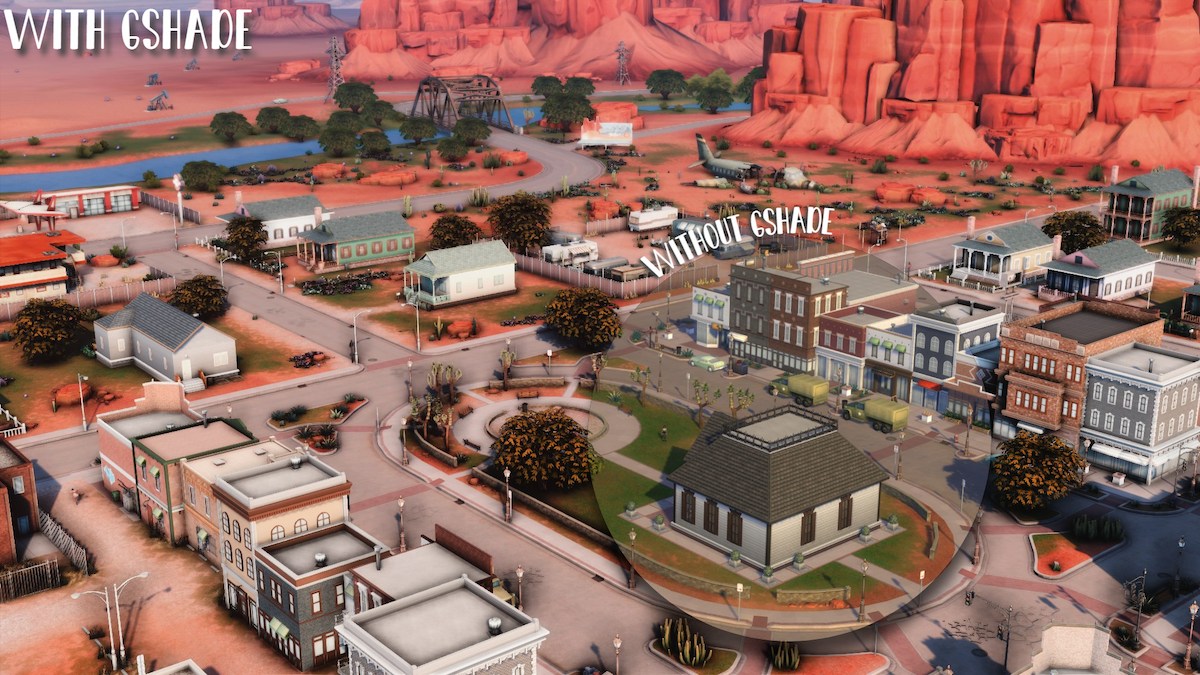
Thunderstorm has the vibrance of other gshade presets for sims 4, but also brings out some of the darker tones.
It’s a nice contrast to the usual overly bright and colorful screenshots most of us are used to seeing.
I especially love the way it looks in each of the sim worlds. I think it would be a great preset for taking pictures of your builds!
8. latte Sims 4 GShade Preset by ellcrze
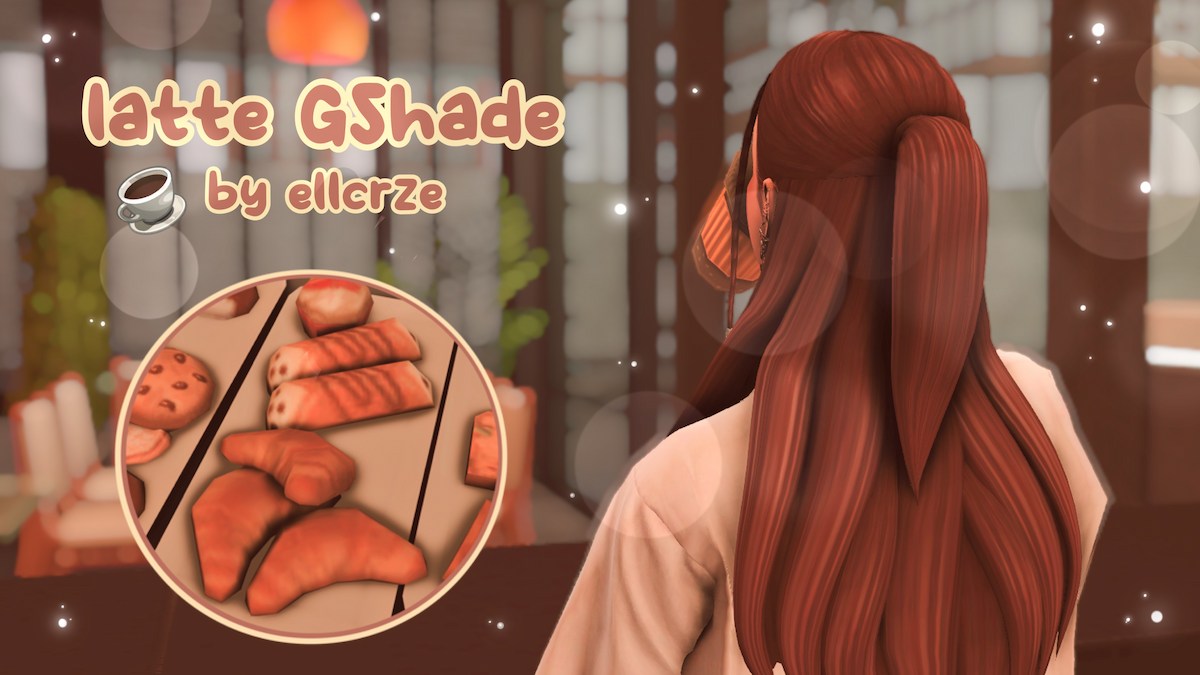
If you love autumn vibes, then you need this cozy, fall-inspired preset.🍂
It’s PERFECT for taking seasonal gameplay screenshots!
9. Strudel Sims 4 GShade Preset by Elaina
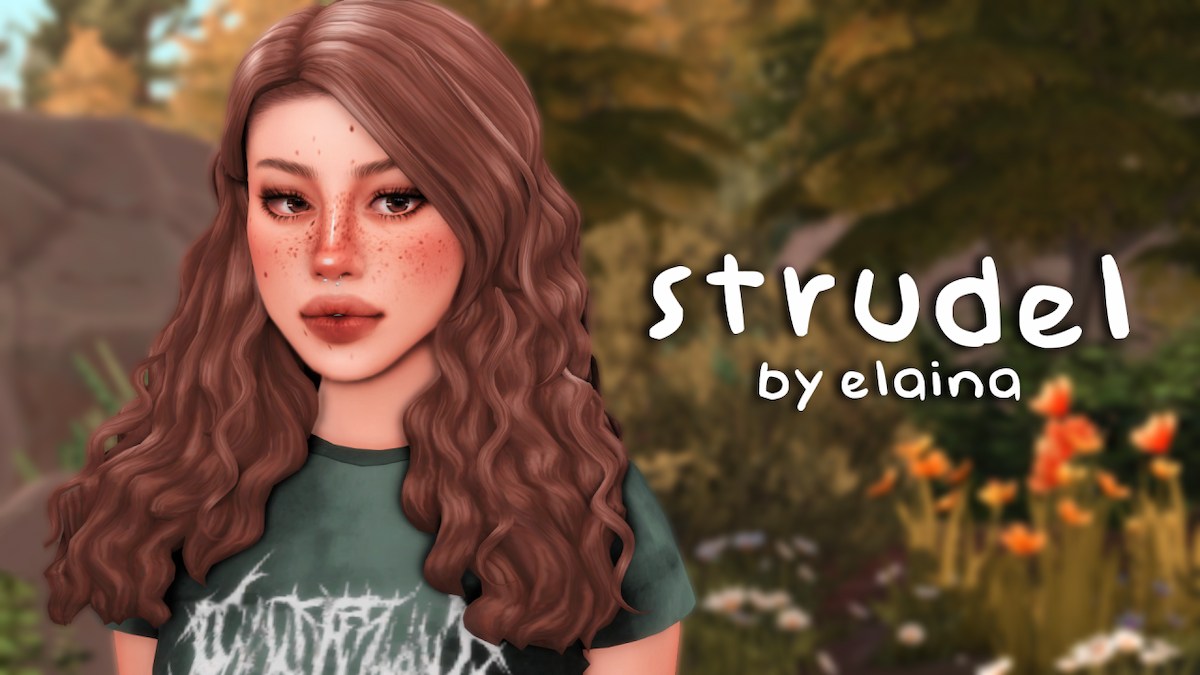
Speaking of cozy, here’s another warm and soft preset to bring some fall aesthetic into the sims 4!
It’s made for gameplay, so you should have no performance or lag issues if your computer can handle it.
10. Gretchen Sims 4 GShade Preset by talentedtrait
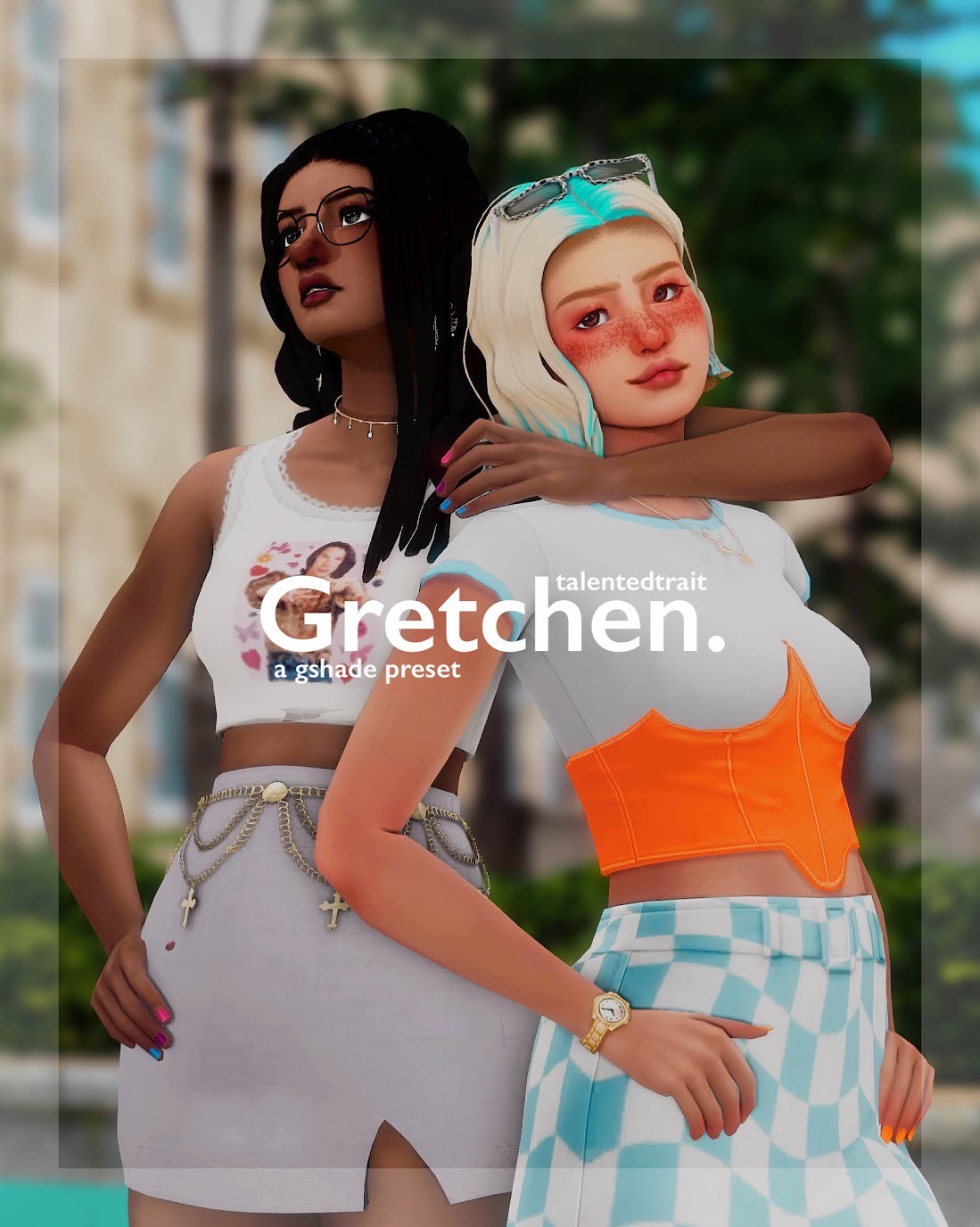
Interestingly enough, this actually started off as an edit of the ophelia gshade preset, but went through so many changes that it ended up as its own preset entirely.
It’s definitely a lot darker and moodier than Ophelia and that’s what I LOVE about it!
Everything by talentedtrait is just sooo good. Their name pops up, I download, no questions asked.😂
11. Sweet & Sour Sims 4 GShade Presets by Asimsa
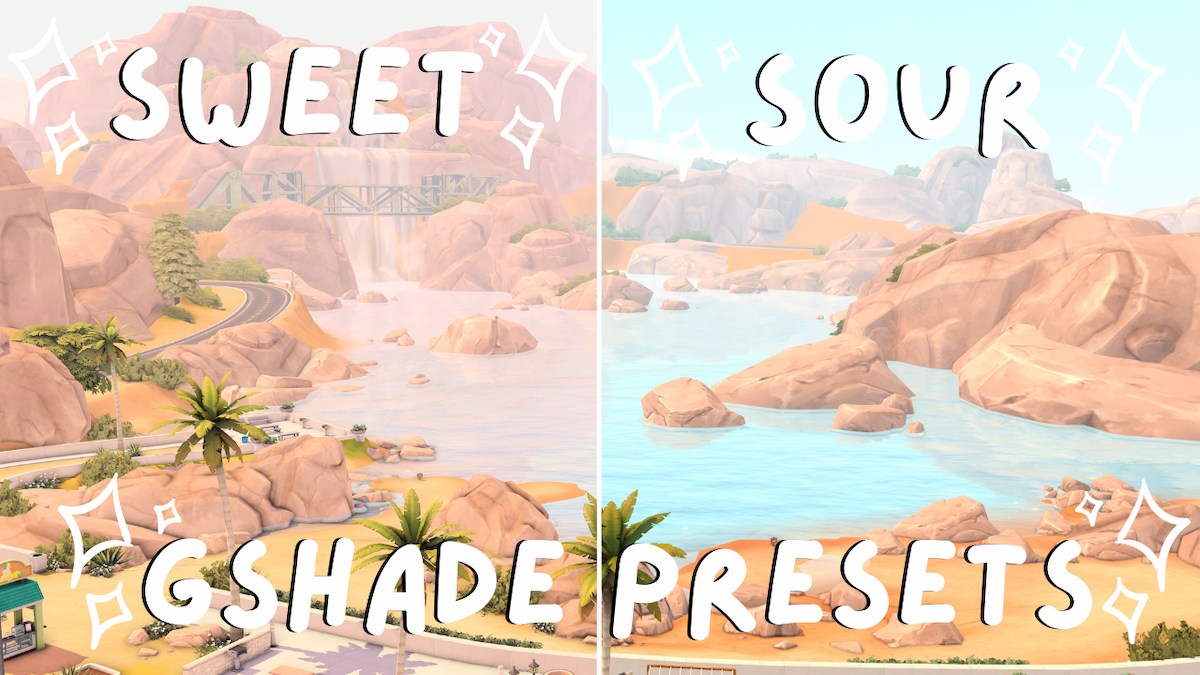
This is a pack of two presets for the sims 4 that you can easily switch between to change the vibe at a moment’s notice.
Sweet is a bright gshade preset with pink tones and harsher shadows. This is great for screenshots!
Sour is a gshade preset for gameplay that adds brightness and vibrance to the game without overdoing it.
The creator has graciously made a video showing off these presets, so if you want to see exactly how they look in-game, watch the video overview!
12. On Cloud 9 Sims 4 GShade Preset by TheBlondeSimmer
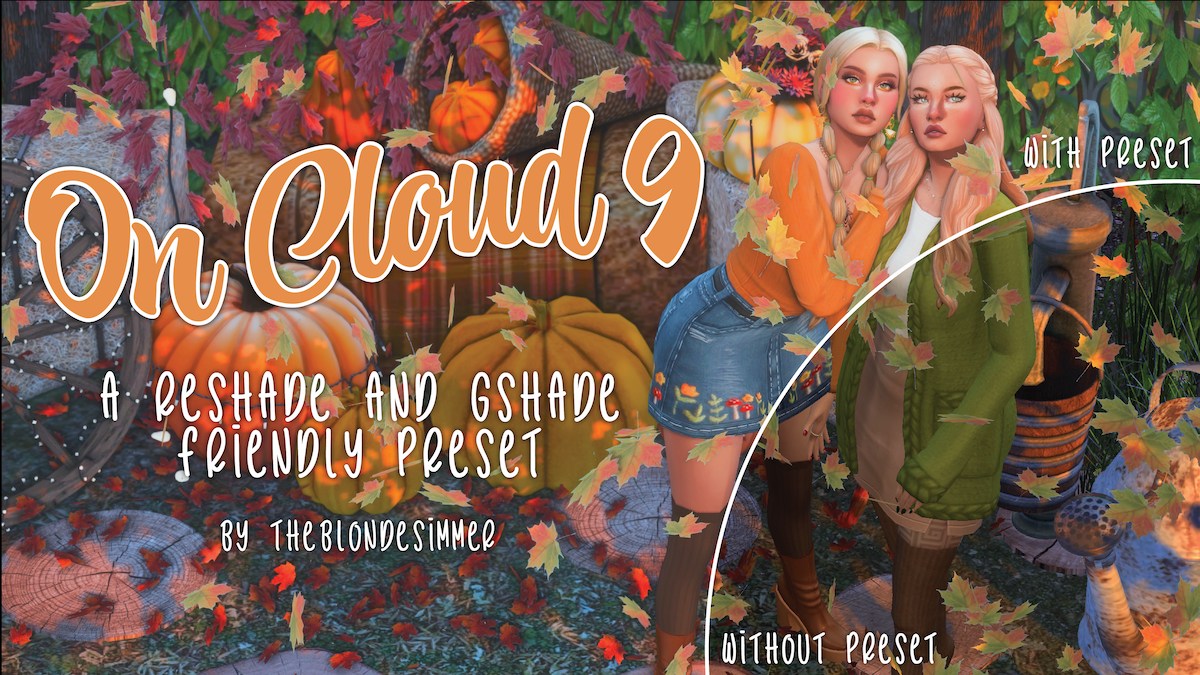
If you’re looking for a preset that works for both ReShade and GShade, then this is the one you need to download!
On Cloud 9 is absolutely BEAUTIFUL. It makes all the colors in the game pop by adding some brightness and shadows.
This is definitely a favorite of mine personally! 😍
13. Petals Sims 4 GShade Preset by chewybutterfly
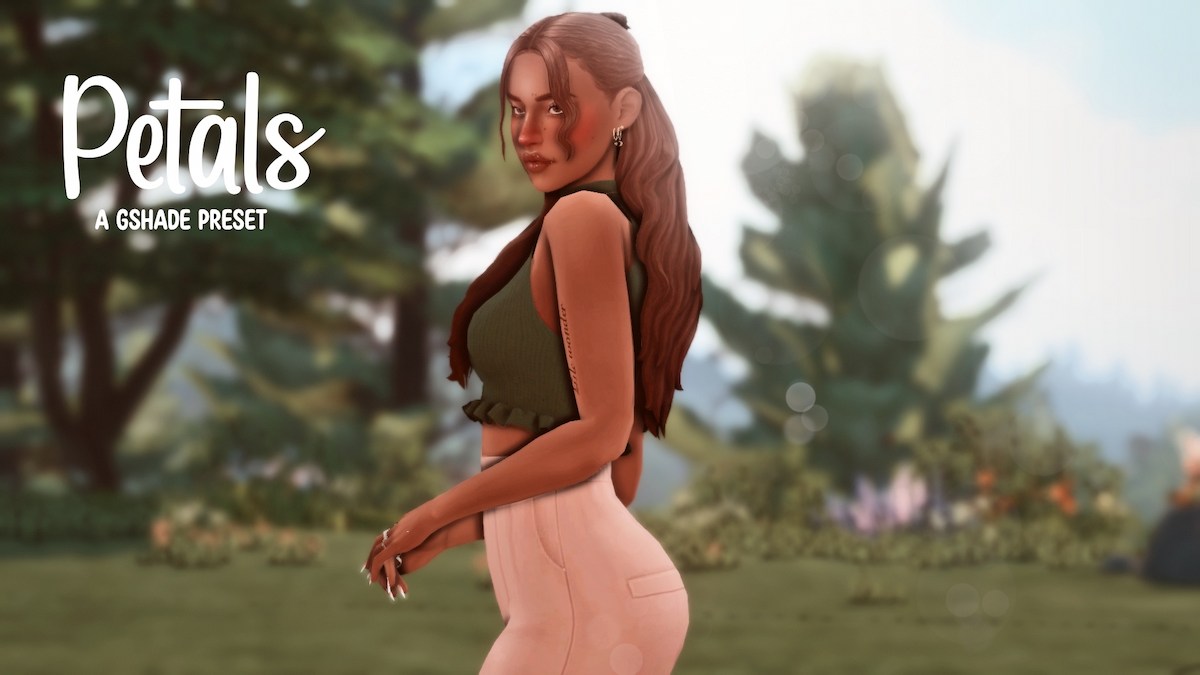
If you want a gshade preset specifically dedicated to your sims 4 screenshots, here you have it!
Petals is not intended for gameplay.
It blurs the backgrounds and adds a peachy tone to your sims making it WONDERFUL for screenshots to post on Tumblr, use as Youtube Thumbnails, or just keep for yourself.
14. Groovy Sims 4 GShade Preset by ellcrze
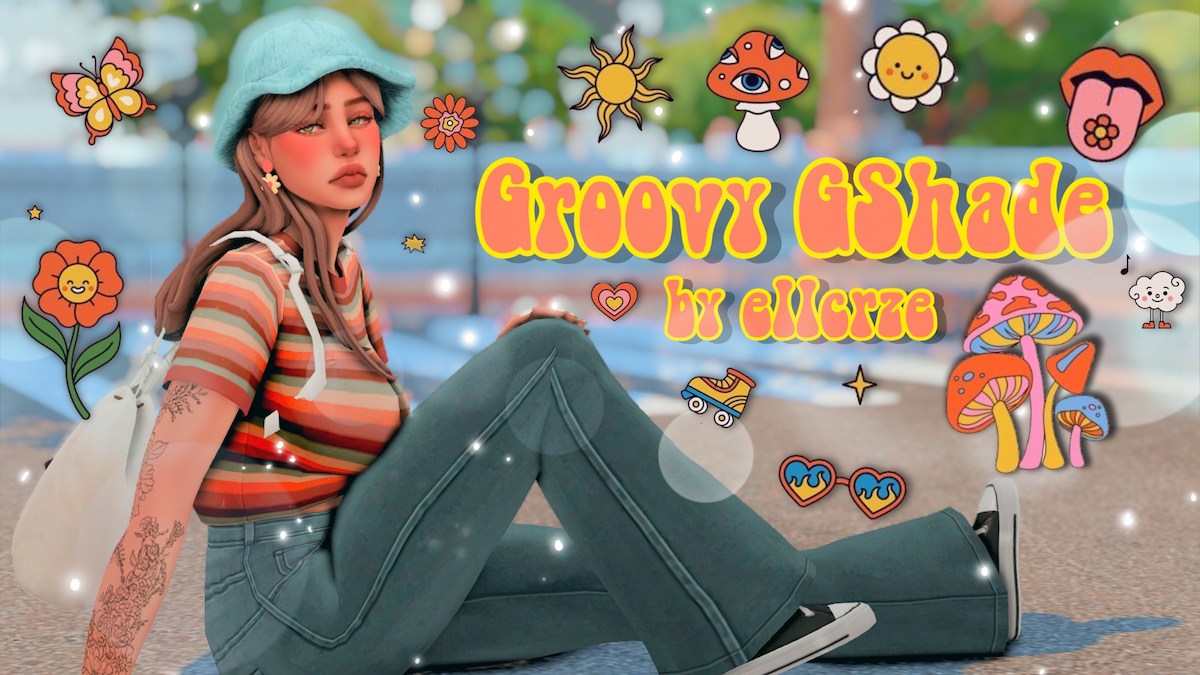
Three words that describe this preset: vibes, bright, colorful. 🌈
This gshade preset is all about the aesthetic making it perfect for High School Years gameplay and screenshots!
{RELATED POST: The Ultimate List of Aesthetic Sims 4 Teen CC for High School Gameplay}
15. secluded Sims 4 GShade Preset by tetonet
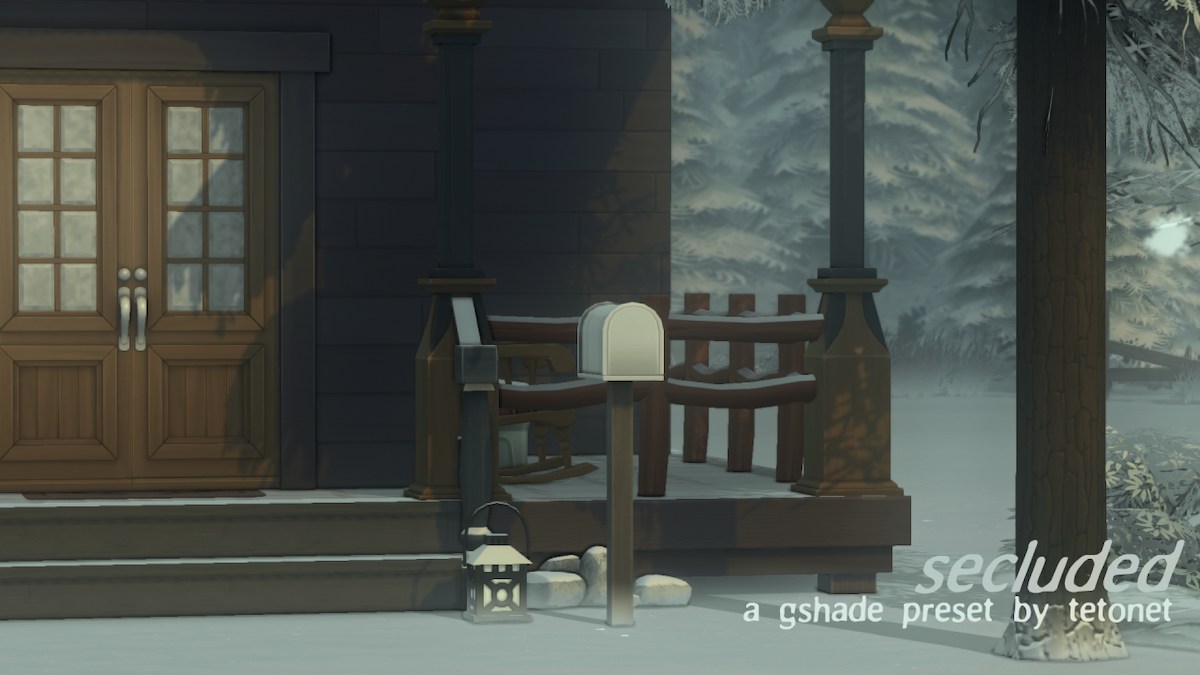
Secluded has a totally different feel than the rest of the GShades on this list!
It’s dark and it’s moody by filtering out the blue in the sims 4 worlds.
It’s PERFECT for taking screenshots of your builds.
With almost everything else on this list being so bright and colorful, this might just be the preset you’ve been looking for!
16. Neapolitan Sims 4 GShade Presets by midsummermoon20
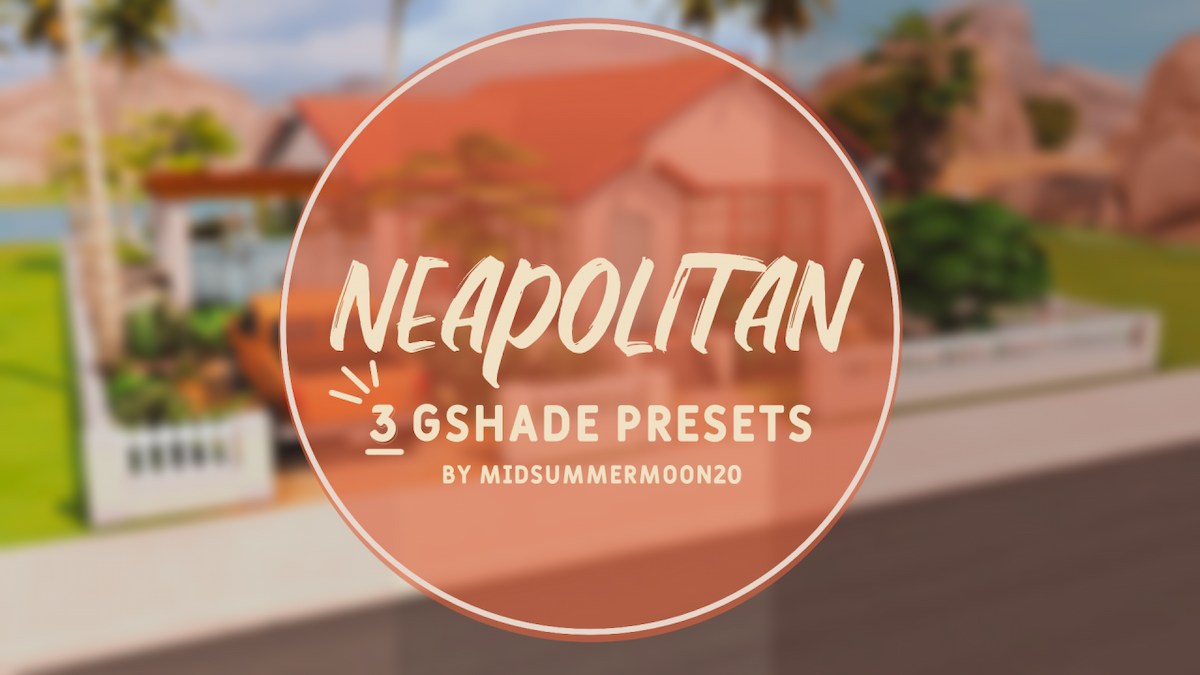
Get ready to be spoiled because here we have a gshade presets PACK that includes 3 presets in one: strawberry, vanilla, and chocolate.
Here’s a quick little description of each:
- The Strawberry preset has a bright and cheerful vibe that’s great for gameplay.
- The Vanilla Preset is not too far from the original EA look, but with the addition of some brightening and smoothness.
- The Chocolate preset has a moody, warm vibe that is much darker than the other two presets.
If you want an easy way to get started with gshade and presets, then this is the perfect set to download. You’ll have tons of variety right from the get-go!
17. Milky Pastels Sims 4 GShade Preset by Simdriella
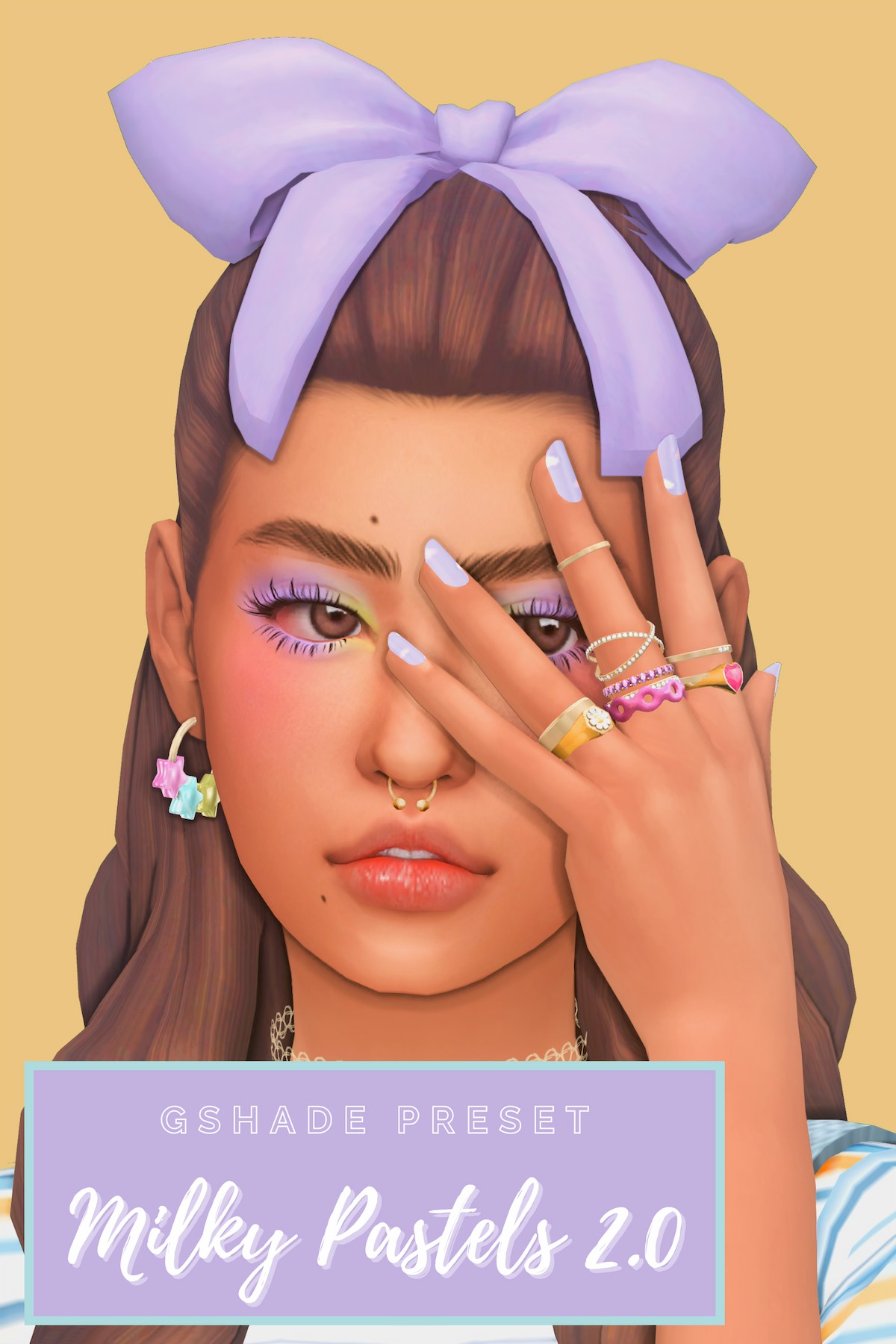
This preset was built for players with older laptops/computers in mind. That way every simmer can have a game that looks great, even if they don’t have a high-end computer!
It’s PERFECT for both gameplay and taking screenshots in CAS.
{RELATED POST: 21+ Custom Sims 4 CAS Backgrounds To Give Your Game a New Look}
18. Genki Oranges Sims 4 GShade Preset by Boo
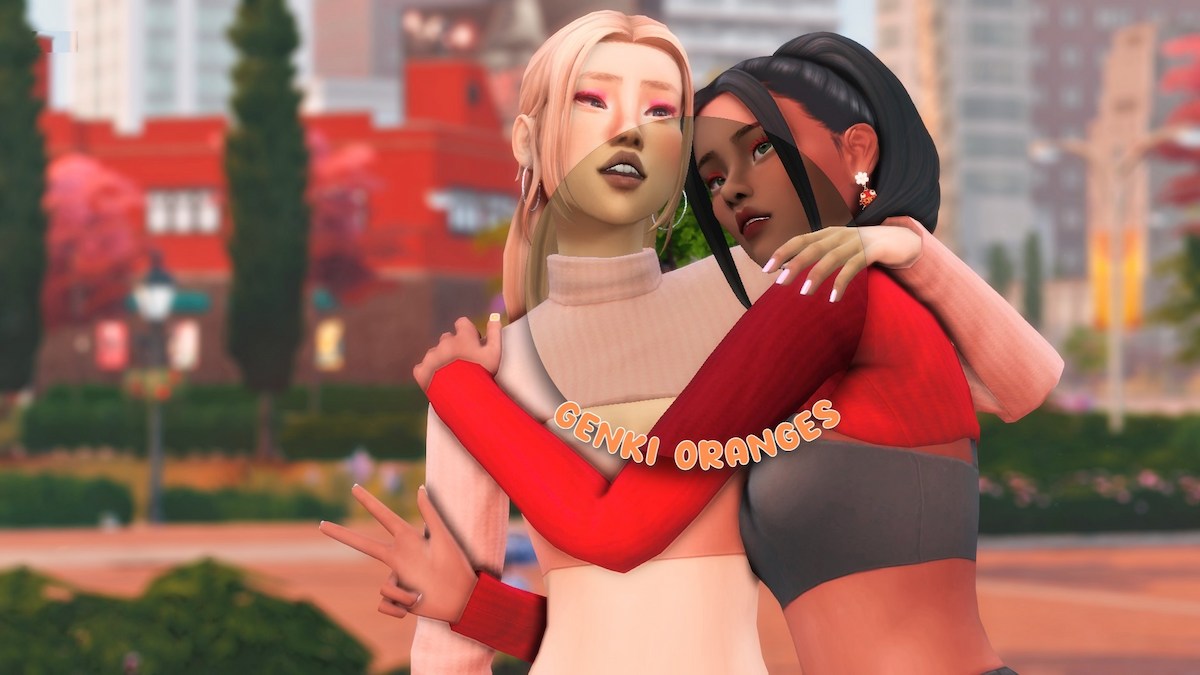
This is another gshade preset made for screenshots! Although, you can alter it to make it playable.
It adds blurriness and peachy tones.
It gives trendy vibes which are essential for city life screenshots!
19. Peachy Kisses Sims 4 GShade Preset by imjennx
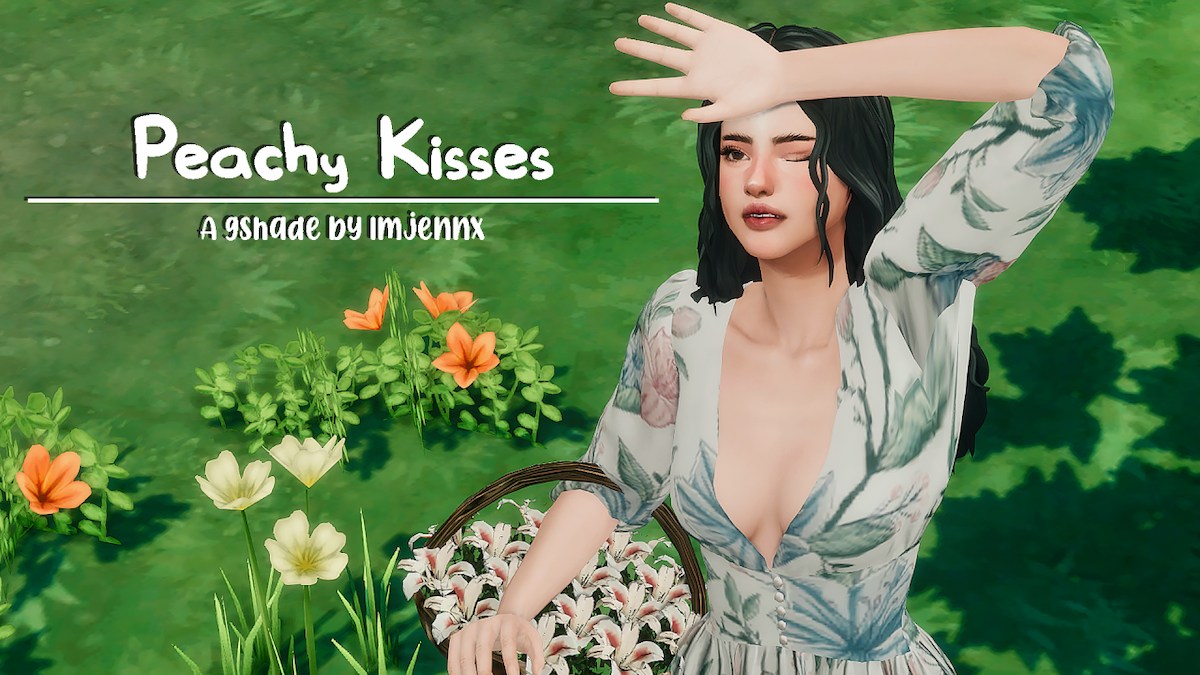
Peachy Kisses is a gshade preset made by this sims youtuber who wanted the perfect look for their sims 4 gameplay, screenshots, and videos.
It’s gameplay friendly and made for those with lower-end computers!
20. Willa Sims 4 GShade Preset by talentedtrait
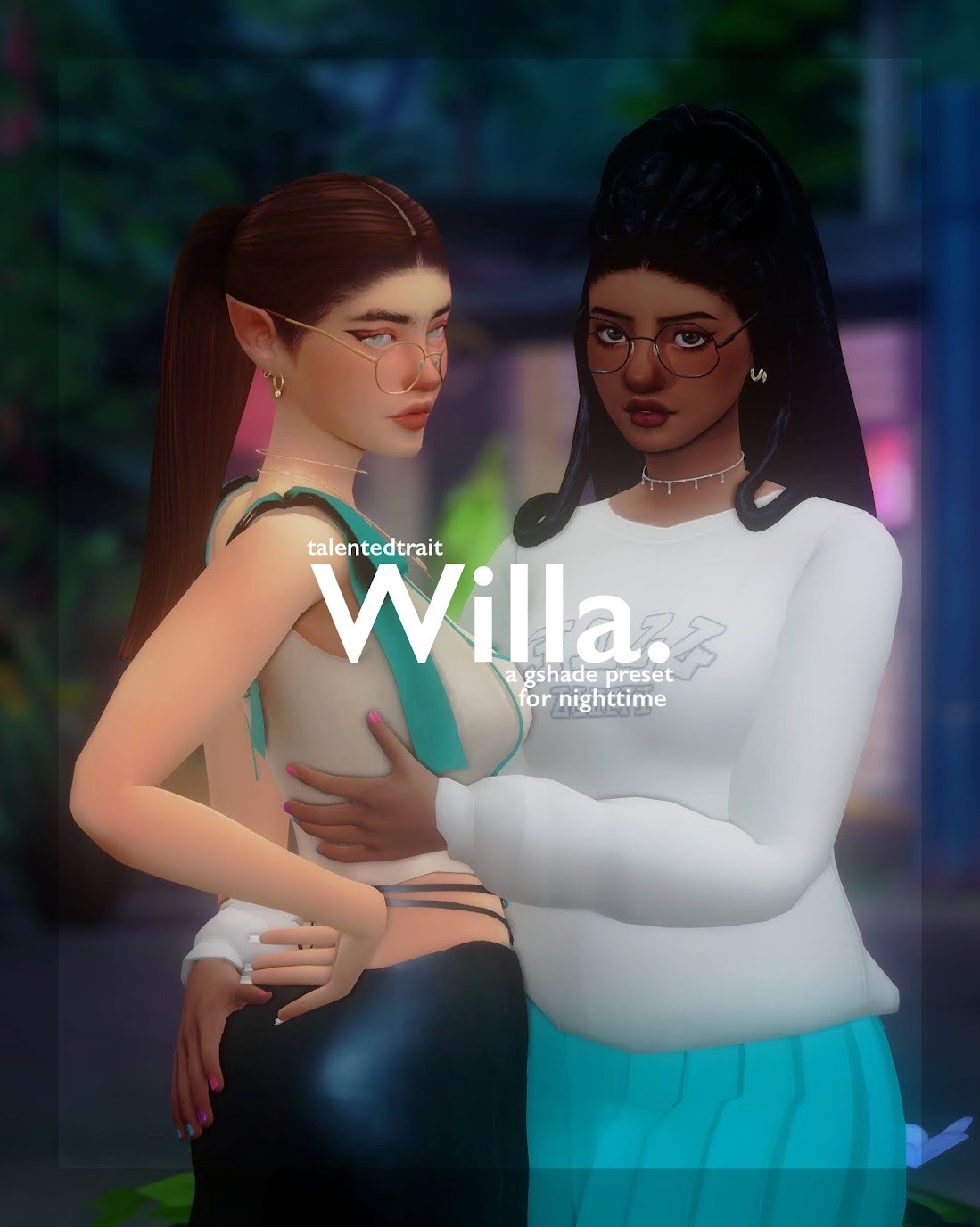
Willa is super unique because it was made for nighttime screenshots.
I personally haven’t seen anything else like it!
If you’re tired of your presets making it impossible to get good screenshots when it’s dark, you have to try this one out.
21. ellanora Sims 4 GShade Preset by ellcrze
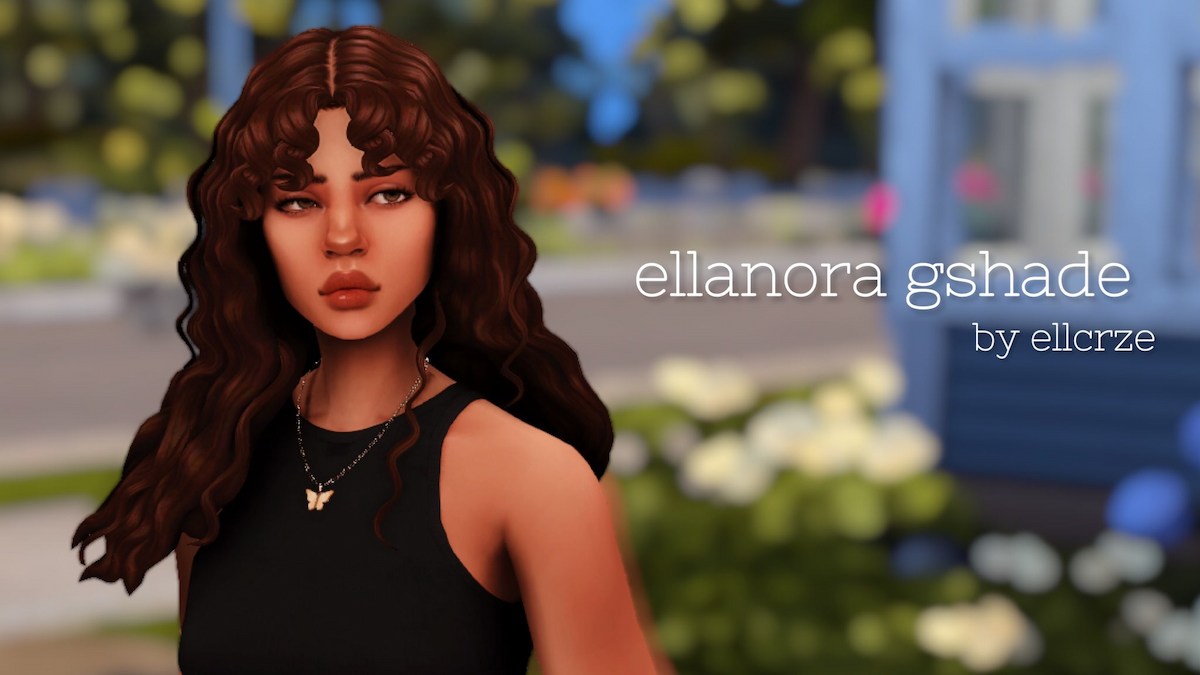
Another GORGEOUS preset that’s good for both gameplay and screenshots.
It even looks amazing in CAS which is a must-have in my book.
If you’re tired of dull-looking screenshots, then you definitely need to download this preset!
22. angelic Sims 4 GShade Preset by elaina
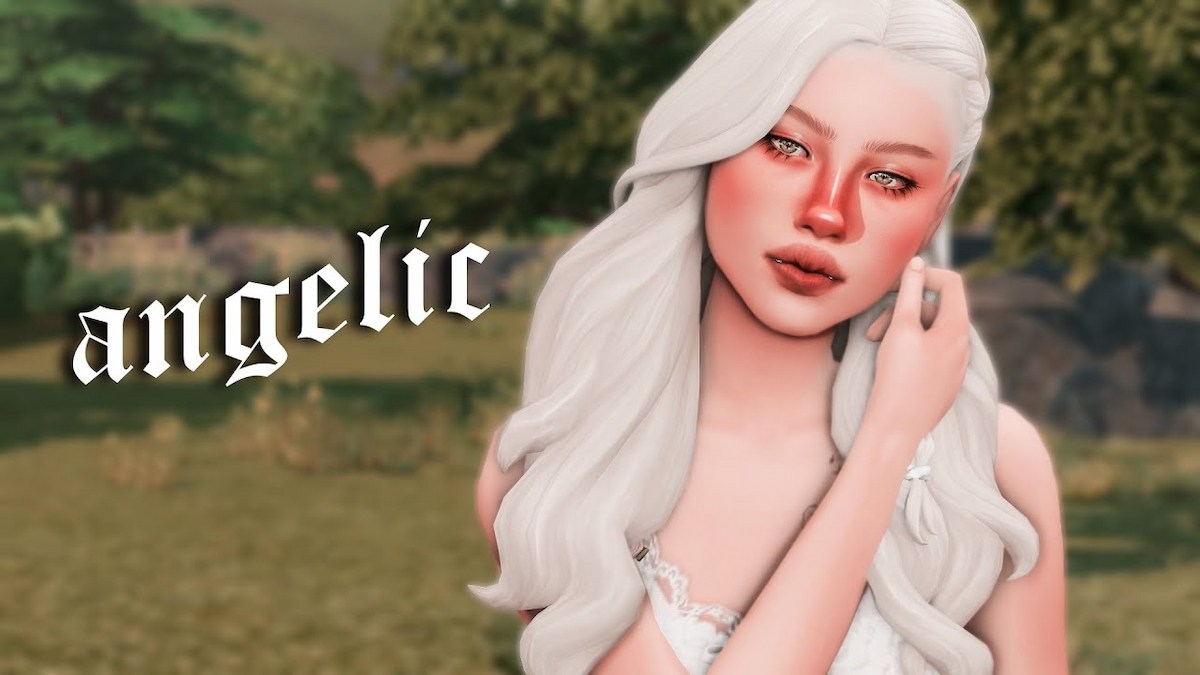
Unfortunately, this creator has abandoned their Patreon, and assumedly this gshade preset as well, but it looks SO good that I had to include it on this list anyway.
So with that being said, if the link ends up not working one of these days, let a girl know in the comments, please!
This is a beautiful preset made for gameplay; however, you can use the toggle keys listed on the download page to take screenshots with a blurred background as well.
It’s the best of both worlds!
23. Glow Sims 4 GShade Preset by chewybutterfly
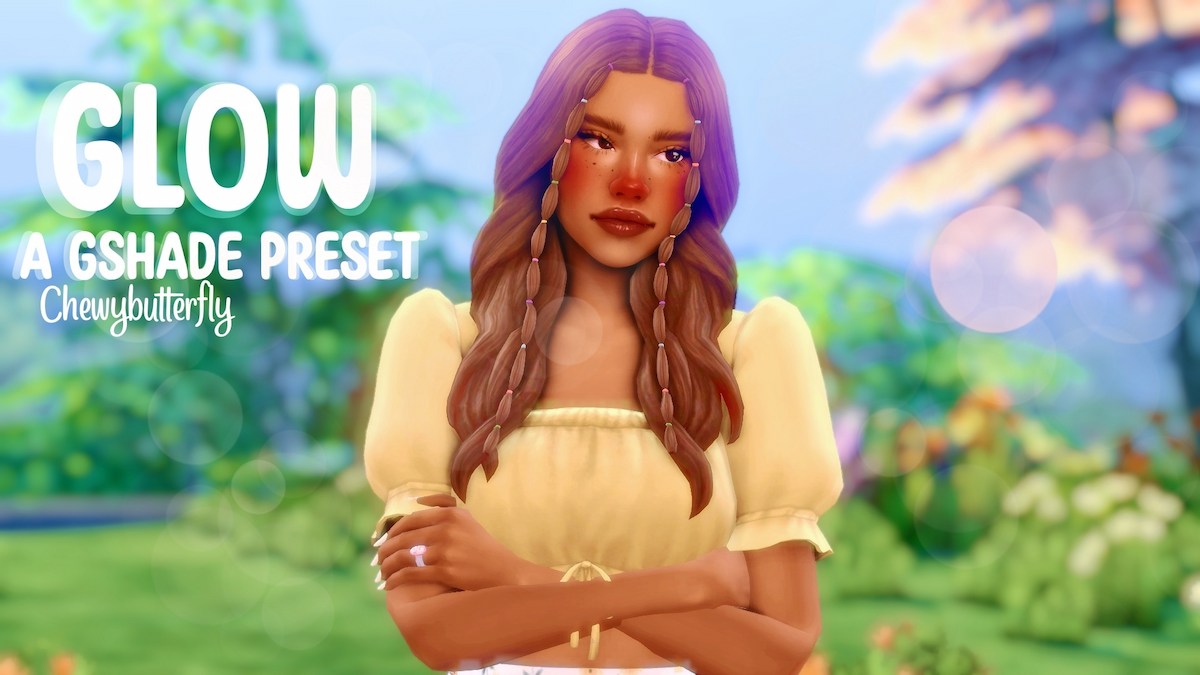
Glow is another preset by chewybutterfly that is intended for screenshots only.
And it’s BREATHTAKING! It’s vibrant and bright yet warm.
This is my absolute new go-to for sims 4 screenshots!
This post was all about the best Sims 4 GShade Presets.
I hope this list helped you find your new go-to gshade preset for screenshots, gameplay, videos, and all your creative endeavors!
For more of the best Sims 4 mods, cc lists, and gameplay ideas, click HERE to see my latest posts.
And don’t forget to follow me on Tumblr & Pinterest to be updated when I post new content.
Other Posts You May Like:



Hello,
Sorry to bother you, i’m trying to download “gshade” by the button download but it doesn’t worked, it redirect me to an other page and it says “It seems that the web page at the address https://iyfhshsp.com/?dn=referer_detect&pid=5POL4F2O4 may be experiencing problems or has been permanently moved to a new web address.”
Can i have some help ?
Thanks.
Hey Samy,
Sorry for the delay but I have now updated the download link
links need updating
Hello,
I’ve finally updated the links. Sorry fo the delay