15+ Best Sims 4 Landscaping CC: Plants, Tools, & Ideas for Realistic Yards
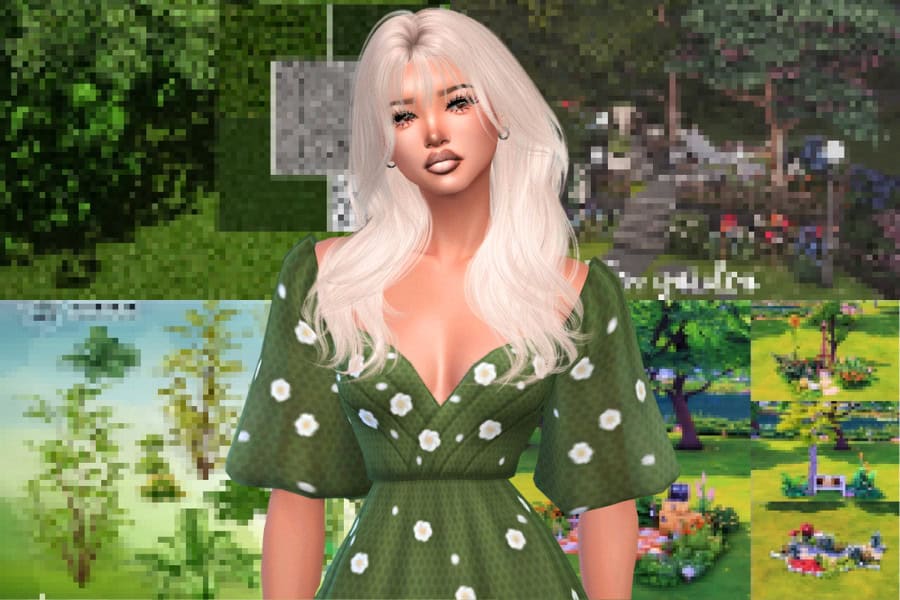
Finally, it’s time to give your Sim’s outdoor spaces the same love and attention as the inside of their house. Landscaping in The Sims 4 is one of the most creative ways to elevate your builds: it’s where pathways meet ponds, flowers frame patios, and every corner feels alive. The right landscaping set can completely transform your world into a cozy backyard or a large park.
I know not many players focus too much on landscaping when building their homes. Hopefully, this in-depth guide sparks your creativity and encourages you to make your outdoors as beautiful as your indoors.
Click this link to jump to my top Sims 4 landscaping custom content recommendations in this post to help you make a realistic and stunning backyard.
Looking for the perfect CC for your Sims?
Try our Free Sims 4 Mod & CC Finder to discover thousands of mods instantly. Search by category, creator, or style to find exactly what you need!
What Counts as Landscaping in Sims 4?
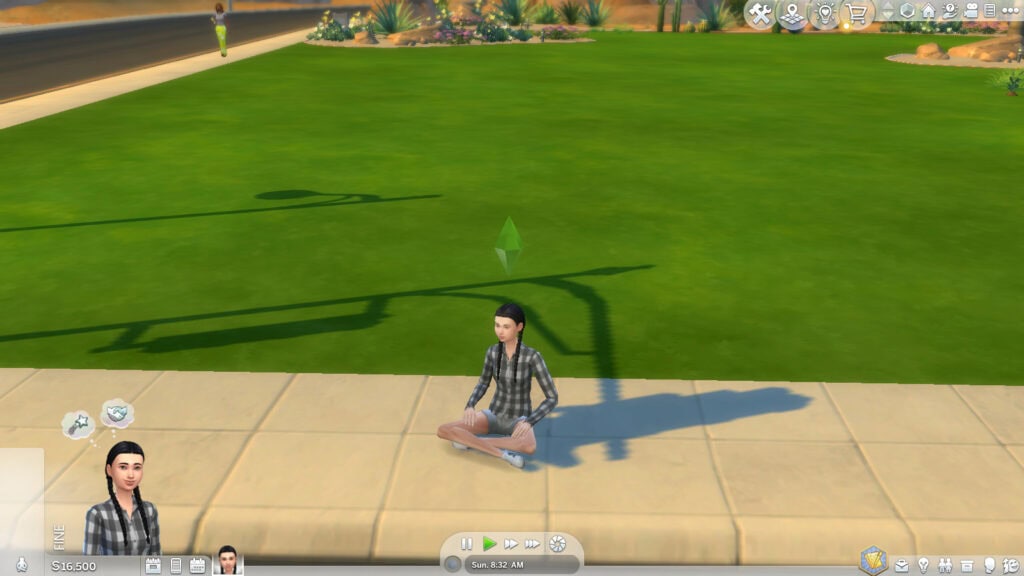
Landscaping in The Sims 4 is the process of shaping and decorating the outside of your home around things like:
- Placing trees, flowers, rocks, fences, and outdoor clutter
- Using terrain tools to create hills, ponds, or paths
- Painting the ground with grass, dirt, sand, or mulch textures
- Arranging lighting, fountains, and seating areas for aesthetic appeal
I’ve recently made a Sims 4 Fall Patio, which utilizes outdoor greenery and clutter. Please check it out. With Sims 4 landscaping, you can design your lot’s surroundings to match the vibe of the build. For example, a cozy cottage with overgrown plants, a sleek modern home with stone tiles and palms, a farmhouse with vegetables in the garden, or a desert home with cacti and sand.
Essential Landscaping Tools in The Sims 4
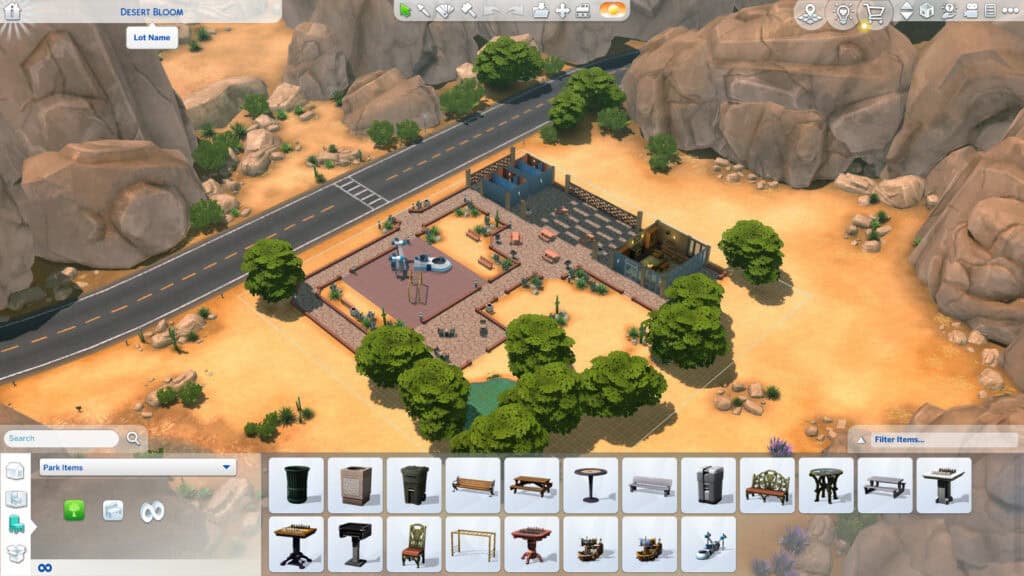
For those who are new to landscaping, knowing which tools to use and when can be a bit overwhelming (I know I was). I’ve compiled a list of some of the best landscaping tools I use to make the process fun and easy.
With these tools, you can blend textures or add fine details and get as creative as you want with your lot’s exterior. Here’s a breakdown of the essentials every builder should know:
Terrain Paints
Terrain paints are one of the simplest yet most effective landscaping tools. You can find them under the Paint Terrain section in Build Mode, where you’ll get access to dirt, sand, gravel, mulch, and grass textures.
When using terrain paints, blend different shades to add depth and realism. For example, use darker dirt under trees or around flower beds to create a natural shadow effect.
Terrain Manipulation Tool
This feature allows you to raise, lower, and sculpt the ground to create hills, slopes, and ponds. Remember, not all land can be flat; there’s elevation in some areas. I use this tool with the pond tool to design custom water features or realistic backyard pools surrounded by rocks and plants.
Debug and Live Edit Objects
Don’t forget to use cheats when designing your Sims 4 landscape. They make the process easier and give you more control over your build. If you don’t know how to use cheats, read my in-depth guide on All Sims 4 Build Cheats.
Now, by typing in bb.showhiddenobjects and bb.showliveeditobjects, you’ll unlock hundreds of hidden landscaping items, including wild grass, flowers, rocks, and world-specific plants. These are the same objects you see in neighborhoods, allowing you to make your lot blend seamlessly into the environment.
To access the debug and live edit objects, open your cheat console and enter your cheats.
MoveObjects & Alt Placement
With bb.moveobjects enabled, you can freely position items without grid restrictions. Hold Alt while placing to fine-tune placement and rotation. I use this to layer plants, overlap rocks, or tuck small details under fences for a natural effect.
Resize Tools
Using the [ and ] keys lets you scale objects up or down. Enlarging trees or rocks can make an area look more mature and realistic, while shrinking plants helps you fill small gaps without overcrowding. Mix different sizes to create depth and variation in your landscaping.
It may take a minute for you to master these tools, but it’s not difficult. Once you have the hang of it, you can turn even the simplest lot into a vibrant, realistic environment. Before you know it, you’ll be experimenting with landscaping CC and custom textures to give your poutdoor an extra bit dose of realism.
Tips for Realistic Landscaping in The Sims 4
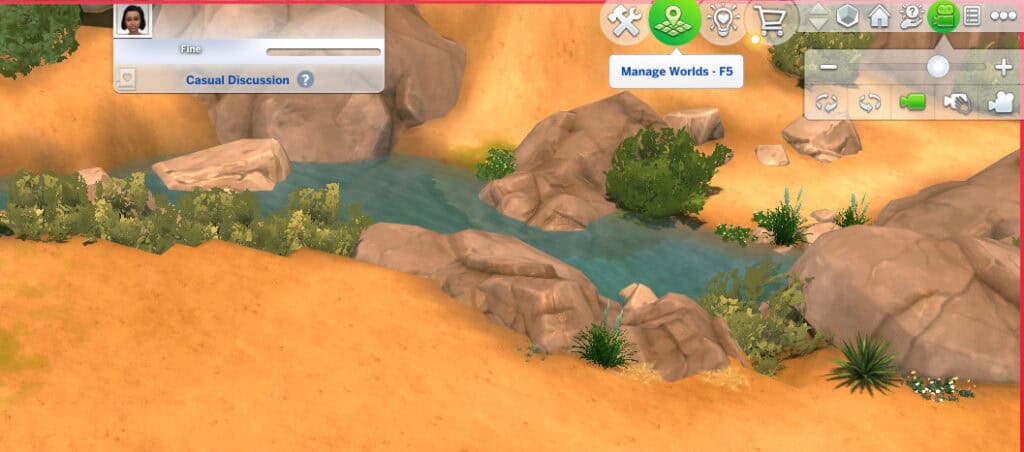
Once you’ve mastered the tools, the next step is learning how to make your landscaping look natural and polished. Here are some tips I use to make my yards, gardens, and community spaces feel more alive and believable:
1. Mix Plants of Different Sizes
Combine trees, medium shrubs, and low-growing flowers to create depth. Larger plants should frame the scene, so place them near fences or corners, while smaller ones fill in the gaps. This variation in height and density makes your garden feel organic rather than flat or repetitive.
2. Blend With Terrain Paints
Use terrain paint around plant bases, walkways, and fences to add subtle shadows and dirt patches. A light dusting of darker grass or soil can help ground your objects, and make them look like they naturally belong there.
3. Layer Rocks and Shrubs for Realism
Don’t only use rocks for decoration. With the right placement, they can add structure and help transition between terrain levels. Mix small and large stones, then add plants between them for a realistic overgrown effect.
4. Add Lighting for Nighttime Ambience
Use garden lights, lanterns, or fairy lights to highlight key areas like pools, seating corners, or walkways. Soft yellow or warm white tones look most natural and make your builds look magical at night.
5. Create Focal Points
Every garden should have something that draws attention, such as a fountain, a swing, a pool, or even a tree surrounded by flowers. Focal points guide the viewer’s eye and make your landscaping feel intentional.
6. Use Debug and Live Edit Objects
These hidden objects add the finishing touches that make your build blend into the neighborhood. Use wild grass, world rocks, and fallen leaves from debug mode to help your lot feel connected to its environment.
7. Don’t Overcrowd
It’s tempting to fill every empty space, but sometimes less is more. Leave open patches of grass or simple dirt paths as they give your outdoor areas room to breathe and make the landscaping feel more natural.
8. Match Landscaping to the World
A lush jungle might look out of place in Oasis Springs, while cacti won’t suit Willow Creek. Use plants and colors that fit your world’s environment for a cohesive, realistic aesthetic.
Best Sims 4 Landscaping CC Recommendations
This collection brings together some of the best landscaping downloads, from terrain paints and fences to plants, garden décor, and full outdoor builds. Scroll through to make your Sim’s home feel complete.
Pavement Terrain Set 4
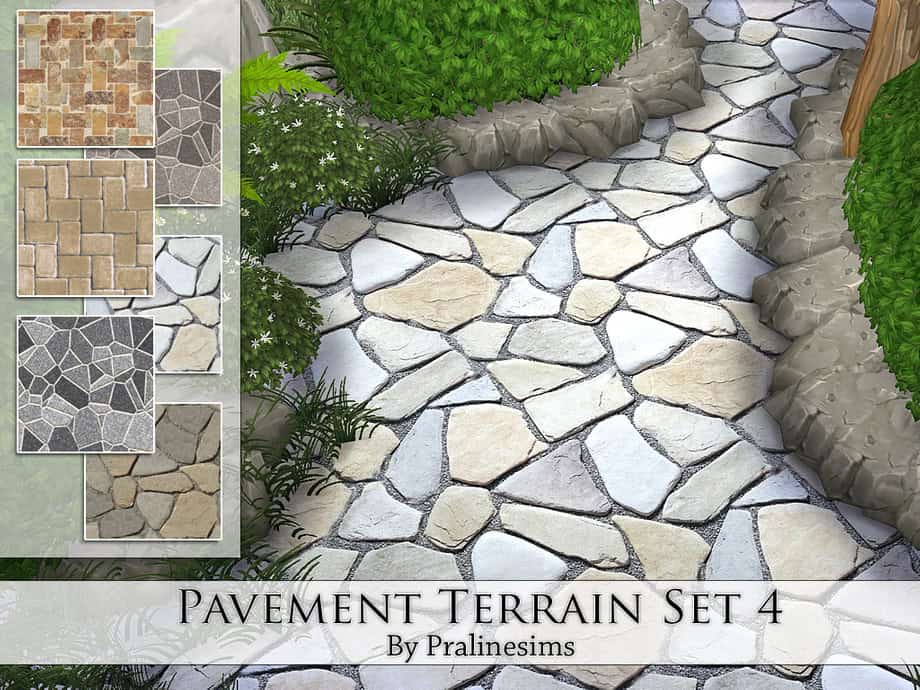
Starting us off is the Pavement Terrain Set 4, a versatile collection of six beautifully detailed stone terrain paints designed to elevate any outdoor space. The pack includes a mix of smooth flagstone, rustic cobblestone, and irregular rock patterns, perfect for pathways, patios, or garden edges.
Each terrain paint blends seamlessly with grass and dirt, giving your landscaping a natural and realistic finish. I’d use these textures to add visual depth and texture variation, especially when designing a cozy cottage garden or a modern outdoor lounge.
Eucalyptus Trees (Yeronga Collection)
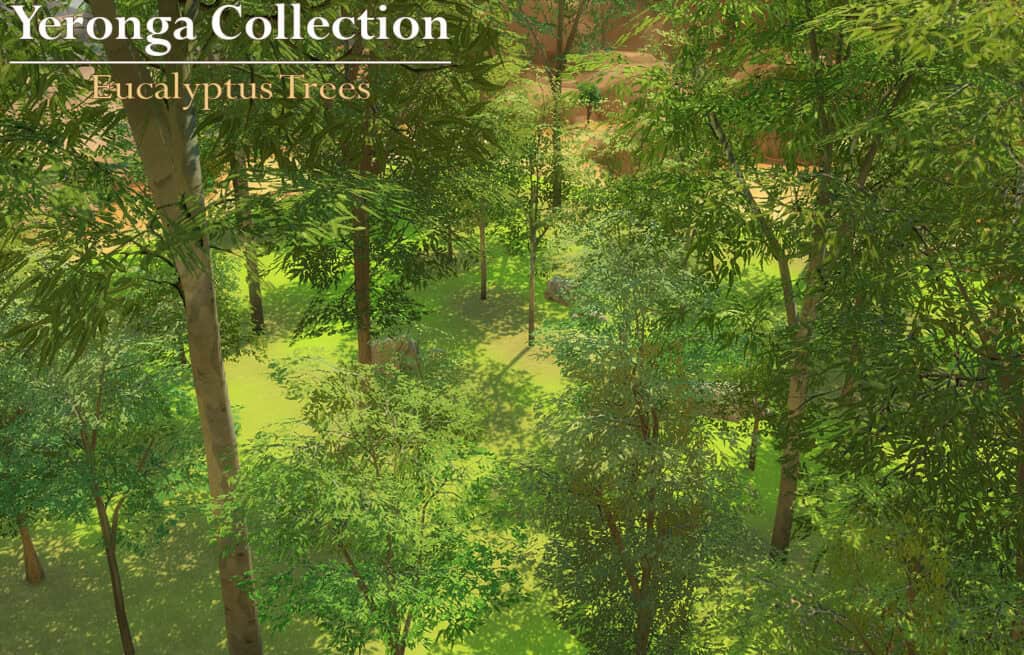
Next up is the Eucalyptus Trees set from the Yeronga Collection, a stunning addition for anyone aiming to bring a touch of the Australian outdoors to their builds. These trees come in four lush varieties featuring either bright green or soft grey-green leaves. The shades give your landscape natural diversity and depth.
When using the first three variants, toggle with the Alt + ] resize tool, which allows you to double or triple the size for fuller forests or background scenery. This Sims 4 landscaping cc is ideal for creating realistic parks, forest edges, or serene garden views.
Me and You Garden Set
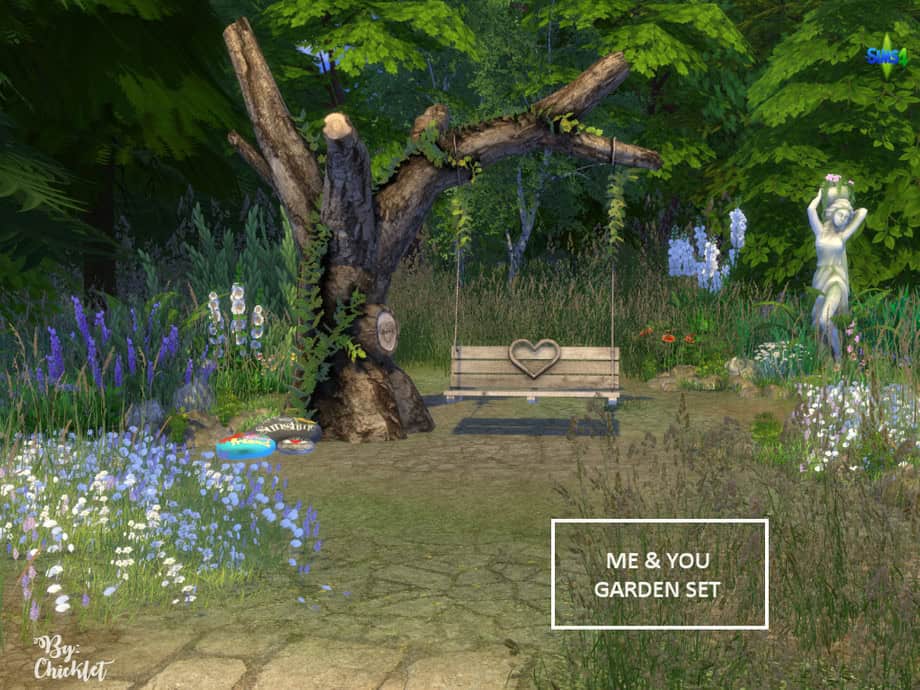
If you’re looking for a cozy, romantic addition to your garden builds, the Me and You Garden Set is an exceptional choice. The set includes five detailed creations:
- A tree with a swing (5 swatches)
- A field of wildflowers, rocks, and weeds groupings
- Personalized friendship rocks
- A blanket accessory for the swing
Each item blends seamlessly into natural landscapes, creating the perfect setting for relaxation or photo-worthy Sims moments. Note that the swing, though decorative, doubles as a charming focal point for couple screenshots or serene garden corners. I have an entire list of the best Sims 4 Couple Poses you can use for the perfect romantic shots.
This set is compatible with the base game, so no additional expansions are required. I’d use it for whimsical, emotional, or cottage-inspired outdoor scenes.
Very Low Stone Wall
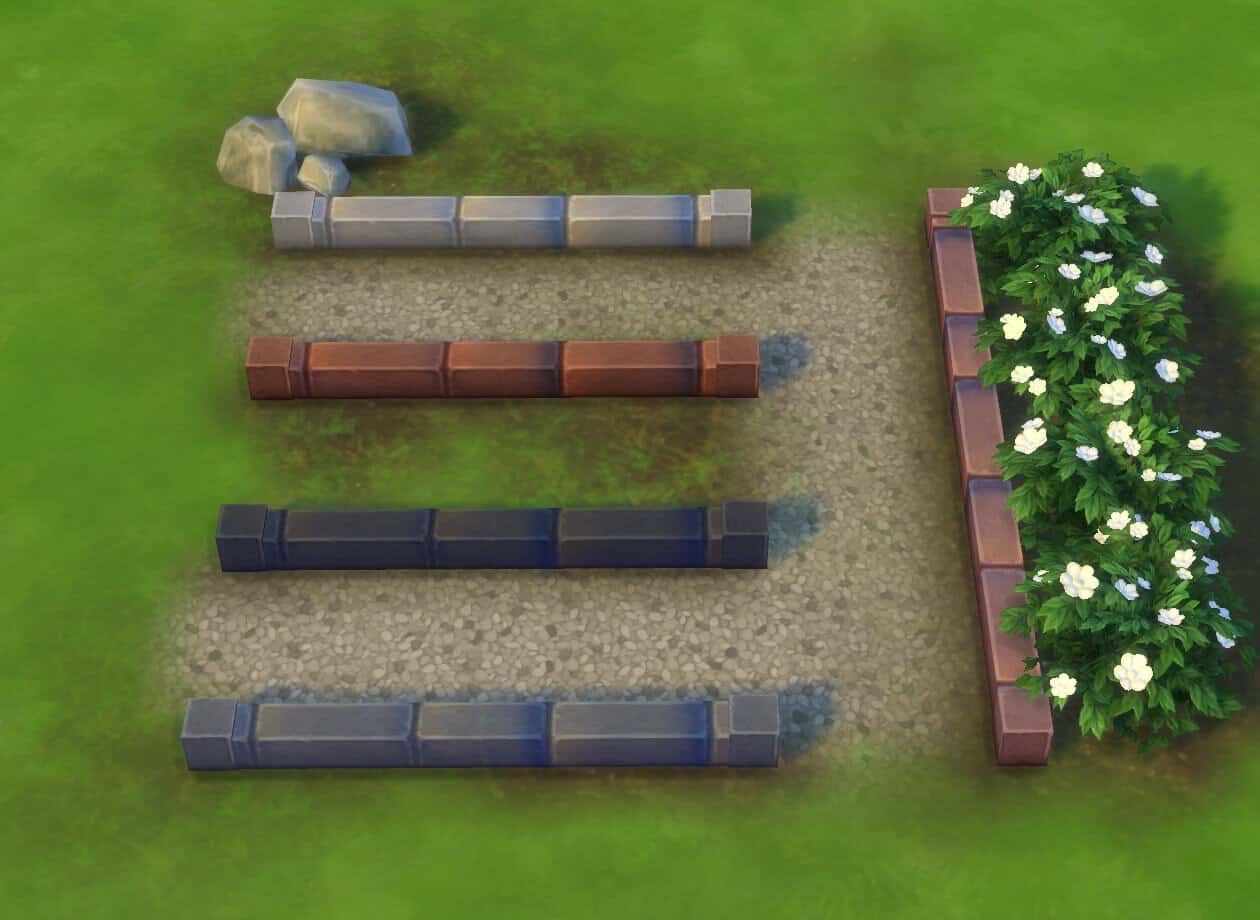
Adding structure and charm to your landscaping, the Very Low Stone Wall is a subtle yet impactful detail for flowerbeds, garden paths, and decorative borders. This fence is half the height of EA’s original “Low Stone Wall,” making it perfect for defining areas without blocking sightlines or overpowering your plants.
It comes in multiple natural swatches, including light grey, terracotta, and navy tones. It also includes all curve meshes for flexible shaping. Each tile costs 205 simoleons, making it an affordable choice for realistic edging. While there’s a minor texture gap at curve joints, it’s easily hidden with shrubs or climbing flowers. This wall blends beautifully into both modern and rustic gardens, giving your outdoor builds a clean, polished look.
Grass and Stone Terrains
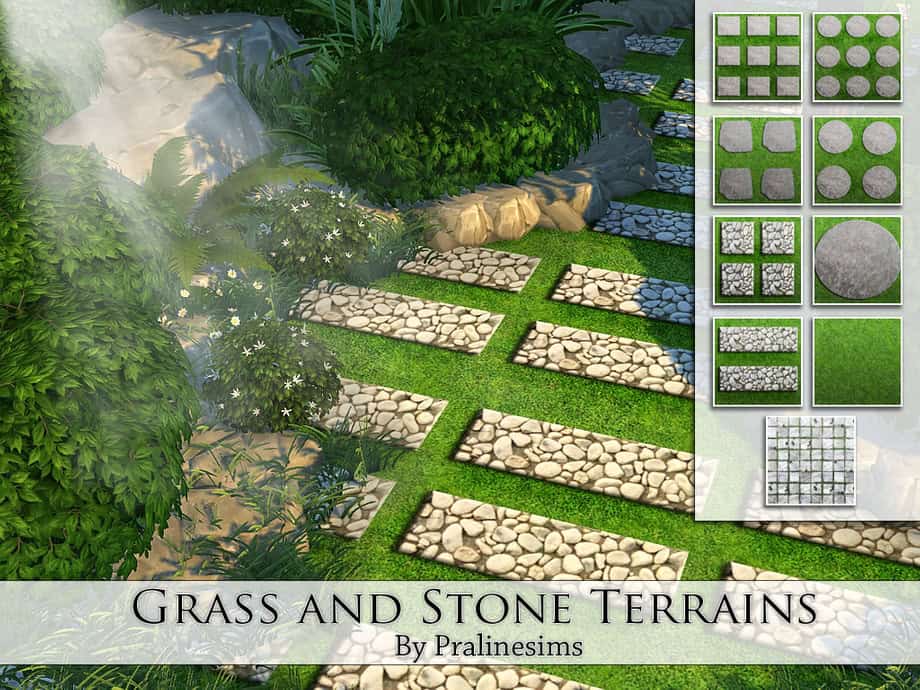
The Grass and Stone Terrains set offers nine elegant terrain paints that combine lush grass textures with smooth stone pathways. Each pattern varies in layout, from tight pebble grids to larger stone slabs framed by green grass. These options give you endless freedom to design gardens, patios, and walkways that feel natural yet refined.
The terrains work beautifully for both modern and cottage-style builds, helping you create smooth transitions between outdoor areas. I recommend using them when decorating a backyard, greenhouse entrance, or park path.
Pavement Terrain Set 06
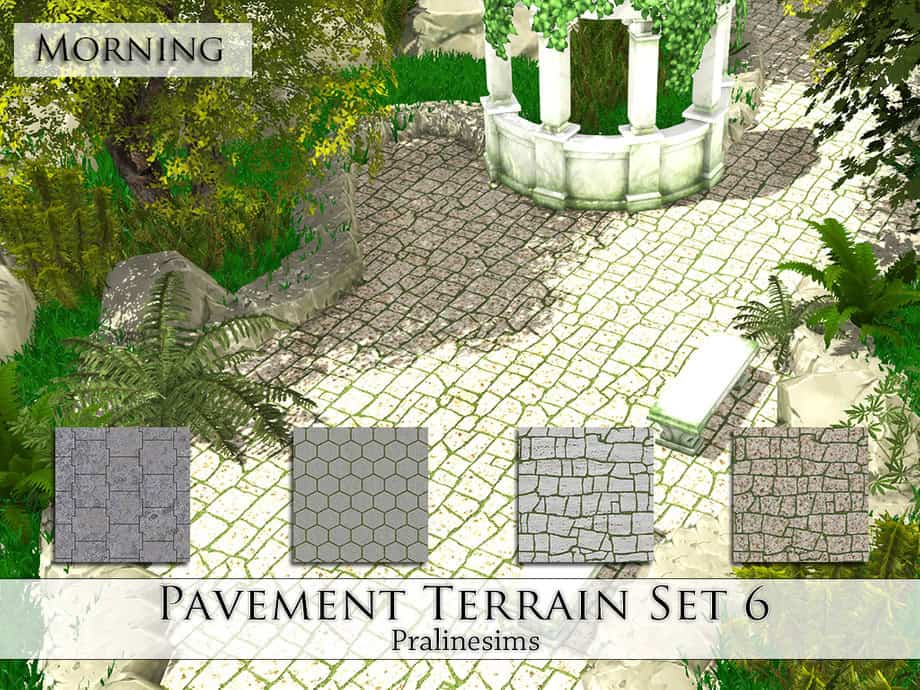
Adding a touch of sophistication to outdoor spaces, the Pavement Terrain Set 6 features four beautifully detailed stone textures ideal for elegant courtyards, garden walkways, or villa entrances. The set includes varied layouts, ranging from clean geometric tiles to aged cobblestone patterns. All the layouts are designed with subtle shading to enhance reality in-game.
Each terrain paint blends smoothly with the surrounding environment, so you can create natural transitions between landscaped areas. I’d combine this Sims 4 landscaping set with greenery or fountains for a timeless outdoor aesthetic.
Golden Garden Part 3
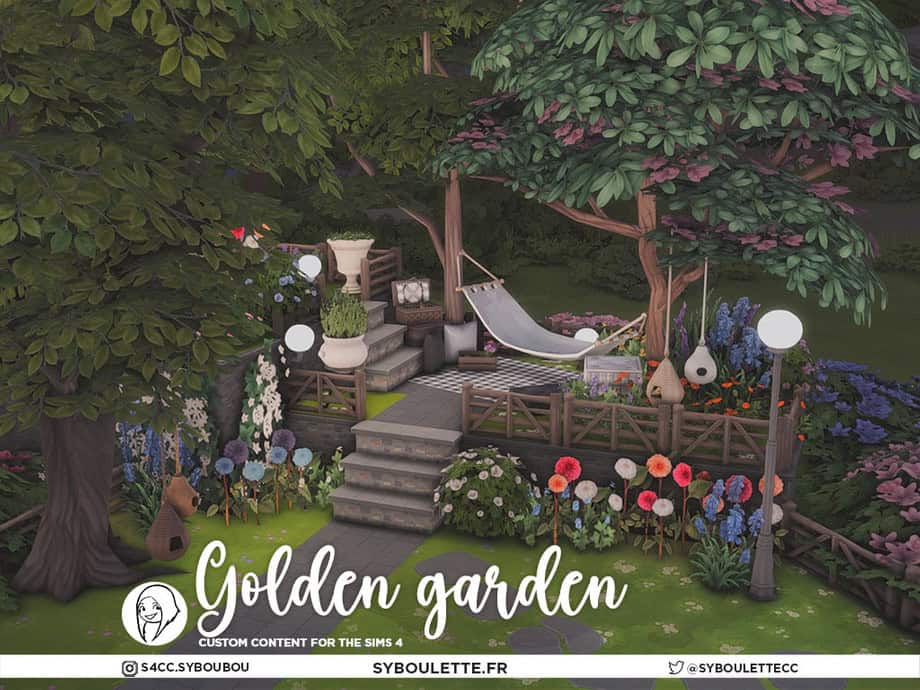
This Golden Garden Part 3 set transforms any outdoor space into a cozy, European-inspired retreat. This set comes with 7 detailed creations, including peony flowers, a picnic basket, elegant lamp posts, wall lights, and a rug for decoration. All the items are designed to evoke a lived-in backyard atmosphere.
The flora in this set, particularly the magnolia tree and peonies, adds soft color and realism to your garden builds. There are also birdhouses and hammocks (available in earlier Golden Garden parts), letting you build layered, story-rich outdoor spaces. If you decide to build a patio or relaxing nook in your garden, I highly recommend getting this set.
Garden Terrains
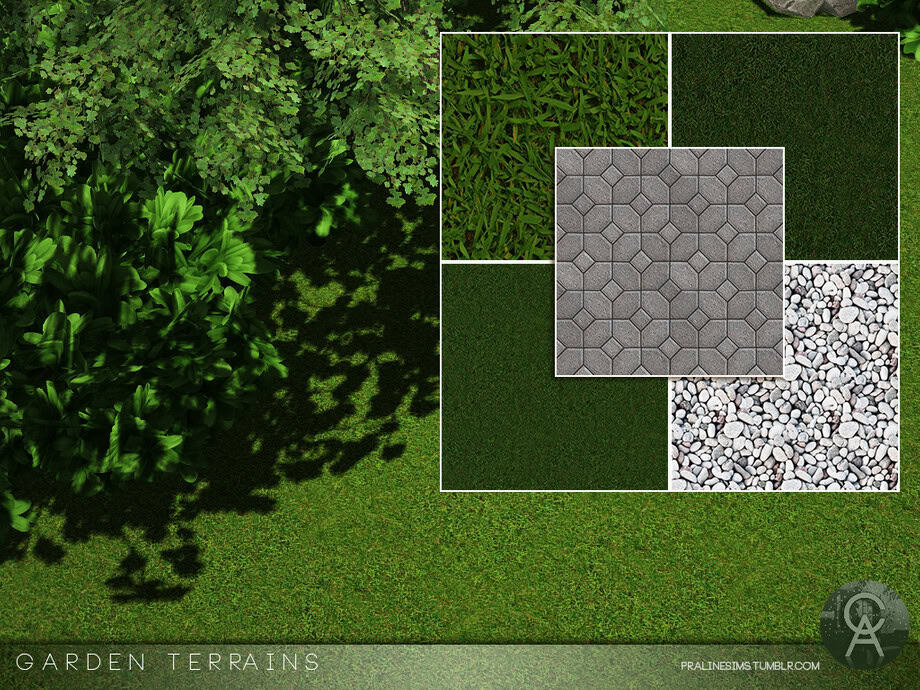
If you’re looking for simple and realistic textures to refine your landscaping, the Garden Terrains set offers five beautifully detailed options. The items included are three lush grass types, a pebble texture, and a smooth pavement terrain. Each paint blends perfectly with natural surroundings, making it ideal for garden paths, decorative borders, or backyard flooring.
The grass swatches vary from vibrant green to deep moss tones, while the pebbles and pavement add structure and contrast. Click on the link attached for more information on this set.
Amazonica Plants: Earth Day
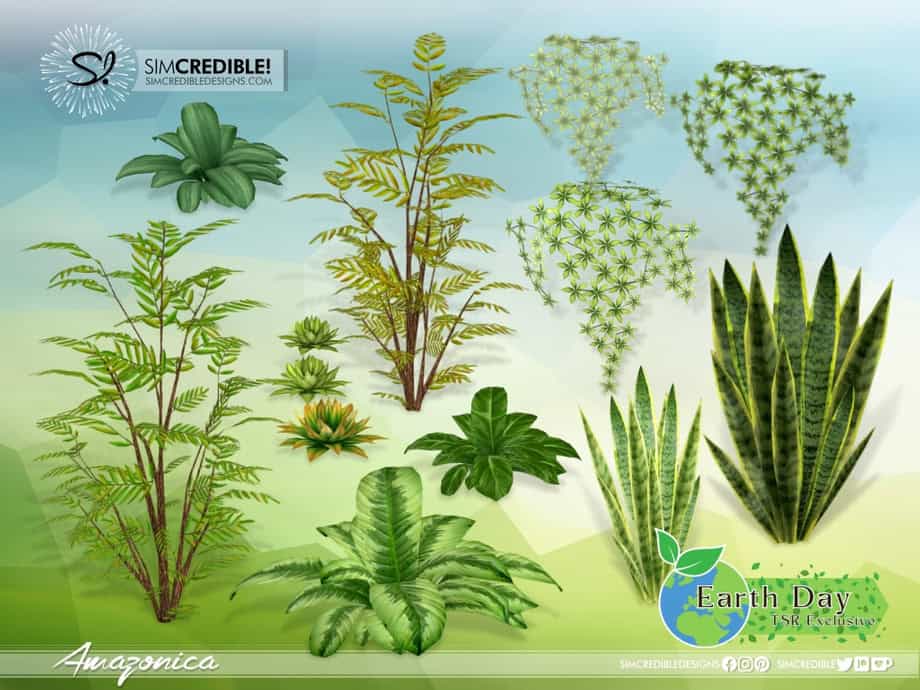
It would be nice to build a lush green backyard using this Amazonica Plants set. This Sims 4 landscaping cc adds eight plant varieties to your mods folder, perfect for both indoor and outdoor landscaping.
These include ferns, banana leaves, snake plants, and cacti, each modeled with rich detail to give your gardens a fresh, natural feel. Their variety in shape and height allows for realistic layering. Use this pack to create a dense, lively, and eco-inspired green space in your game, and don’t forget to add paint terrain.
Golden Garden Part 5
If you love creating layered, natural landscapes, the Golden Garden Part 5 set is an excellent pick. This pack includes seven beautifully designed outdoor pieces: four slab paving stones, stone stairs, a mini wooden fence, and a veggie-and-flower crate. All these items are crafted with Syboubou‘s signature realistic textures and cozy garden style.
Note that the paving stones come in varied designs that pair effortlessly with terrain paints or grassy paths, while the stone stairs and fencing help frame garden areas naturally. This set is ideal for both rustic and romantic builds.
Hortensia Garden CC
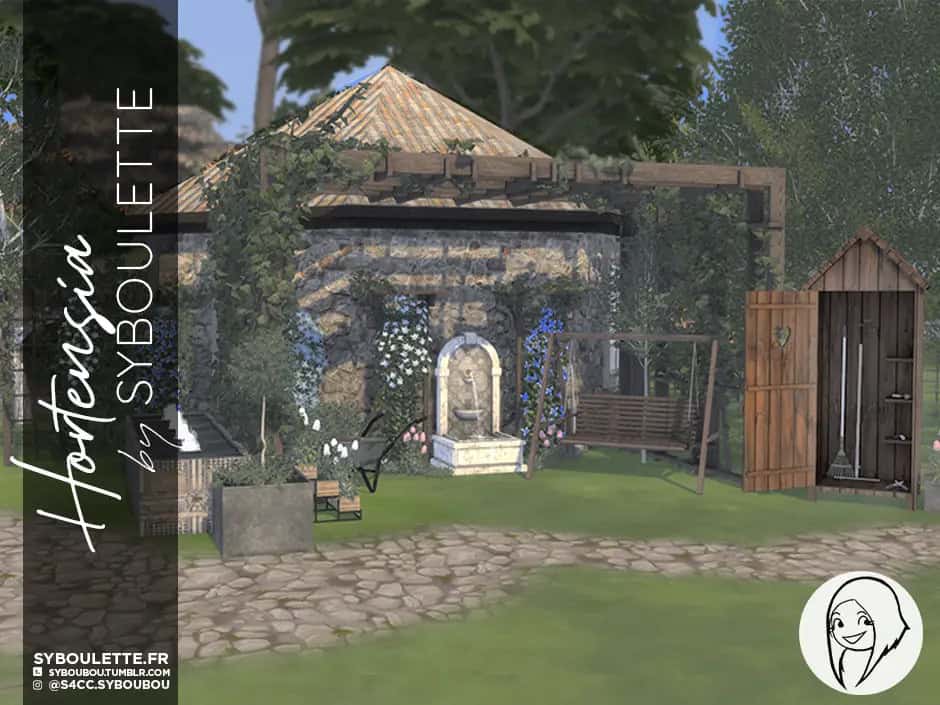
Create a lush, lived-in backyard with the Hortensia Garden set, which has everything you need to build a complete and realistic outdoor retreat. This Sims 4 landscaping set comes with 42 beautifully crafted items, including pergolas with ivy, arbors, lattice fences, animated fountains, planters, and a wide selection of trees, bushes, and climbing flowers.
The set also features charming utility decor like a tool shed, wheelbarrow, hedge trimmer, and garden rake. Each object is compatible with the base game, meaning it doesn’t require additional EPs to use. I’d use this pack to create a traditional-style garden complete with all the gardening tools and structure.
Gorgeous Landscape Recolor Pack
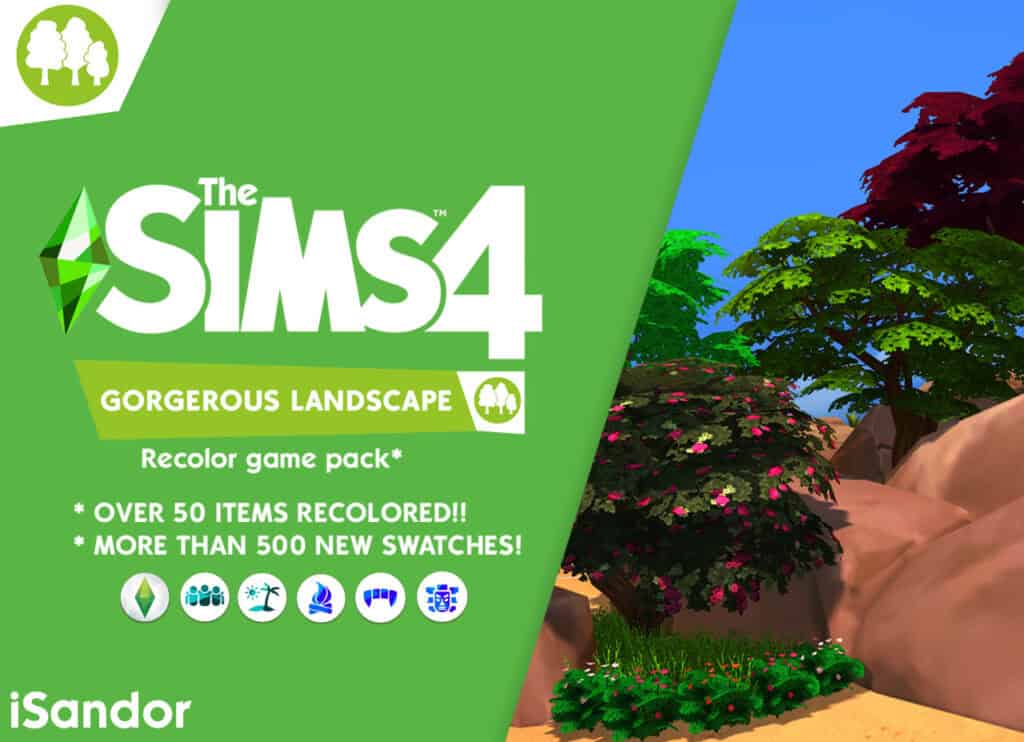
This one here is for Simmers who want more variety in their outdoor builds. The massive fan-made pack recolors over 50 existing items from The Sims 4, introducing 500+ new swatches for trees, bushes, hedges, and plants.
Every texture has been carefully recolored to add more depth, realism, and visual harmony to your game’s greenery. Note that you’ll need these Expansion Packs to use this set: Island Living, Vampires, Get Together, Outdoor Retreat, and Jungle Adventures, along with base game options.
Easy Landscaping Set 2
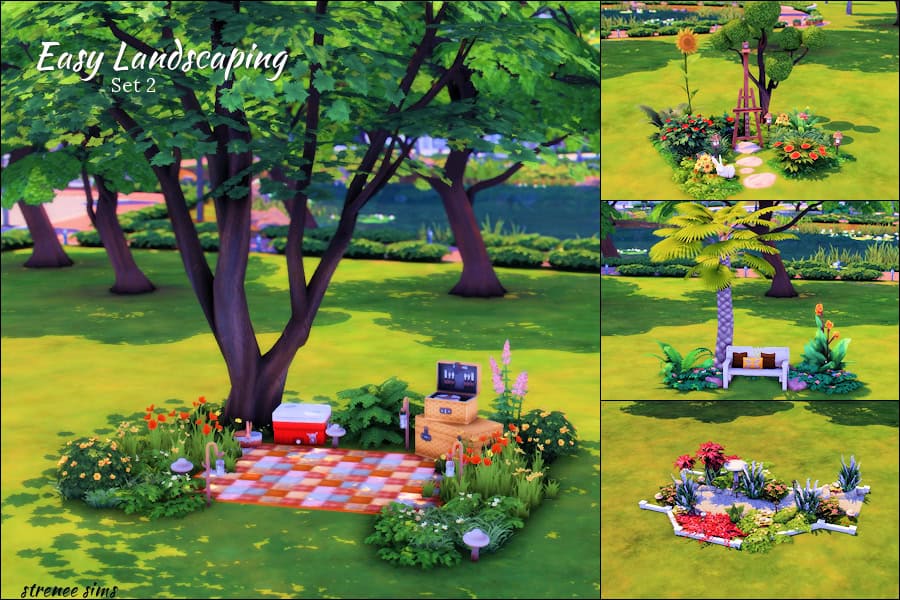
If you don’t have the time or energy to build a stunning and functional outdoor landscape from scratch, get this set. It features pre-built landscaping rooms that you can instantly place on any lot, allowing you to create detailed gardens and outdoor spaces without spending hours in Build Mode.
The set includes four layouts: Tropical Bench, Floral Walkway, Artist Spot, and Picnic Area, all styled with vibrant plants and natural elements. Each design uses a mix of Base Game and expansion packs such as Jungle Adventure, Get to Work, Cottage Living, and the Little Campers Kit.
These landscaping setups are ideal for filling empty yard spaces or enhancing community lots with minimal effort. Note that once placed, you can adjust or delete the flooring for a more natural finish. This gives your outdoor builds a professional, cohesive look every time.
Conclusion
Hopefully, this in-depth Sims 4 landscaping guide helps you jump right into designing your dream outdoor space. I know it can be intimidating at first, but it’s SO fun once you get the hang of how things work.
Share with me your favorite tools and tips for landscaping in Sims 4. I love finding new ways to make my builds more realistic and stunning!