

21+ Best Sims 4 ReShade Presets for Mind-Blowing Graphics (2025 Update)
Do you want an easy way to make the sims 4 look WAY better in 2025? Here’s a list of absolutely gorgeous sims 4 reshade presets you can download for free.
This post may contain affiliate links, which means I’ll receive a commission if you purchase through my link, at no extra cost to you. Please read full disclosure here.
Want to save this list? Click here to pin it!
If you don’t already know, ReShade is this incredible FREE program that you can download to change the look of your favorite video games.
It’s pretty popular for The Sims 4. You know how much we all love to take beautiful screenshots and videos of our gameplay.
I LOVE it and always have it in my game, but keep in mind that if you don’t have a higher-end computer or laptop, then this program may cause your game to be laggy.
This doesn’t mean you can’t still use this mod, but you may need to use it purely for screenshots and turn it off while you’re playing.
Click here to find the best Sims 4 computers for 2025.
Updated by Felister Moraa: Since EA’s updates in 2024–2025 introduced new compatibility quirks (especially with the switch to DirectX 11), this updated guide covers how to install ReShade for The Sims 4 using the EA App, Steam, or Epic Games version.
You’ll also find troubleshooting tips, safe presets for low-end PCs, and an up-to-date compatibility table showing which ReShade versions work best with current Sims 4 patches.
But if you’re already a pro, then…
Click Here to Jump to The List of Best Sims 4 Reshade Presets for 2025
Looking for the perfect CC for your Sims?
Try our Free Sims 4 Mod & CC Finder to discover thousands of mods instantly. Search by category, creator, or style to find exactly what you need!
What Is ReShade in The Sims 4?
ReShade is an advanced post-processing injector that adds filters, lighting adjustments, and visual effects directly into your gameplay. You can use it to:
- Brighten dull lighting and fix color balance.
- Add bloom, depth of field, and realistic shadows.
- Sharpen details in CAS and build mode screenshots.
- Create a specific mood, like a warm, autumn feel or a dark, dramatic cinematic shot.
Think of it as a real-time photo editor that runs while you play. The difference is huge, and once you start using ReShade, it’s hard to go back to vanilla visuals.
Where Can I Download ReShade for Sims 4?
ReShade recently released version 6.6.0 on September 27th, 2025, and it’s currently the latest stable build that runs smoothly with The Sims 4’s DirectX 11 update. So far, there haven’t been any significant reports of issues or crashes, but I’ll update this post if anything changes.
To stay safe, always download ReShade directly from the official ReShade website. Use the installer provided there. Never download from third-party mirrors to ensure you’re getting the most up-to-date and secure version.
How do I Install ReShade Presets for Sims 4? (EA App, Steam & Epic – 2025 Method)
Anytime I uninstall ReShade, I always forget how to download it again. So, no judgment from me if you’ve done this before and need a refresher.
The steps are nearly identical across platforms, but installation paths differ slightly. Follow these steps carefully to avoid conflicts with overlays or EA’s repair tool.
Step 1: Locate Your Sims 4 Folder
| Platform | Default Path | Notes |
|---|---|---|
| EA App | C:\Program Files\EA Games\The Sims 4\Game\Bin\ | Look for TS4_x64.exe. |
| Steam | C:\Program Files (x86)\Steam\steamapps\common\The Sims 4\Game\Bin\ | Adjust if you changed your library folder. |
| Epic Games | C:\Program Files\Epic Games\The Sims 4\Game\Bin\ | Same as EA, unless installed elsewhere. |
💡 Tip: You’ll know you’re in the right folder when you see TS4_x64.exe.
Step 2: Download ReShade
- Head to the official ReShade website.
- Download the latest version (6.6.0 or higher).
- Run the installer and click “Select Game”.
- Browse to your TS4_x64.exe file (from Step 1).
- When asked for the rendering API, select DirectX 10/11/12 (The Sims 4 now uses DX11). I’ve seen some users select DirectX 9 as well.
- Choose “Install all shaders” or pick your favorites if you know which you’ll use.
- Once the installer finishes, you’ll see new files appear in your GAME\Bin folder, including dxgi.d11 and the reshade-shaders folder.
Step 3: Launch and Test
- Open The Sims 4 normally.
- If ReShade is installed correctly, you’ll see a banner at the top when the game launches.
- Press Home (or Shift + F2) to open the ReShade menu.
- Follow the quick tutorial to select and load your preset.
🎥 Watch this Setup Video
If you’re new, this incredible tutorial on how to install Reshade for Sims 4 in 2025 will answer all of your questions.
The video walks you through installation on the EA App version, showing where to place files and how to confirm the overlay works.

Troubleshooting ReShade for Sims 4 in 2025
If your game crashes, won’t launch, or doesn’t show the overlay, you’re not alone. Here’s how to fix the most common issues.
| Problem | Likely Cause | Fix |
|---|---|---|
| ReShade not appearing in-game | Installed with wrong API (DX9 instead of DX11) | Reinstall ReShade and select DirectX 10/11/12. |
| Game deletes ReShade files | EA App integrity check | Exclude your Sims 4 folder from antivirus or repair. Then, reinstall ReShade after updates. |
| Crash at launch | Depth effects don’t work. | Disable all overlays before launching. |
| Depth effects don’t work | Limited depth buffer access | Enable “Copy depth buffer before clear operations” in ReShade settings. |
| Preset looks broken or weird | Shader version mismatch | Update your shaders folder to match your ReShade version. |
| UI missing or hotkeys don’t open ReShade | Input conflict | Check your keyboard layout or change the toggle key inside the config. |
💡 Pro Tip: Check your ReShade.log file inside the GAME\Bin folder. It lists every shader loaded or failed.
Safe Presets for Low-End PCs
ReShade is performance-heavy, and it’s advisable to use it on high-end computers. But, if you have a low-end PC and want to enjoy the best Sims 4 graphics without tanking FPS, stick to lightweight shaders and minimal effects.
Here are the most performance-friendly options:
| Shader | Effect | Notes |
|---|---|---|
| Technicolor2 | Boosts saturation and vibrancy | Great for pastel or Maxis Match styles. |
| Clarity.fx | Adds subtle sharpness | Barely impacts performance. |
| Curves.fx | Adjusts contrast and brightness | Low GPU load. |
| LumaSharpen.fx | Enhances edges and detail | Perfect for CAS screenshots. |
| FXAA.fx | Basic anti-aliasing | Much lighter than MSAA or RTGI. |
Avoid high-intensity effects like RTGI, SSR, or MXAO unless you’re on a high-end GPU.
🪄 Tip: You can also download pre-made “lite” or “performance” presets from creators like Picture Amoebae, Kindlespice, or Northern Siberia Winds. These look great and run smoothly even on laptops.
Compatibility Table: ReShade Versions vs Sims 4 Patches
| Sims 4 Patch | Compatible ReShade Versions | Notes |
|---|---|---|
| 1.117 (Enchanted by Nature, 2025) | ReShade 5.9 – 6.0 | Works best under DirectX 11; may delete .dll after EA repair. |
| 1.114 – 1.116 (2024 updates) | ReShade 5.7 – 5.9 | Stable across most shader packs. |
| Pre-1.113 (Legacy DirectX 9 builds) | ReShade 4.x | Use DX9 installation mode; some shaders may break. |
How do I take Screenshots with ReShade in Sims 4?
For your screenshots to show the effects of ReShade, you’ll need to go into your settings (SHIFT + F2 then find ‘Settings’) and set a screenshot shortcut (EX: The Print Screen key.) You’ll then use this shortcut to take all your Sims 4 screenshots from now on.
While you’re in your settings, you can also set up a folder for all of your photos to go to after they’re taken in-game. I usually set up a new folder called something like ‘Sims Photos’ and place it somewhere I can easily find. Your Desktop is always a convenient place.
How do I edit my Sims 4 Photos?
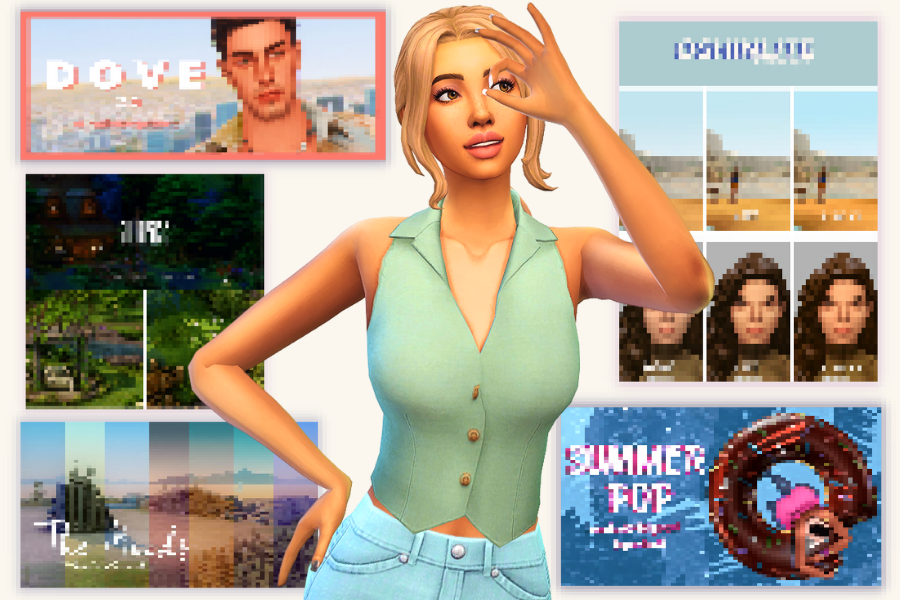
When it comes to editing Sims 4 screenshots, I don’t like to use programs that are too complicated or too slow. I edit all of my Sims 4 screenshots and make all of my graphics for Must Have Mods using Canva.
It’s WAY easier than Photoshop to learn and MUCH cheaper. There’s even a free version, so you can test it out without spending any money. I personally use Canva Pro (the paid version) because I need the background remover button. It’s how I cut out my Sims from the background to make graphics like the one above!
This post is all about the best sims 4 reshade presets.
Best Sims 4 Reshade Presets for 2025
I’ve updated this list with new entries to ensure smooth gameplay in 2025.
Dark Chery Reshade Preset
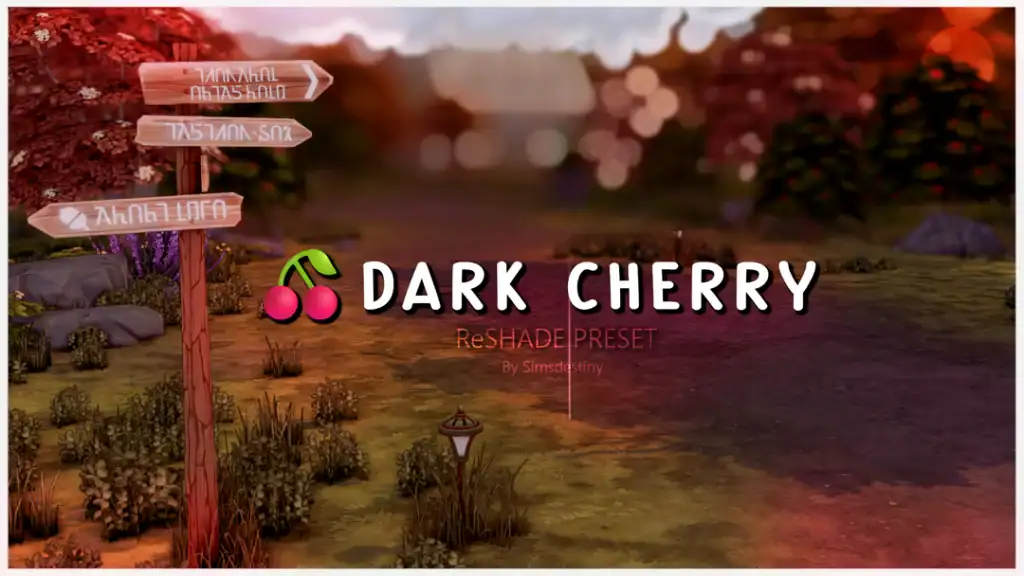
I don’t know about you, but I’m already in full autumn mode, and I use this Dark Cherry Reshade Preset to match the cozy fall feel. It adds a warm, cinematic glow with rich cherry tones, soft lighting, and creamy depth of field.
Right now, this is my favorite Sims 4 Reshade preset for 2025. Don’t forget to download some of my top Sims 4 Fall Loading Screens to transform your entire UI into a cozy, fall haven.
Sweetner Reshade Preset
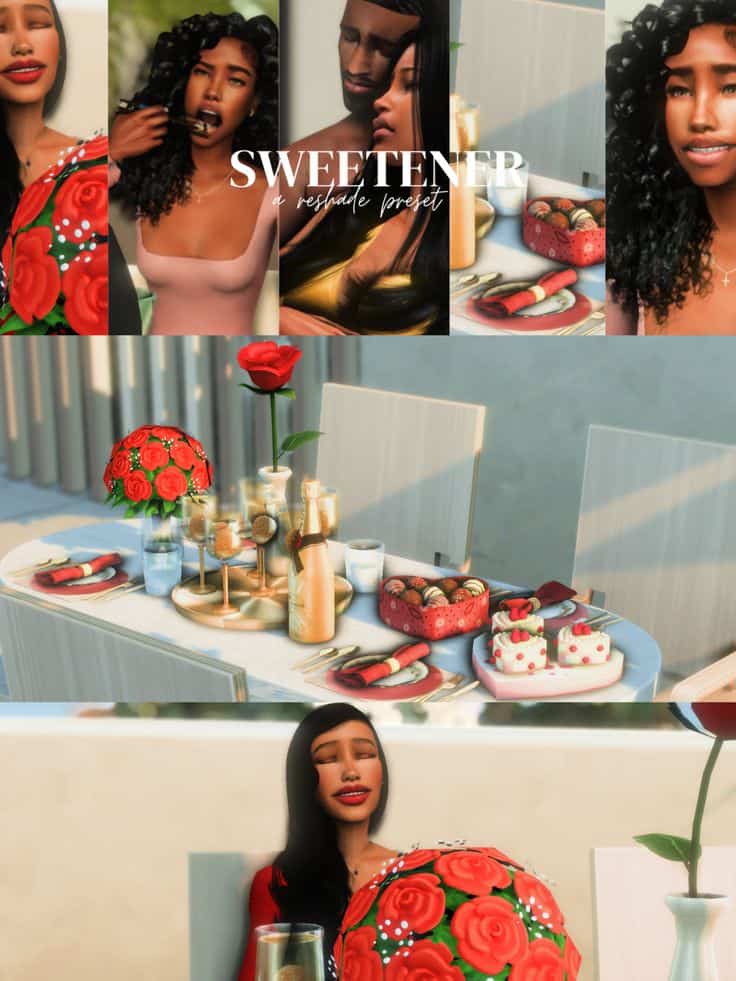
If you’re a romantic, grab this Sweetner Reshade Preset. It’s a bright, romantic filter designed to bring warmth and softness to your Sims 4 visuals. The Reshade enhances golden tones and smooth lighting, creating a dreamy glow across skin and objects.
You can use this to capture cinematic screenshots for couple poses, date scenes, or lifestyle storytelling.
Sims 4 Reshade Angleic CAS
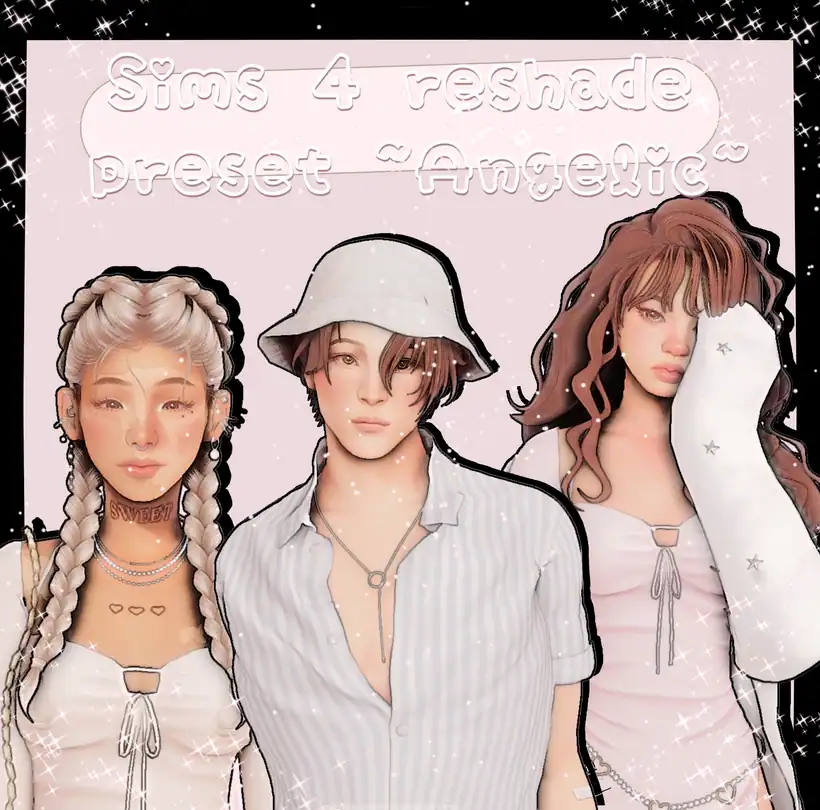
Designed by urgrl_nadia, the Angelic ReShade Preset perfectly captures a soft, dreamy, ethereal glow. It’s the reshade I use for my enchanting Sims, like fairies and elves. It brightens skin tones, smooths shadows, and adds a touch of shimmer, giving Sims that flawless, almost heavenly finish.
I personally love how sweet and innocent the reshade looks, which is why I use it on fantasy beings. Before adding this to your mods folder, please carefully read the instructions under the post!
The Moods

Amoebae is one of the top Sims 4 reshade preset creators, and they have numerous presets you can use in the base game. This one in particular is a must-have for Sims 4 players who love experimenting with tone and atmosphere.
Instead of a single preset, it offers multiple LUTs (color grading filters) that completely change your game’s mood. For example, you can go for warm, cinematic amber tones to cool coastal blues and muted pastels. It’s effortless to switch between looks mid-game.
Summer Dream
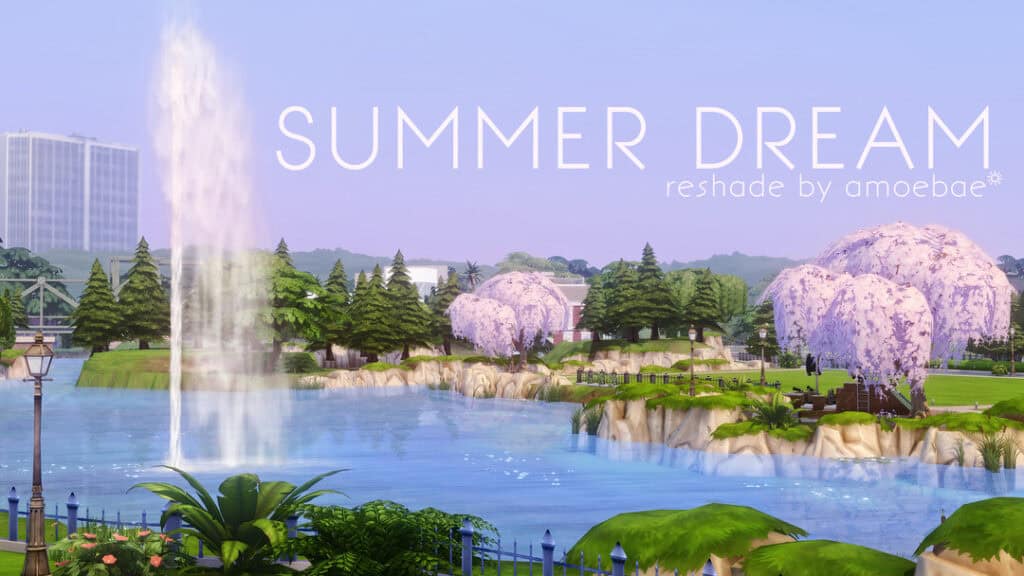
Summer Dream by amoebae adds a colorful, warm, romantic feeling to your game. It’s bright but not too bright, and the gentle haze makes your Sims 4 worlds look inviting.
I personally use this Sims 4 reshade preset for any summer save file. It delivers a clean, dreamy aesthetic perfect for beach strolls and sunbasking.
Comfort
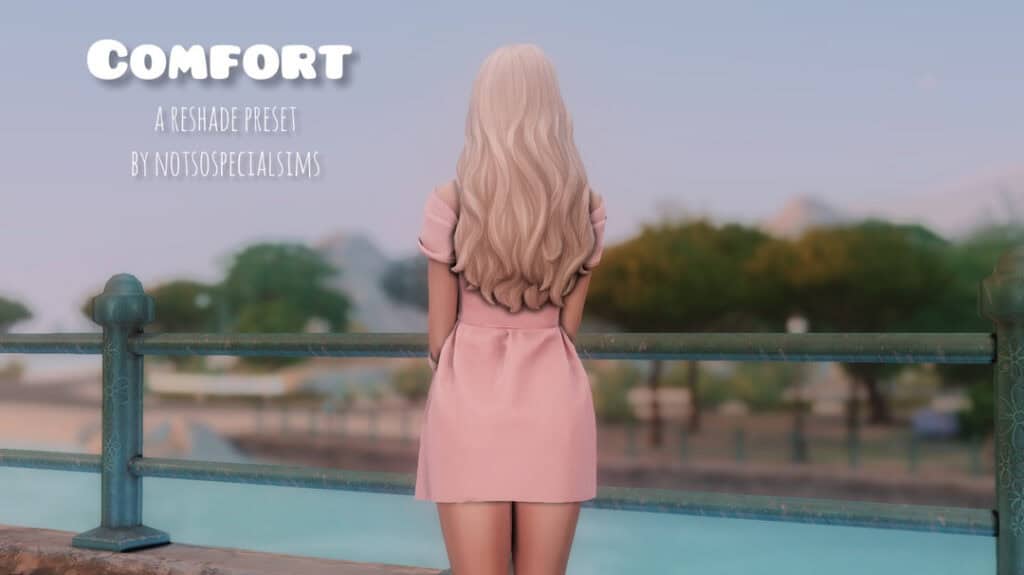
If you want to know what Reshade I use in my current gameplay, it’s this one by notsospecialsims. I love the cozy, calming feel it has, and it looks beautiful in-game. This reshade uses version 5.7.0.
Since it’s currently fall and I am heavily invested in autumn gameplay, this is what I have been using to achieve that cozy, fall aesthetic.
Faerie
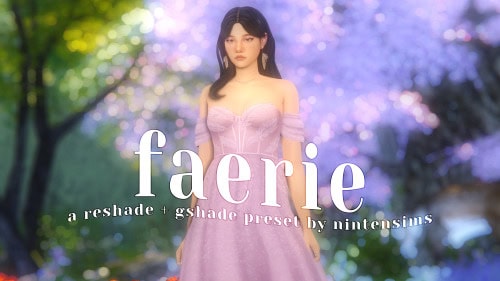
For those who want an enchanting escape, get this Faerie preset. It’s a reshade and gshade preset designed to transform your Sim’s world into a magical haze.
With its soft focus, glowing highlights, and pastel color grading, it gives every scene a magical, storybook quality. Be sure to download the Reshade version for your Reshade. This was tested on versions 5.2.2 and 4.8.2, so it may look different in your Reshade version.
Senshi Reshade
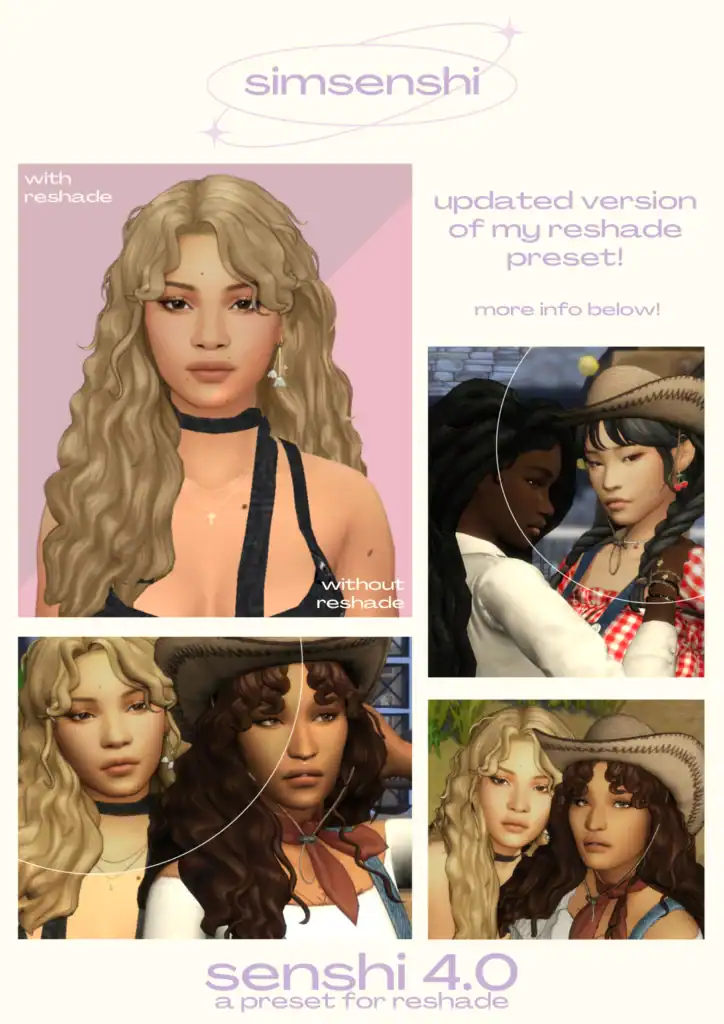
The Senshi Reshade is described as a refined and balanced visual preset with a soft glow. This updated version is basically a toned-down version of the creator’s previous presets.
But it maintains the creator’s signature style of smooth skin tones, realistic warmth, and bright yet natural lighting. You can see the comparison between the “with vs without Reshade,” which shows a clear depth boost and richer color harmony. Use this preset for CAS storytelling and close-up screenshots.
Slip Shady
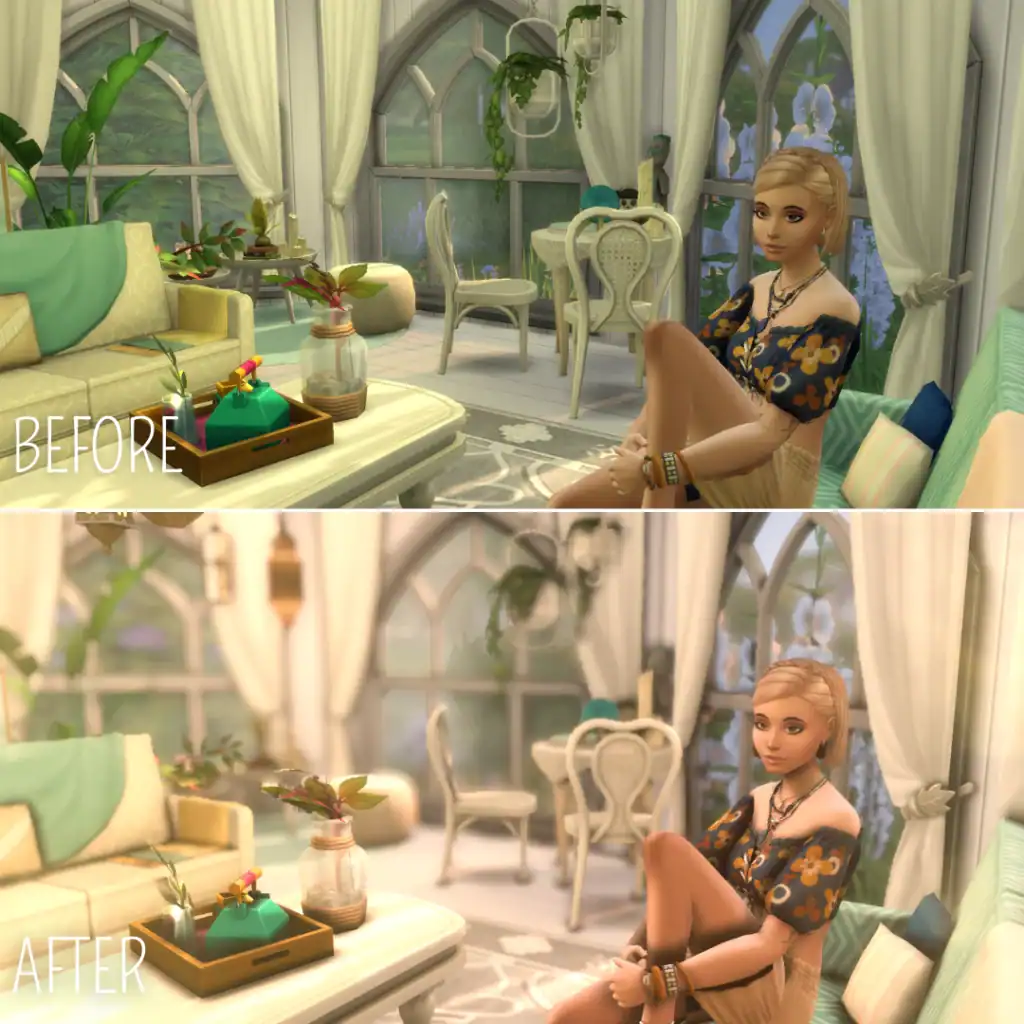
The Slip Shady ReShade Preset gives the Sims 4 a soft, luminous finish that’s effortlessly cozy and cinematic. Instead of the base game’s flat, neutral lighting, you get a golden, sunlit glow. The preset smooths the harsh shadows and adds a gentle blur around the edges.
I’d use this for Slice-of-life gameplay or when taking dreamy screenshots in-game and in CAS. This is one of my favorite Sims 4 reshade presets to use in 2025.
Nettle

Nettle is the perfect moody filter for your countryside gameplay. This preset adds a soft, natural glow inspired by early summer mornings. It’s more on the darker side, but with a beautiful contrast designed to make color appear more saturated.
I’d use this for outdoor gameplay, like countryside living or forested areas.
Foundation
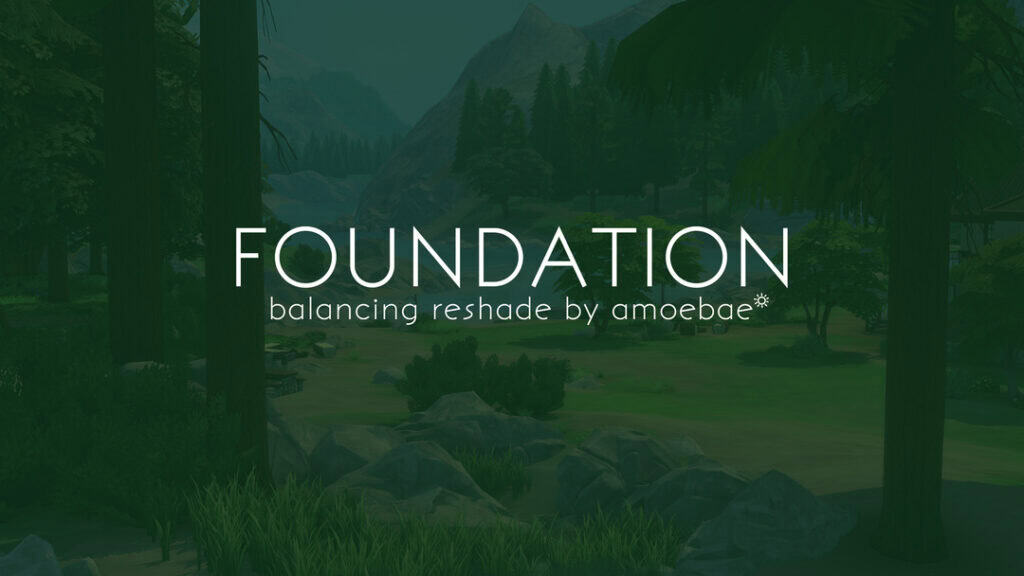
Foundation ReShade by Amoebae is a must-have in your 2025 gameplay. This balancing preset is designed to remove The Sims 4’s harsh blue and teal-green haze. It restores natural tones and neutral shadows without altering contrast or vibrant colors.
It works as a MultiLUT that you can use alone, pair with an existing preset, or build your own around. Foundation keeps whites clean, greys true, and menus fully readable, making the game look more balanced and realistic. If you want a refined, vanilla-like experience, use this reshade preset.
Sims 4 ReShade Presets
One more quick tip for downloading this mod: always read everything on the download page to ensure that you’re not missing anything, like extra download requirements.
1. Dove 2.0 Sims 4 Reshade Preset by kindlespice
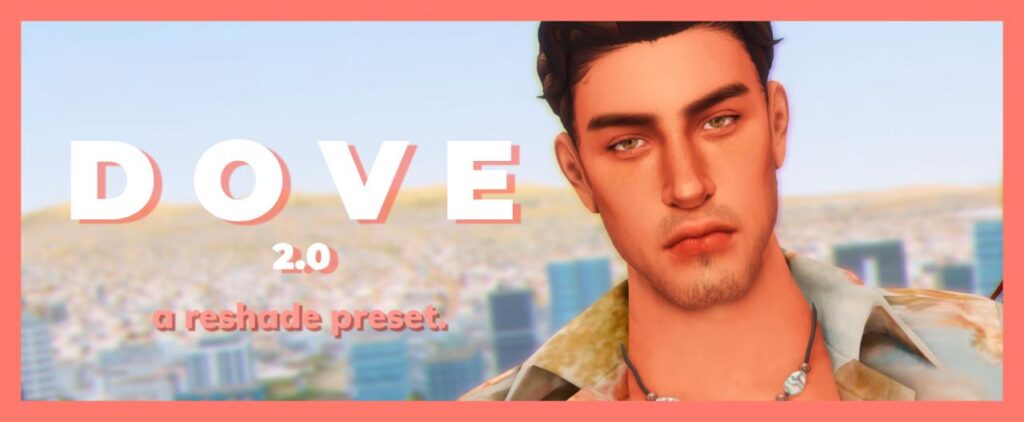
None of these presets are in any particular order. However, I did want to share with you the preset that I personally use in my game right now, in case you were curious.
This is the Dove 2.0 and I LOVE IT!
It adds so much brightness and color to the sims 4. It has a slightly pinky/purple look to it, which I think looks really good in-game and for screenshots.
2. October Mist Sims 4 Reshade Preset by Simdle
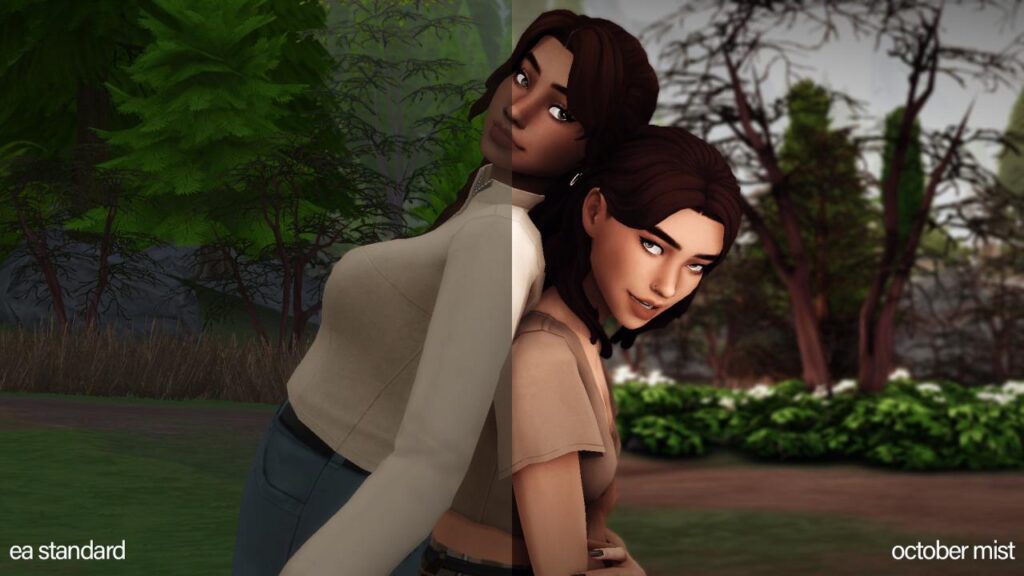
If you’re more into the other side of the spectrum and want to add a darker, more neutral look to your game then this preset is perfect.
Although it is more of a “grim” preset, it does add a level of brightness and contrast to your sims and their world that makes everything look spectacular!
3. Herbalhaze Sims 4 Reshade Preset by imkeegscc
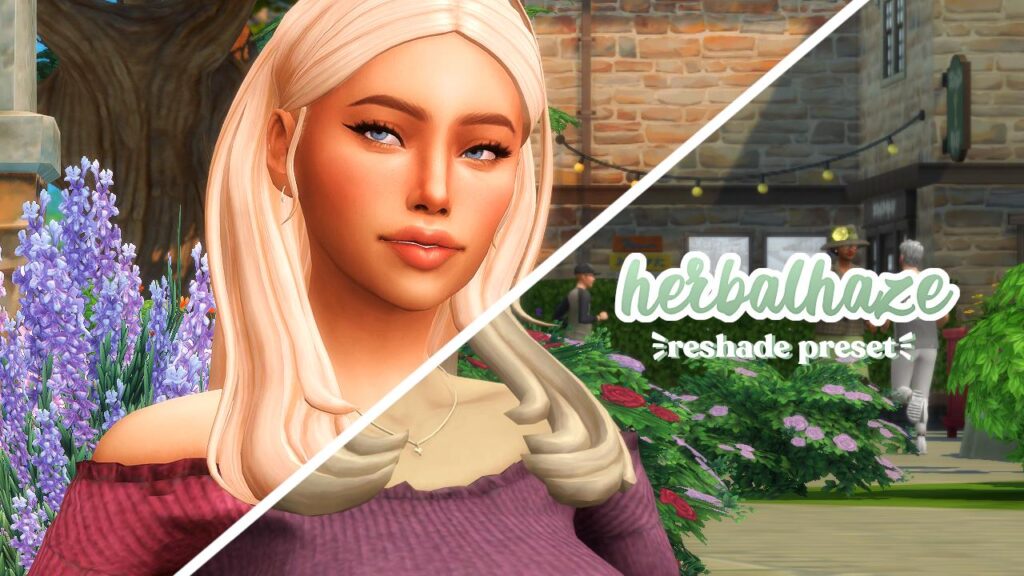
Herbalhaze is a great Sims 4 mod and has the goal of making the game “more bright, vibrant, and whimsical.”
This preset has a slight peachy quality to it, which really adds some vibrance to your sims.
4. Lunar Sims 4 Reshade Preset by simancholy
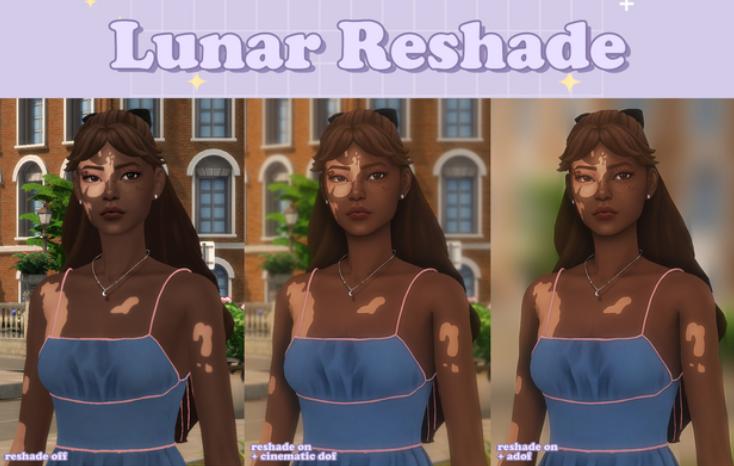
If you’re looking for a blurry sims 4 reshade preset then this is a great one to download.
There’s even an option to blur out the entire background. Perfect for taking very cinematic screenshots!
This preset also has a cartoon-like look to it. Something that is very popular within the Sims community.
5. Thatched Sims 4 Reshade Preset by amoebae
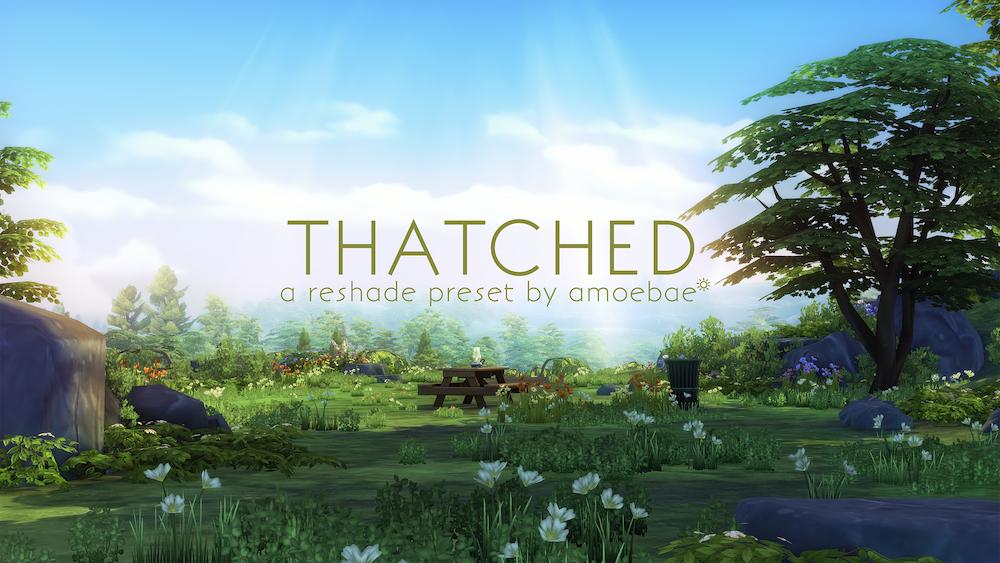
Thatched is focused on fixing the lighting of Henford-on-Bagley which is the world that came with The Sims 4 Cottage Living.
You can see all of the beautiful screenshots taken with this preset on the download page linked below.
{RELATED POST: The Cutest Sims 4 Cottagecore CC (Perfect for Cottage Living Gameplay)}
6. eris Sims 4 Reshade Preset by cerubean
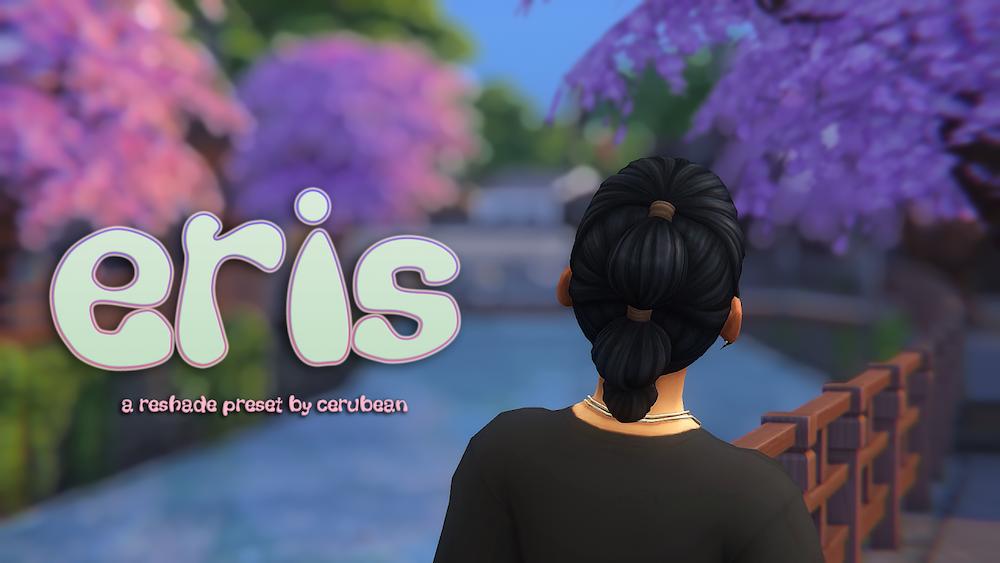
Eris by cerubean adds some nice blurry effects to the sims 4.
And not only does it do that, but it adds brightness to the game which it really needs.
The creator has graciously provided us with not only the preset download but an entire tutorial on how to install it. You can find all of that on the download page.
7. Compass Sims 4 Reshade Preset by intramoon
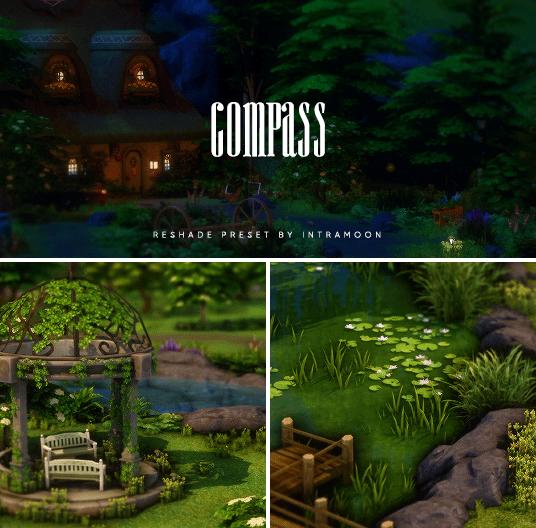
The compass preset is described as being “neutral and saturated.” It makes colors in the game more vibrant, but at the same time includes deep blacks.
This is an EXCELLENT preset for taking screenshots and creating a vibe.
The creator mentions that it wasn’t specifically made for Cottage Living, but that it pairs nicely with the world of Henford-on-Bagley.
8. Pearl Sims 4 Reshade Preset by MiikoCC
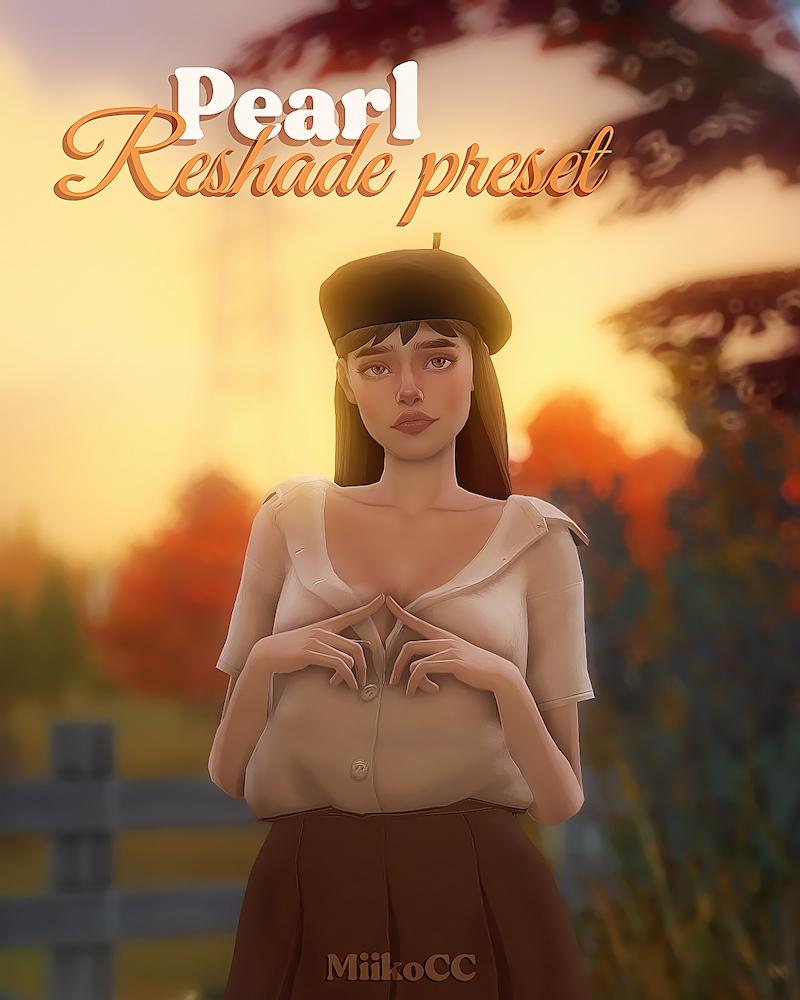
This one adds a soft glow to your game with some extra saturation. As you can see, it’s perfect for taking pictures of your sims!
Last thing I, unfortunately, have to mention is that it is Patron-exclusive, so it’s behind a paywall. I forgot that it was, but still thought I would share in case you’re interested in downloading this one.
9. Bright Sims 4 Reshade Preset by Unicorn Poopz
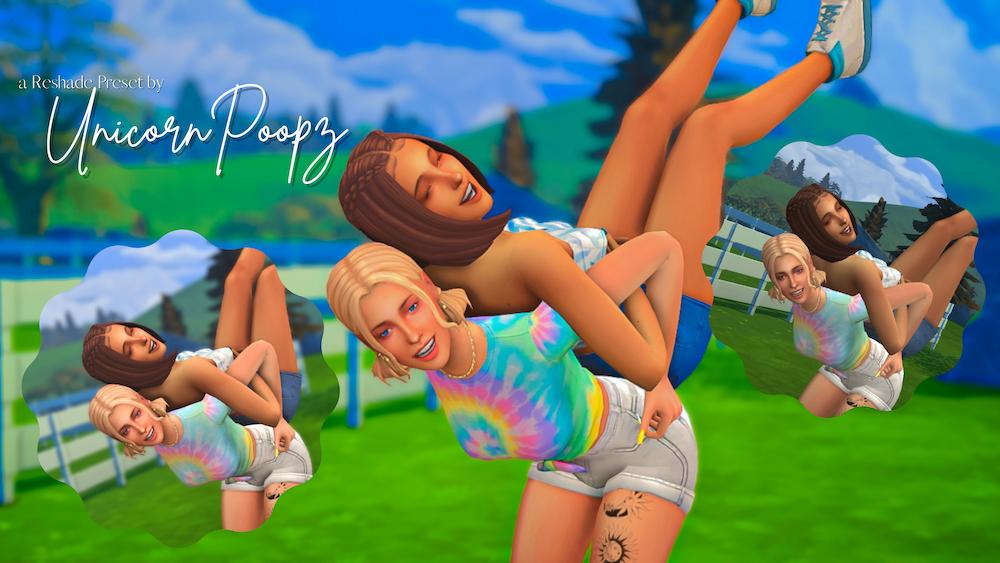
This preset reminds me so much of summer and I’m here for it!!
It’s bright, VERY saturated, and vibrant. All the things you want out of a good sims 4 shading preset.
10. Eleanora Sims 4 Reshade Preset by talentedtrait
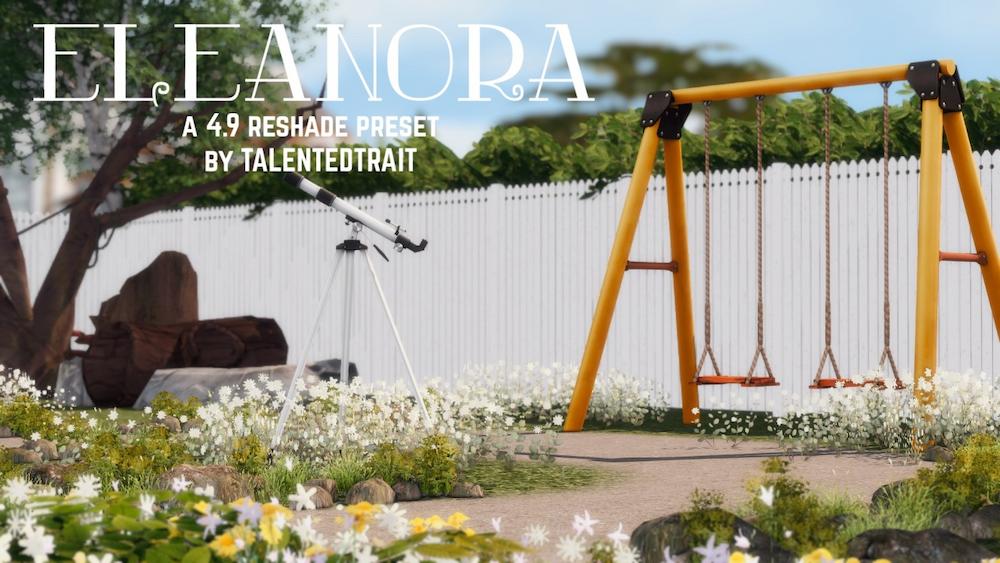
If you’re looking for a bright and dreamy reshade preset for sims 4, here you have it!
This one is heavily inspired by the Dove preset, which is the one that I use and absolutely love, so I’m sure this one is just as good.
It seems to have less pinky tones with more white included. Super cute!
11. The Moods Sims 4 Reshade Preset by amoebae
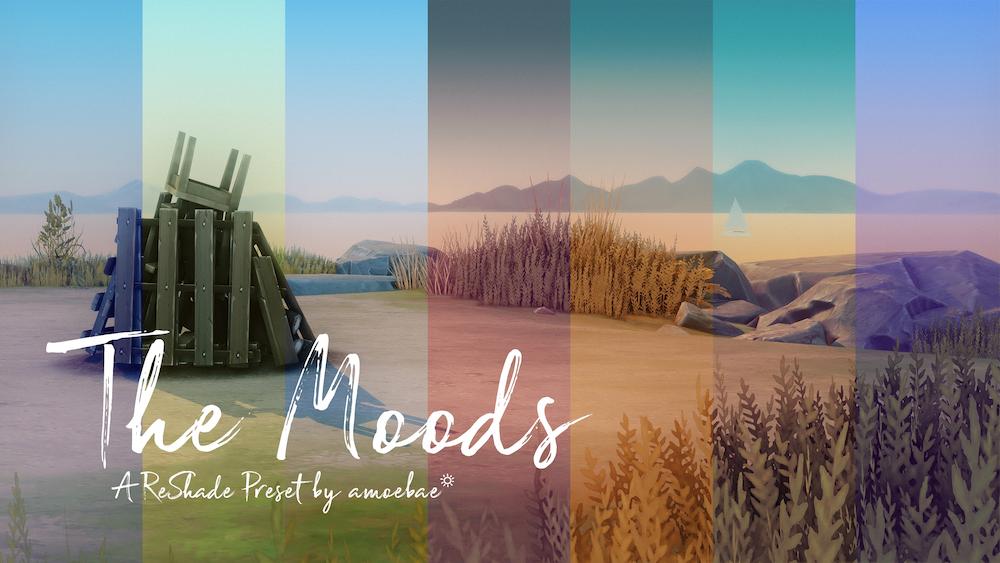
The Moods is exactly what it sounds like. It includes a sims 4 graphics mod for every single mood you may be wanting in your game.
30 to be exact. 🤯
These are all included in the one preset download, so no need to worry. You’ll be able to switch between them while using the preset.
12. Good Day Sims 4 Reshade Preset by Orianas SimStudio
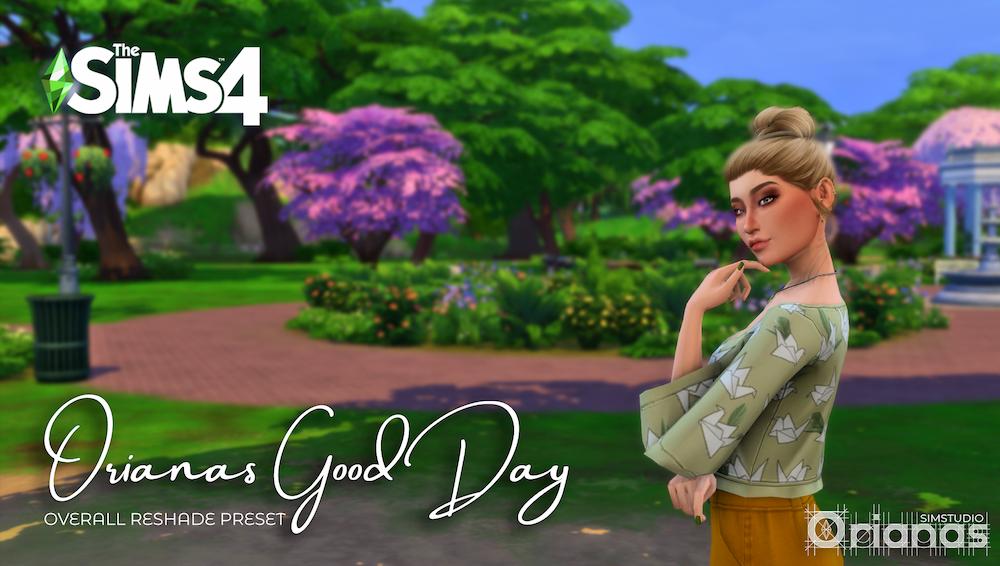
If you’re looking for a sims 4 reshade preset that won’t make your game look TOTALLY different, then this one is absolutely perfect!
This is a simple, subtle, and gameplay friendly preset that’s (literally) easy on the eyes.
13. Drift Sims 4 Reshade Preset by amoebae
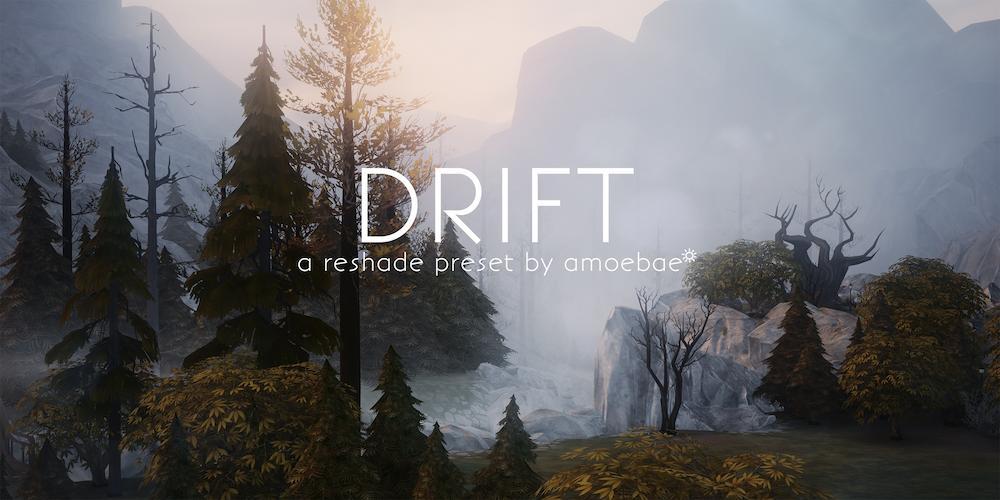
This muted, dreamy preset is described by the creator as being incredible for taking scenery screenshots.
I don’t see many simmers liking this one for everyday gameplay due to the darkness, but it could be the perfect preset for one of you out there!
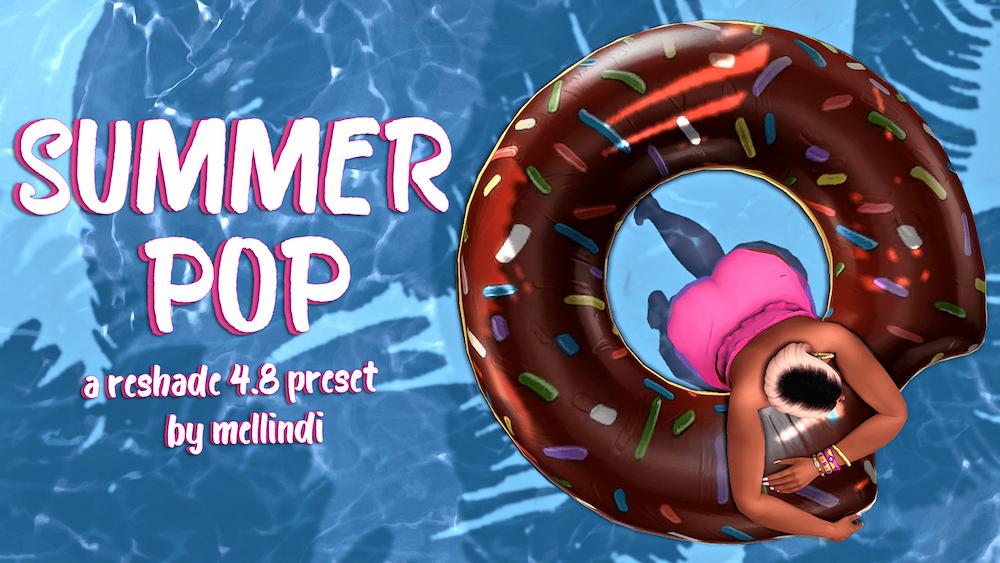
14. Summer Pop Sims 4 Reshade Preset by mellindi
First of all, let me start by saying that mellindi is an incredible sims 4 blogger.
Her blog is GORGEOUS and she writes incredible sims 4 content. Everything from mod recommendations to actual stories from her gameplay.
And of course, since the blog is so great, you know the reshade preset is too. This one is called Summer Pop and it’s all about being bright & colorful.
Please download this priest and check out mellindi’s blog if you have the time!!
{RELATED POST: 31+ Incredible Sims 4 Furniture CC Packs You Need in Your Game}
15. Terra Guaranalis Sims 4 Reshade Preset by Magalhaessims
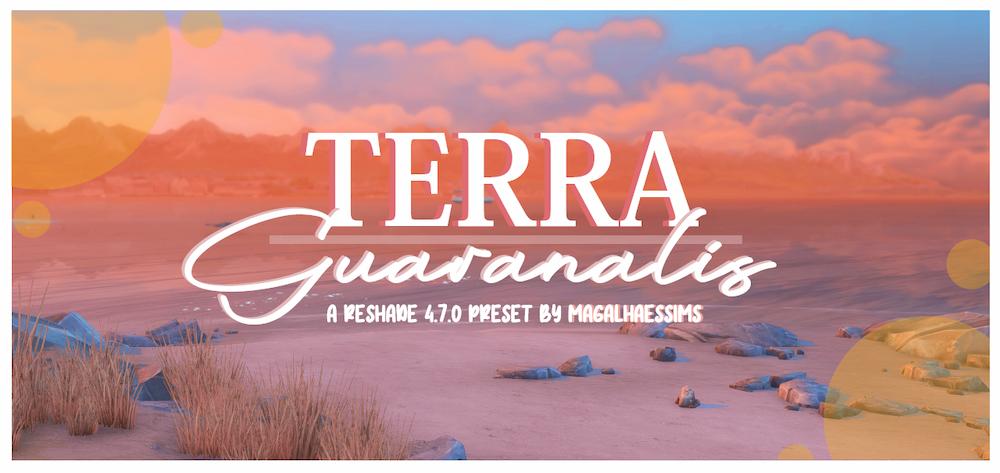
This is a beautiful preset described as giving your game an “artistic, bold, and colorful atmosphere with a sheer tint of sepia.”
It’s a unique preset that I’ve contemplated switching over to because I do love it. You can read more about this preset and see more photos on the download page.
16. Clear Bloom Sims 4 Reshade Preset by amoebae
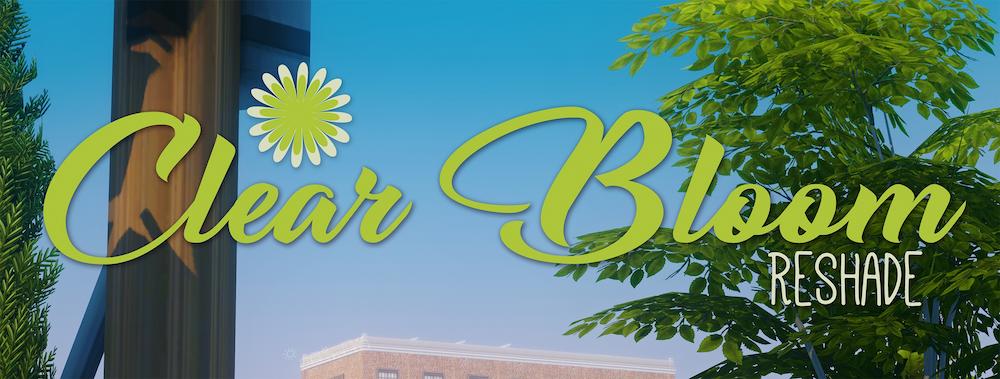
Clear Bloom is a sims 4 preset that looks good in all worlds because it’s clear, colorful, but with a softness.
Due to it being universally beautiful, I think this would be a great option for an everyday gameplay preset.
However, the creator does mention that is a “hands-on” preset, meaning you’ll want to be comfortable opening this in-game and turning effects on or off depending upon the lighting.
17. Simple Sim Reshade Preset by oshinsims
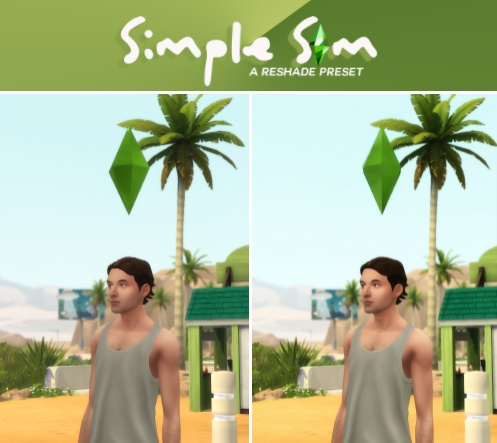
Simple Sim by oshinsims allows you to brighten up the game and add some depth, without anything looking too different from the normal sims 4 graphics.
It naturally enhances the game without oversaturating it.
18. Livid Sims 4 Reshade Preset by Charly Pancakes
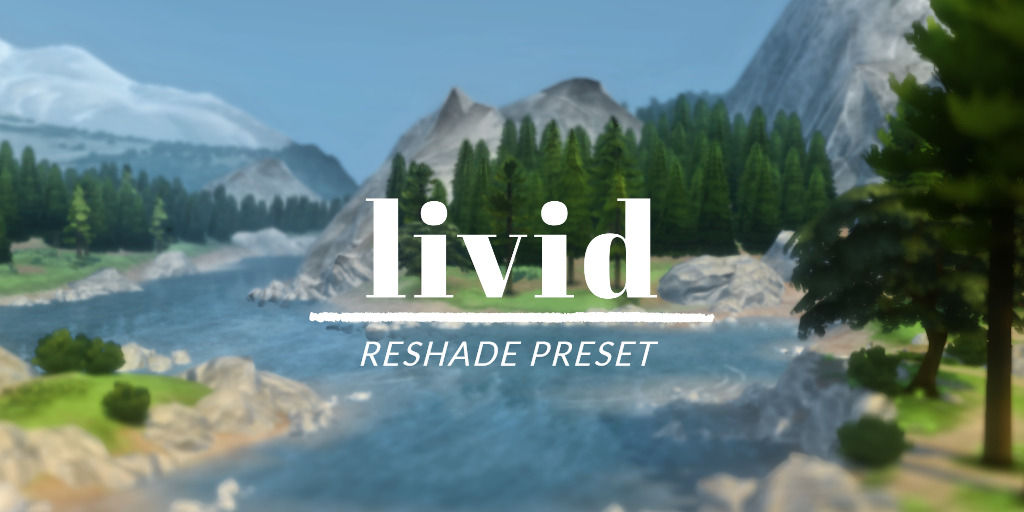
Livid Sims 4 is another one that was created with the intention of scenery screenshots but is still usable for gameplay with a few tweaks.
The livid preset has a more realistic coloring than the regular game which tends to lean very blue. The look of this preset is muted; however, it still makes the game colorful and saturated.
19. Wintermelon Milk Tea Reshade Preset by Malixa
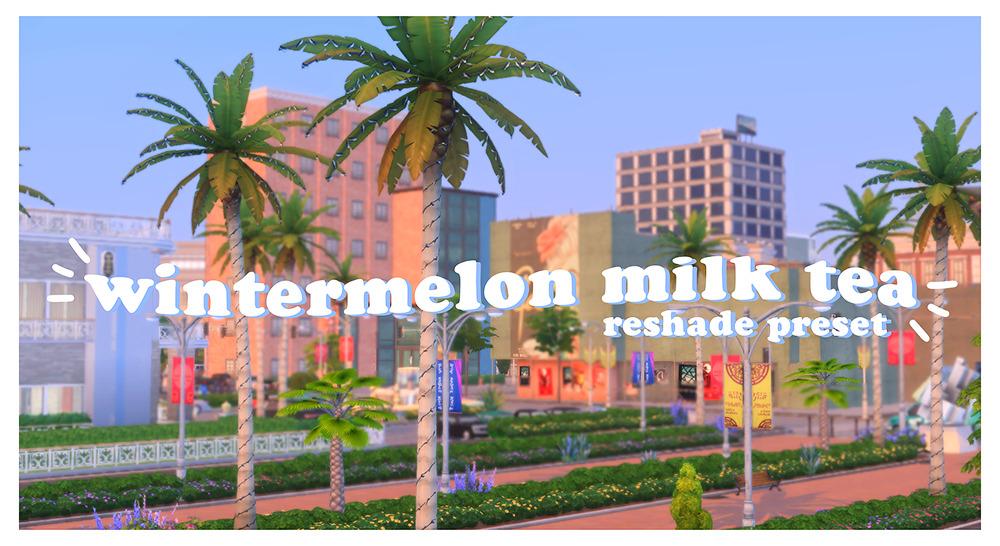
Wintermelon milk tea gives your game a VERY vibrant and almost cartoon-like look.
It’s super cute and perfect for picture taking!
20. Love Shade Vogue Sims 4 Reshade Preset by hazelmine
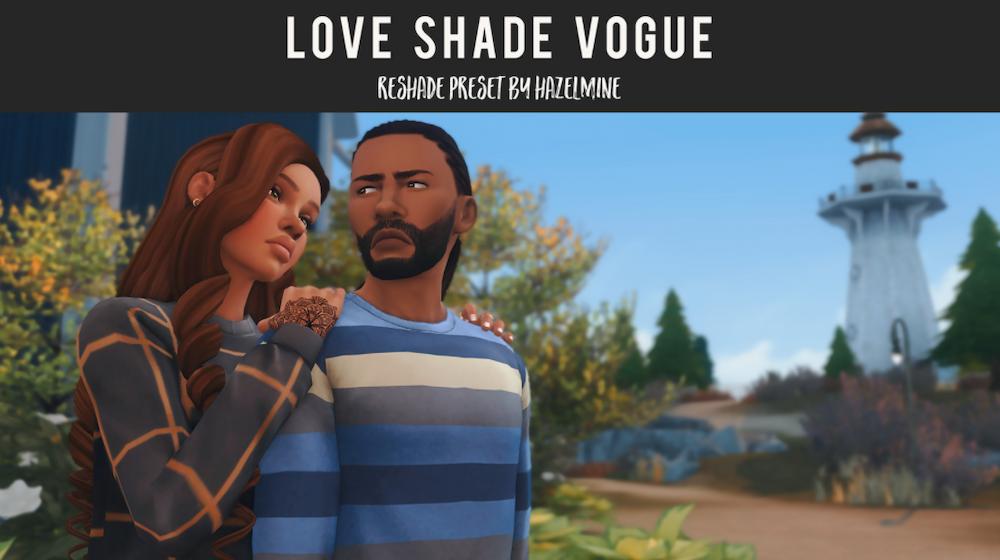
The Love Shade Vogue preset is a favorite among simmers. It’s constantly talked about in Youtube favorites and Tumblr posts.
One of the reasons that I think so many people love this preset is the fact that it adds a lot of visual depth to your game, in addition to adding vibrancy and color.
21. Ambrosia Sims 4 Reshade Preset by peachyfaerie
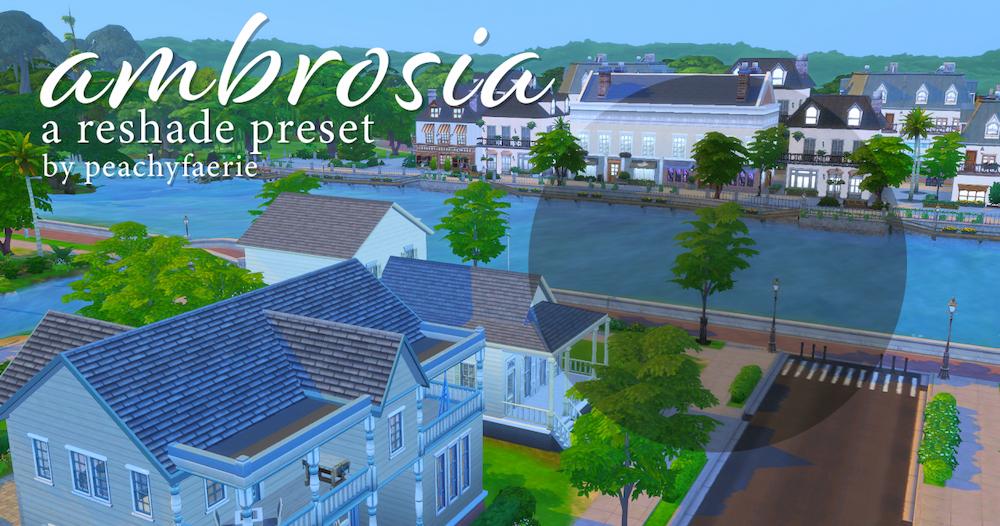
Here’s another bright, colorful, and saturated preset for sims 4 to give you even more options!
If you’re tired of dull-looking screenshots, then you need to download this preset.
22. Rosemary Sims 4 Reshade Preset by aillian
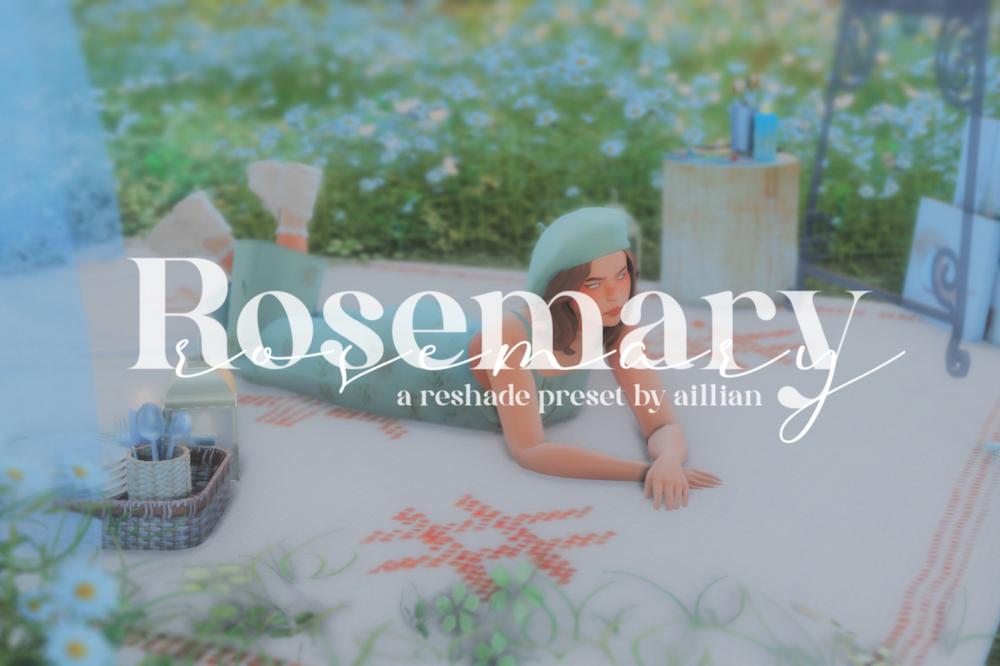
If you’re looking for a super trendy and aesthetic preset, Rosemary is your perfect sims 4 preset.
It adds a blurry softness to the look of your game and creates an entirely new vibe. So cool!
23. OshinLITE Sims 4 Reshade Preset by Oshin
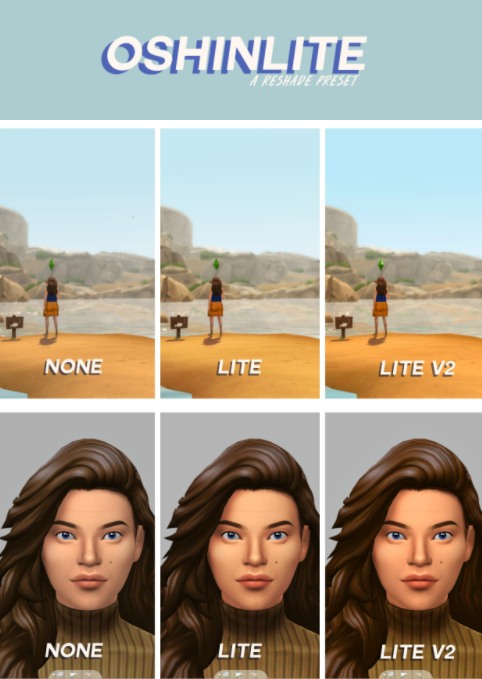
Oshin is great at creating simple sims 4 presets that aren’t over the top to enhance the game’s graphics.
This one is described as being perfect for players new to ReShade and it comes in two versions. The second version being being vibrant than the original!
Hopefully, this list of sims 4 reshade presets helped you transform the look of your game, and maybe even inspired you to take some gorgeous in-game screenshots.
I don’t know about you, but once I started using these in my game, I couldn’t play without it!
Share with me your favorite in the comments down below. I LOVE finding new ones to use for my everyday gameplay.
This post was all about the best Sims 4 Reshade Presets.
Other Posts You May Like:




Thank you so, so very much for including my reshade here! I feel so honored! <3
xoxo aillian
Of course!! 😊
Thank you so much for including my reshade!! So happy you liked it. And thank you for the list! Definitely a lot of new ones to try that I wasn’t aware and can’t wait to use 💕
I absolutely love it! ReShade is SO fun. Thanks for your super kind comment ❤️
I make you a recommendation! I have the preset called Mystery Lights, it’s extremely good, I’ve been using it for quite a while.
https://s4reshade.tumblr.com/post/185756124236/mystericsims-mysteric-lights-a
Thank you!! I’ll have to check it out more, but it looks really good. I love the boldness of the color it adds.
so i downloaded reshade and downloaded a preset. i think i did everything right and i load my game and wanna use reshade. I tap shift + F2 when i’m at the starting page but the settings don’t show up. what am i doing wrong? i use my laptop with windows 10 and iam not playing in laptop mode.
Hello,
Can you try pressing Home instead of Shift + F2? that’s the new shortcut to open ReShade. If it still doesn’t show, make sure it’s installed to your TS4_x64.exe file and using DirectX 11.
Thank you so much for including my reshade!! So happy you liked it. And thank you for the list! Definitely a lot of new ones to try that I wasn’t aware and can’t wait to use
https://www.softlay.com/downloads/reshade
No problem! If you create any new reshades soon, be sure to let me know. I might just post about it!
Love this!
Thanks Dylan!